
24/7 Customer Support

Free returns

Same-day & Next-day Delivery

Quality Guaranteed

Unlock Your Welcome Offers: FREE Delivery | Up to 80% OFF | Free 30-day JoyPlus trial
Download the APP
By Joybuy Product Recommendation Officer
Buying fast charging USB-C cables and chargers can seem straightforward, but a high wattage printed on the packaging does not guarantee faster charging. Your device, charger, cable and charging protocol must all work together. A cable rated for 240W cannot make a phone draw 240W if the phone supports only 25W, while a powerful charger may be unsuitable for a laptop if the cable has a lower rating.
This guide explains the specifications that matter, common buying traps and suitable options for different UK lifestyles.
A 60W USB-C cable, 100W USB-C cable or 240W USB-C cable indicates the maximum power the cable is designed to carry under suitable conditions. It does not mean your smartphone will charge at that level.
Actual charging speed is limited by the lowest-rated part of the setup:
For example, a 100W charger paired with a 60W cable may not deliver the power required by a compatible high-performance laptop.
USB-C describes the connector shape, not the full specification. Some cables support charging only, while others also support data transfer. Data speeds can vary significantly, even when two cables look almost identical.
Check whether you need:
A very short cable may be inconvenient beside a bed or in a car. A very long cable can be harder to store and may create clutter. Repeated bending near the connector is a common reason charging cables stop working.
For car use, also check the socket position and cable arrangement. A large adapter can interfere with nearby controls, while a fixed cable may become untidy around the centre console.
USB Power Delivery is a charging standard used across many USB-C phones, tablets, laptops and accessories. A Power Delivery cable should be rated for the power your device and charger require.
As a practical guide:
Higher wattage is not automatically more economical. Choose enough capacity for your equipment rather than paying for unused headroom.
Before ordering, identify the port on the device:
The included cable with the Oxerbog car charger is specified for iPhone 15, 16 and 17 series devices and Android products. It is not compatible with iPhone 14 or earlier models, so owners of those devices should select a suitable Lightning cable instead.
A braided charging cable can offer a more structured outer layer, while silicone coverings are often flexible and easy to handle. Look for reinforced connector housings, clear power specifications and safety instructions.
Useful details include:
Do not use a cable if it is frayed, unusually hot, has exposed wiring or shows damage around the plug.
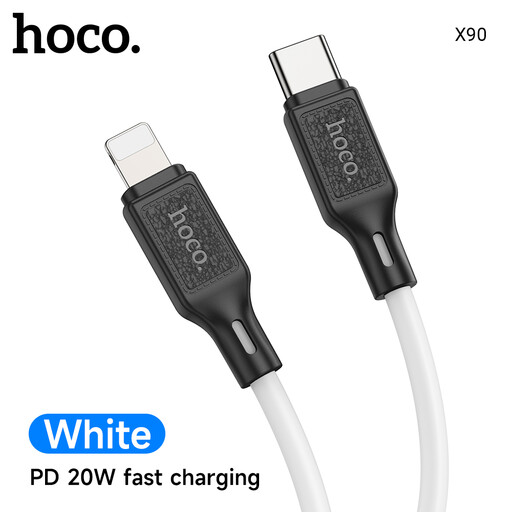
Why This Fits Their Persona: A practical 1-metre USB-C to USB-C charging cable for everyday phone and tablet charging at home, work or university.
The stated 60W capacity and PD/QC 3.0 support make the specification clearer than an unspecified “fast” label.
Supports up to 60W and has a silicone outer material with aluminium alloy plugs.
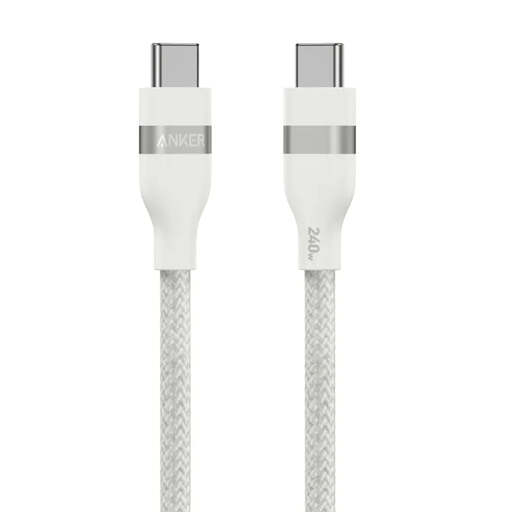
Why This Fits Their Persona: Suitable for users who want a compact, neatly stored cable for a laptop bag, desk or premium charging setup.
Its stated 240W rating and USB-IF certification provide specific information for compatible high-power equipment.
Braided construction, 0.9-metre length and a stated 30,000-plus bend lifespan.
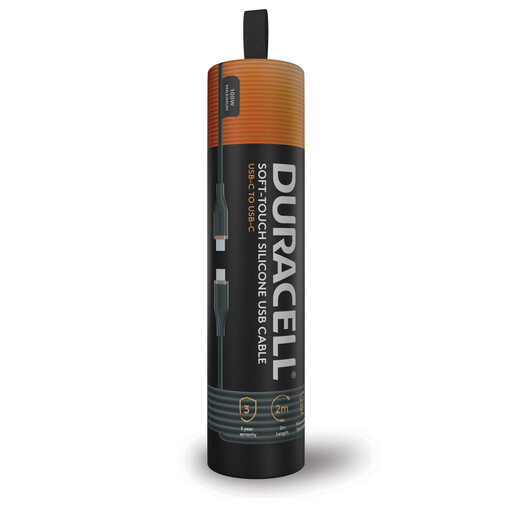
Why This Fits Their Persona: The 2-metre length suits bedside sockets, gaming setups, hotel rooms and hard-to-reach office plugs.
The product specifies 100W PD support and USB 2.0 data speeds, avoiding confusion between charging and file-transfer performance.
Double-braided nylon with a copper core, soft-touch silicone finish and kink-resistant design.
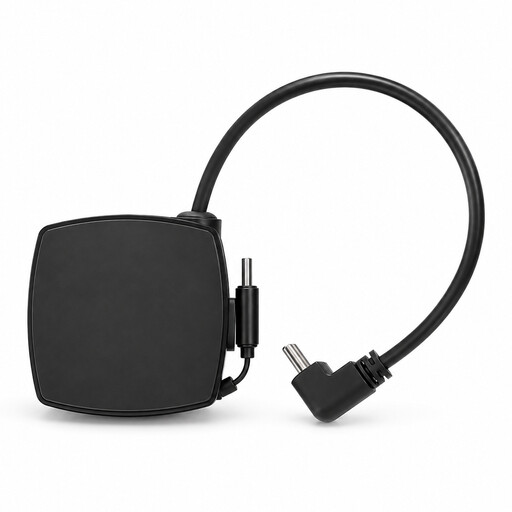
Why This Fits Their Persona: A compact in-car solution for commuters who want a built-in retractable lead rather than a loose cable in the centre console.
Its compact 4.5 × 4.5 × 1.7cm body and retractable 70cm cable address socket clearance and cable clutter.
The specification states up to 65W output and includes adhesive mounting for positioning inside the vehicle.
We have compiled a complete, real-time list of products that fully satisfy these strict selection criteria and UK safety regulations.
A compatible charger is just as important as the cable. A USB-C fast charger for the wall should provide enough wattage for the device being charged. Multi-port models can power several devices, but check the combined output because maximum power may be shared between ports.
For travel, a portable power bank can provide backup away from sockets. The Lofree 10,000mAh model specifies 22.5W USB-C output and includes a USB-C cable. For Apple devices using Lightning, an MFi-compatible option such as the ACEFAST C6-01 20W USB-C to Lightning Charging Cable is designed for USB-C charger-to-Lightning connections.
For older accessories, the ACEFAST J1 USB-A to USB-C Fast Charge Adapter converts a USB-A port to a USB-C connection and states data transfer up to 5Gb/s. A car charger with cable is convenient, but confirm whether its included connector matches your phone before buying.
They may connect physically, but charging speed and data performance depend on the phone, charger, cable rating and supported protocol. Check the device manual and charger output before purchasing.
It can be appropriate for compatible laptops or other high-power USB-C equipment. For a phone that accepts 20W or 30W, a 60W cable is generally sufficient. A higher-rated cable does not override the device’s charging limit.
Lifespan depends on bending, heat, moisture, storage and connector handling. Coil cables loosely, hold the plug rather than pulling the wire, and replace any cable showing fraying, exposed conductors, overheating or intermittent connections.