What matters when choosing?
For household financial records, work out how you would restore a separate copy before choosing drive capacity or transfer speed. Then consider the risks of carrying the copy and whether you need it available away from home.
| Concern |
What to check |
Who this matters to |
| Recovery after failure or malware |
Check that the intended folders are copied and that you can restore and open a sample file. Disconnect a removable drive between backups, as the National Cyber Security Centre advises. |
If my computer fails or malware reaches it, I need a separate copy that I can actually open. Around 33% of consumers put recoverability first. |
| Privacy if a drive is lost |
Check the exact device's encryption and unlock options, including password recovery and any failed-attempt rules. |
When I carry financial files, I want someone who finds the drive to be unable to read them. Around 27% of consumers prioritise protection against unauthorised access. |
| Current off-site access |
Check which folders are copied, the storage allowance, two-step verification and the account's recovery methods. |
If the computer and home drive are unavailable, I still need a recent copy from another location. For around 20% of consumers, off-site access is the primary concern. |
| Local archive capacity |
Allow room for future scans and files; check the exact drive's compatibility, warranty and backup-software requirements. |
As my collection of statements grows, I want enough space for a manageable local archive. Around 20% of consumers put archive capacity first. |
Joybuy drive options
These portable HDDs and SSDs offer ways to keep a removable local copy of household records. Pair the drive you choose with a separately stored copy, and check that you can restore your files before depending on either one.
 No image available
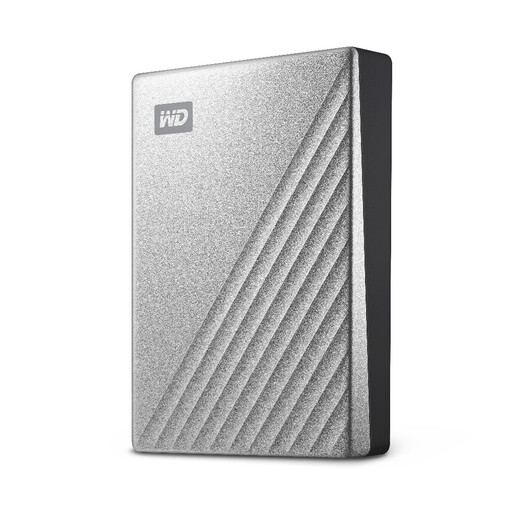
Western Digital My Passport Ultra 4TB portable HDD, silver
Consider this removable HDD if you want space for a growing local archive of statements and scans.
4TB capacity. Confirm its connection and file-system requirements for your computer, and keep another copy away from the drive.
View on Joybuy
 No image available
Samsung Portable SSD T7 2 TB, grey
Consider this portable SSD if you expect to copy or retrieve your local records frequently.
2 TB capacity and a USB Type-C 3.2 Gen 2 connection are stated in the product name. Check your computer's connection and set up any desired access protection before relying on the drive.
View on Joybuy
 No image available
Samsung T7 Shield 1 TB portable SSD, blue
This is a portable local-copy option if you want a 1 TB SSD to move between backup sessions.
The product name specifies USB 3.2 Gen 2. Check how access protection is set up for this exact model, and retain a separate copy of important records.
View on Joybuy
 No image available
Lexar ES4 1TB portable SSD with Magnetic Set
Consider this removable SSD if its magnetic set and stated device compatibility suit where you intend to use it.
The product name specifies USB 3.2 Gen 2, read speeds up to 1050MB/s and write speeds up to 1000MB/s, subject to a compatible connection. Check encryption setup and file-system requirements before copying sensitive records.
View on Joybuy
 No image available
Western Digital Elements portable HDD 4TB, black
Consider this HDD if your priority is a removable local archive with 4TB of capacity.
The product name specifies USB3.0. If the drive may be lost or stolen, check its protection options; also confirm compatibility with your computer and keep a separate backup.
View on Joybuy
Common questions
Is one external drive enough for household financial records?
An external drive provides a local copy, but it should not be the only protection for records that would be difficult to replace. The National Cyber Security Centre advises considering both online storage and a storage device for separate backups; disconnect removable media when it is not in use.
Should I leave my backup drive plugged in?
Disconnect a removable backup drive between backup sessions. The National Cyber Security Centre warns that malware can affect storage connected to an infected computer; reconnect the drive when it is time to make and check a new copy.
Should I encrypt a portable backup of financial records?
Encryption is worth considering when a drive holding sensitive records could be lost or stolen. The Information Commissioner's Office describes encryption as protection for stored personal information; before choosing a device, check how you will unlock it and retain the credentials needed to recover your files.
What should I set up before relying on cloud storage?
Protect the cloud account and make sure you can recover access to it. Set up two-step verification, keep more than one recovery method and try opening your files from another device. Microsoft Support cautions that losing access to a verification method can make account recovery difficult.
How can I tell whether my backup will restore?
Restore a sample file to a different folder or device and open it. Check that the backup contains the intended folders and recent records too; the National Cyber Security Centre advises checking that important and newly created files are present.


