Joybuy products for these setups
These monitors cover conventional QHD screens, curved ultrawides and a wider 32:9 format. Choose the format your desk, games and device can accommodate, then check the audio connection you intend to use.
 No image available
LG UltraGear 34GX900A-B 34-inch OLED WQHD, 240Hz
Consider this OLED ultrawide if you want a wider view for fantasy games and have room for a 34-inch screen.
The product name specifies WQHD and 240Hz. Confirm that your games and chosen input support the display mode you want, and check the headphone connection against your intended setup.
The listing warns that the OLED screen is susceptible to burn-in; use its stated screen-protection features and avoid prolonged static images.
View on Joybuy
 No image available
Samsung Odyssey G6 S27DG612 27-inch QHD OLED, 240Hz
This is a 27-inch QHD OLED option for a conventional desk layout rather than an ultrawide one.
The product name specifies 240Hz and 0.03ms. Check whether the listed 200 cd/m² typical brightness suits your room, which input supports your intended display mode, and how your headphones will connect.
View on Joybuy
 No image available
Acer X Predator X49X 49-inch 32:9 QD-OLED, 240Hz
Choose this format only if you specifically want a 49-inch panoramic screen and can accommodate it on your desk.
The product name specifies a 32:9 panel, 1800R curve, 240Hz and AMD FreeSync Premium. Check game support, graphics capability, your intended audio route and desk support; the listing warns that the panel is wide and heavy and calls for at least two people to move it.
View on Joybuy
 No image available
Dahua 34-inch curved UWQHD VA gaming monitor, 200Hz
This 3440 × 1440 ultrawide suits a PC setup where a 21:9 game view is the reason for changing formats.
The listing specifies up to 200Hz over DisplayPort 1.4, but up to 100Hz at 3440 × 1440 over HDMI 2.0. Check your device and games before choosing an input, and confirm that the listed audio-out port works with your intended headphone connection.
View on Joybuy
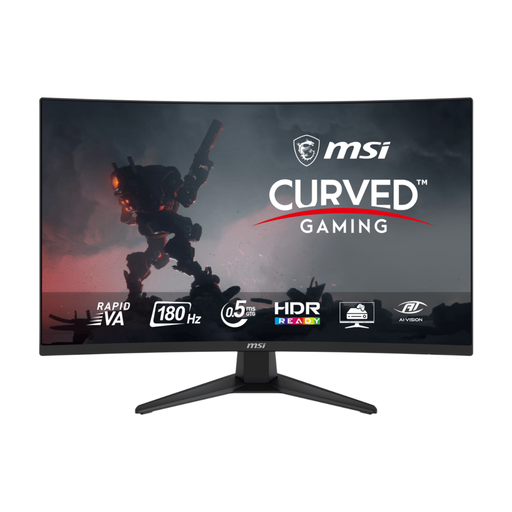 No image available
MSI MAG 321CQF E18 32-inch curved WQHD, 180Hz
Consider this 32-inch curved WQHD screen if you want a larger conventional-format display rather than an ultrawide.
The listing specifies up to 180Hz over DisplayPort 1.4a and up to 144Hz over HDMI 2.0b at WQHD. Check the mode available from your gaming device and confirm where your headphones will connect.
View on Joybuy
Frequently asked questions
Is OLED automatically the right choice for fantasy adventures?
No. A QHD OLED is worth considering if dark-scene presentation is your priority, but check the exact model's brightness conditions against your room. A conventional QHD IPS screen keeps a 16:9 layout, while an ultrawide makes sense when you specifically want—and your games support—a wider format.
Do story-led fantasy games require a 240Hz monitor?
No; a 240Hz specification only matters if your PC, connection and game can deliver a mode that uses it. If frame rates vary, check variable refresh rate compatibility with your graphics hardware: AMD describes FreeSync for compatible setups, and NVIDIA specifies compatible hardware and displays for G-SYNC.
Can a PS5 or Xbox use a QHD monitor at 120Hz?
Yes, with a compatible console, game, display and HDMI connection. Xbox Support describes switching supported Series consoles to 120Hz when the connected display supports it over HDMI; PlayStation Support provides a PS5 test for 1440p output, including supported 60Hz, 120Hz and variable refresh rate modes. Check the output your own console detects.
Do I need a headphone socket on the monitor?
Only if you plan to connect your headphones through the monitor. Samsung lists a headphone connection on the Odyssey G5 LC34G55TWWPXXU, but for any model you should check the exact port and where both game audio and your microphone will connect.


