
24/7 Customer Support

Free returns

Same-day & Next-day Delivery

Quality Guaranteed

Unlock Your Welcome Offers: FREE Delivery | Up to 80% OFF | Free 30-day JoyPlus trial
Download the APP
Choosing among gaming monitors is not simply a matter of selecting the highest refresh rate or largest screen. A display must match your graphics hardware, desk space, games and non-gaming work. A suitable model for competitive PC play may be a poor fit for photo editing, console gaming or a compact UK home office.
As the Joybuy Product Recommendation Officer, I focus on practical specifications rather than promotional wording. The following guide highlights common buying traps, explains the figures that matter and matches different requirements with suitable options.
A 165Hz gaming monitor, 180Hz gaming monitor or 240Hz gaming monitor can display more frames per second than a 60Hz screen, but the benefit depends on the computer or console producing those frames. At 2560 × 1440, reaching 180fps may require a capable graphics card, particularly in demanding games.
Check the maximum resolution and refresh rate supported through each input. The CRUA 32-inch model, for example, specifies that its maximum 165Hz and QHD resolution require the supplied DisplayPort cable; HDMI may be limited to 144Hz or lower depending on the graphics card and HDMI version.
HDR support varies considerably. A basic HDR-compatible screen may accept HDR content without delivering the brightness, contrast or local dimming associated with a more noticeable HDR presentation. OLED panels can produce very deep blacks because individual pixels can switch off, while VA panels typically offer a high stated contrast ratio at a lower price.
Look for the complete specification, including brightness, panel type and HDR standard. Do not select a monitor based on the HDR label alone.
A curved gaming monitor or ultrawide gaming monitor needs more desk width and, often, greater depth than a conventional 16:9 display. A 49-inch 32:9 model can also be heavy and difficult to move safely. Check the desk’s usable width, depth and load capacity before ordering.
Stand adjustment is equally important. Tilt-only stands provide less positioning flexibility than models with height, swivel or pivot movement. Also verify whether the monitor has enough HDMI, DisplayPort, USB-C or USB hub connections for your PC, console, laptop and accessories.
For many users, a QHD gaming monitor or 1440p gaming monitor offers a practical balance between image detail and graphics workload. The common 2560 × 1440 format provides more workspace and sharper text than Full HD without demanding as much graphical power as 4K.
UWQHD at 3440 × 1440 suits 21:9 gaming, simulation and multitasking. DQHD at 5120 × 1440 on a 32:9 display provides two QHD panels’ worth of horizontal workspace, but it requires a wide desk and a graphics card capable of driving the resolution.
Refresh rate is measured in hertz. A higher figure allows the display to update more frequently, which can make camera movement and scrolling appear smoother when the system delivers matching frame rates.
Response-time figures require caution because manufacturers may use different measurement methods, such as GTG or MPRT. Adaptive sync technologies, including AMD FreeSync, coordinate the monitor’s refresh behaviour with compatible graphics output to help reduce tearing and stuttering. Confirm compatibility with your graphics card and console before purchase.
For a professional monitor or monitor for content creation, review gamut coverage, calibration information and colour standards. A factory-calibrated display with specified sRGB or Rec.709 coverage is more informative than vague claims about “professional colour”.
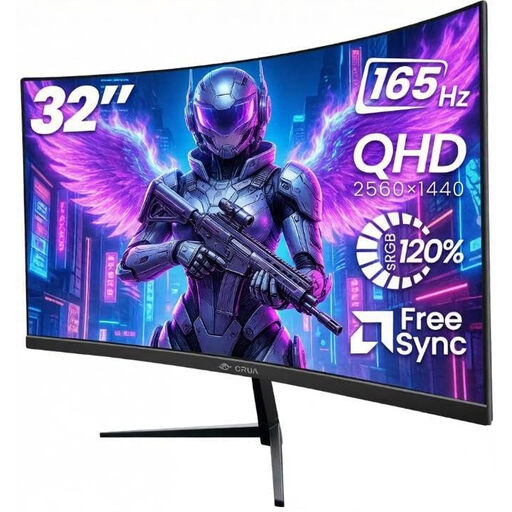
Why This Fits Their Persona: A practical 32-inch choice for a bedroom setup, student room or home office that also needs smooth PC and console gaming.
The product specification identifies the 165Hz DisplayPort requirement and provides dual HDMI and dual DisplayPort inputs for flexible connections.
32-inch 2560 × 1440 VA panel, 1500R curve, 165Hz refresh rate, FreeSync, VESA 100 × 100mm and flicker-free operation.
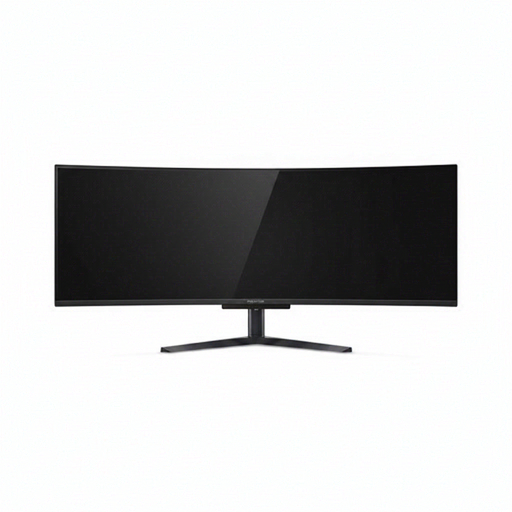
Why This Fits Their Persona: Suits enthusiasts building a large gaming and productivity desk with space for a 49-inch 32:9 display.
The specification clearly states the 5120 × 1440 resolution, 240Hz refresh rate and HDMI 2.1/DisplayPort connectivity, helping buyers match hardware correctly.
QD-OLED panel, 240Hz refresh rate, 0.03ms stated response time, USB-C with up to 90W Power Delivery and integrated KVM switch.
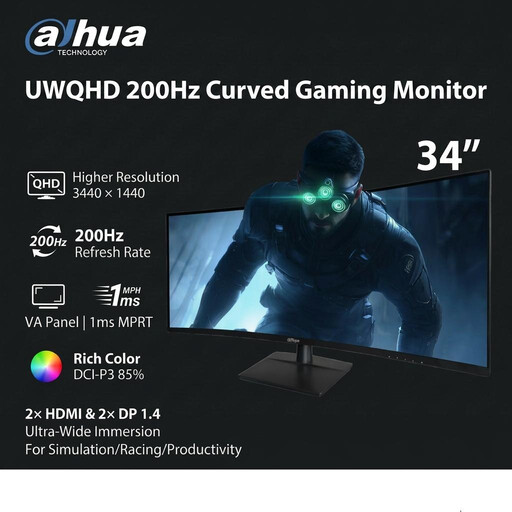
Why This Fits Their Persona: Designed around simulation, racing and fast-paced gaming, while retaining room for productivity windows.
The inputs are specified separately: DisplayPort supports up to 200Hz at native resolution, while HDMI is listed at a lower maximum.
34-inch 3440 × 1440 VA panel, 200Hz refresh rate, 1500R curve, 100mm height adjustment and VESA 100 × 100mm support.
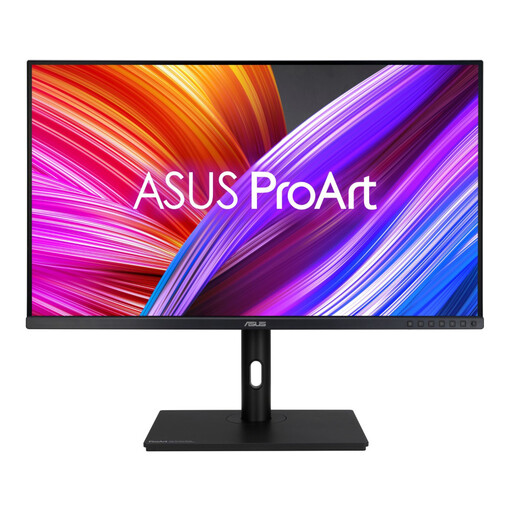
Why This Fits Their Persona: A creator-oriented option for photography, graphic design, video editing and a home office requiring accurate colour.
Its listed specifications include factory calibration, ΔE < 2, 100% sRGB and 100% Rec.709 rather than relying only on general colour language.
31.5-inch QHD IPS panel, 350 cd/m² brightness, four USB 3.2 ports and stand adjustment for height, tilt, swivel and pivot.
We have compiled a complete, real-time list of products that fully satisfy these strict selection criteria and UK safety regulations.
It can be, provided the monitor and console support compatible resolution and refresh-rate combinations through the available HDMI input. Check the console’s output settings and the monitor’s HDMI specification. Some displays reach their advertised maximum refresh rate only through DisplayPort, which is more relevant to PC users.
OLED gaming monitors can provide deep blacks and fast response characteristics, but buyers should read the manufacturer’s instructions regarding static content and panel care. For office applications with fixed toolbars, consider whether the monitor includes relevant protective functions and whether an IPS professional monitor better suits the workload.
Power consumption depends on the panel, brightness, connected devices and operating mode rather than refresh rate alone. Review the manufacturer’s typical and maximum consumption figures where available. Using sleep settings, reducing unnecessary brightness and switching the screen off when not required can help manage running costs.