What matters when choosing?
With few free sockets, decide whether you will play on a built-in screen before comparing game requirements and desktop expansion options. A laptop changes the basic power setup; it does not make a separate monitor or other powered accessories socket-free.
| Concern |
What to check |
Who this matters to |
| Fewer powered devices |
Check the laptop’s built-in screen and supplied charger; count the plugs needed by any external display or accessories. |
If I have one usable socket, I want to play on the computer’s own screen rather than power a separate monitor. Around 50% of consumers put that socket-saving need first. |
| Football-game requirements |
Compare the exact game’s published requirements with the PC’s operating system, GPU, memory and available storage. |
I want to know that my intended football title fits the configuration before paying for capacity I may not need. For around 30% of consumers, matching the game’s requirements is the primary concern. |
| Expansion and other games |
Check the tower’s space and upgrade options, then plan power for its monitor and other connected devices. |
If football is one of several games I plan to run, I may accept a larger, fixed setup for desktop expansion options. That broader-use need comes first for around 20% of consumers. |
Gaming laptops on Joybuy
These laptops have built-in screens, making them choices to assess if you want to play without powering a separate main monitor. Compare each exact configuration with your football game’s requirements, and confirm its charger and any accessories you plan to use.
 Image unavailable
Lenovo LOQ Essential 15ARP11, Ryzen 7 170, RTX 5050, 16 GB, 1 TB
Consider this if you plan to play on the laptop’s own screen. The listed configuration has a 15.6-inch 144 Hz FHD display, 16 GB RAM and a 1 TB SSD. Check your exact game’s requirements and confirm the supplied charger for this configuration.
View on Joybuy
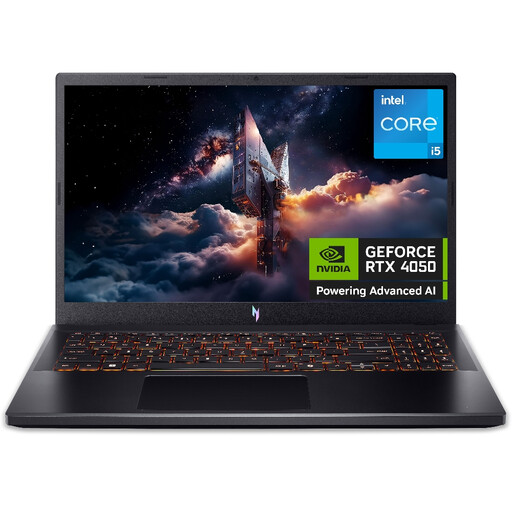 Image unavailable
Acer Nitro V 15 ANV15-52, Core i5-13420H, RTX 4050, 16 GB, 512 GB
Its 15.6-inch FHD screen offers a built-in playing display. The title lists 16 GB RAM and a 512 GB SSD. Confirm the exact screen refresh rate before buying, as the configuration information gives both 144 Hz and 165 Hz, and check your game’s requirements separately.
View on Joybuy
 Image unavailable
Lenovo Legion Pro 5 LEG P5 R9, 32 GB, 2 TB, 5060
Consider its built-in screen if you want a laptop setup with substantial listed memory and storage for other uses alongside football games. The product name specifies 32 GB RAM and 2 TB storage; confirm the installed operating system and the requirements of your intended game.
View on Joybuy
 Image unavailable
THUNDEROBOT Radiant S16, Ryzen 7 7745HX, RTX 5060, 16 GB, 1 TB
The built-in 16-inch QHD+ 240 Hz screen may suit a setup without a separate main monitor. The listed configuration has 16 GB RAM and a 1 TB SSD. Confirm the installed operating system, supplied charger and exact game requirements before choosing it.
View on Joybuy
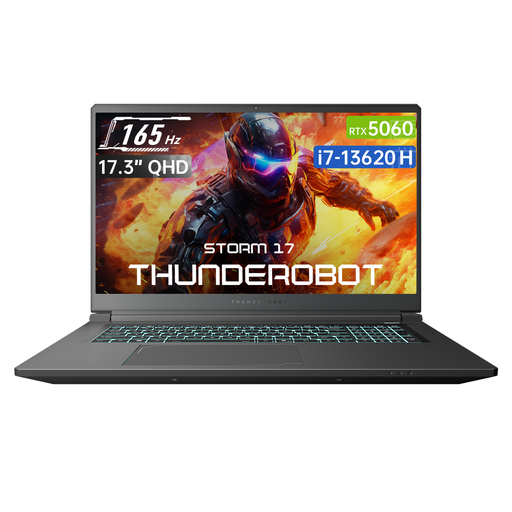 Image unavailable
THUNDEROBOT Storm 17 5060, Core i7-13620H, 16 GB, 1 TB
Its 17.3-inch QHD 165 Hz screen gives you a larger built-in display without planning power for a separate main monitor. The title lists 16 GB RAM and a 1 TB SSD. Confirm the installed operating system, whether the power adapter is included and your game’s requirements.
View on Joybuy
Common questions
Can one wall socket be enough for a football-gaming PC?
Yes, for the core setup if you play on a gaming laptop’s own display using its suitable charger. A separately powered monitor, speakers or dock would add to the power connections you need to plan.
What PC specifications should I check for eFootball?
Check your configuration against Konami’s requirements for eFootball: its PC minimum and recommended columns list Windows 11 64-bit, 8 GB RAM and 100 GB of available storage. Konami lists a Core i5-7600 or Ryzen 5 1600 processor and GTX 1060 or RX 590 graphics for its recommended environment, and cautions that meeting the minimum does not ensure smooth play. Other football titles need their own checks.
Can a desktop and monitor share an extension lead?
Only if the combined load of every connected device stays within the extension lead’s rating and the supply can deliver the required current. Check each device’s rating information rather than using the desktop power supply’s capacity as its running load. Mid and West Wales Fire and Rescue Service advises against connecting appliances totalling more than 13 amps or 3000 watts to an extension lead or socket; the Health and Safety Executive also advises checking the supply’s current capacity.
Will a different laptop charger help with limited sockets?
Use a different charger only after confirming it is compatible with the exact laptop and its charging requirements. The Health and Safety Executive advises checking the correct voltage and required current capacity; changing chargers does not remove the need to account for other powered devices in your setup.


