
24/7 Customer Support

Free returns

Same-day & Next-day Delivery

Quality Guaranteed

Unlock Your Welcome Offers: FREE Delivery | Up to 80% OFF | Free 30-day JoyPlus trial
Download the APP
Buying a gaming monitor involves more than choosing the largest screen or highest refresh-rate figure. A display that looks impressive on a product page may be poorly matched to your graphics card, console, desk or everyday workload.
For UK buyers, the main risks are paying for specifications you cannot use, overlooking essential ports and confusing different response-time measurements. This guide explains the practical checks to make before choosing gaming monitors, followed by recommendations for different types of user.
A 165Hz gaming monitor or 240Hz gaming monitor can display more frames per second than a 60Hz model, but your PC must generate enough frames to make the difference visible. A mid-range graphics card may not consistently reach 240 frames per second at 1440p or 4K in demanding games.
Console users should also check the platform limit. PlayStation 5 and Xbox Series X commonly target up to 120Hz in supported games, so a 240Hz display may offer limited benefit for console gaming unless you also use a gaming PC.
Response-time figures are not always directly comparable. MPRT may refer to motion-blur reduction using a backlight mode, while GtG measures pixel transition between shades. Actual motion clarity can also be affected by overdrive settings, frame rate and adaptive synchronisation.
Look for a combination of refresh rate, response-time measurement and Adaptive Sync, rather than choosing solely on the lowest number shown in a listing.
Full HD can look adequately sharp on a 24-inch display, but it is less dense across a 32-inch panel. At this size, 1440p gaming monitors generally provide a clearer desktop and game image, while a 4K gaming monitor offers more detail but requires more graphics processing power.
Ports matter too. HDMI and DisplayPort versions can impose different refresh-rate limits. For example, the Dahua 32-inch QHD model supports QHD at up to 180Hz through DisplayPort 1.4, while its HDMI 2.0 inputs are specified for up to 144Hz.
Choose the combination that suits your desk and viewing distance:
A curved gaming monitor can help keep the edges of a wide panel within your field of view. Check the curvature, desk depth and viewing distance before ordering. A 1500R screen, for example, has a stronger curve than a 1700R model.
Refresh rate indicates how many times the screen can update each second. A 75Hz monitor can feel smoother than 60Hz for everyday use, while 144Hz, 165Hz and 180Hz models are more suitable for fast PC gaming. Competitive players may benefit from 240Hz or higher when their computer can sustain the required frame rate.
Adaptive Sync, AMD FreeSync or NVIDIA G-SYNC compatibility can help coordinate the monitor’s refresh rate with the graphics card output. Confirm compatibility with your GPU and use an appropriate DisplayPort or HDMI cable.
Also inspect the product page for the exact stand adjustments. Some models only tilt, whereas others provide height, swivel and pivot movement.
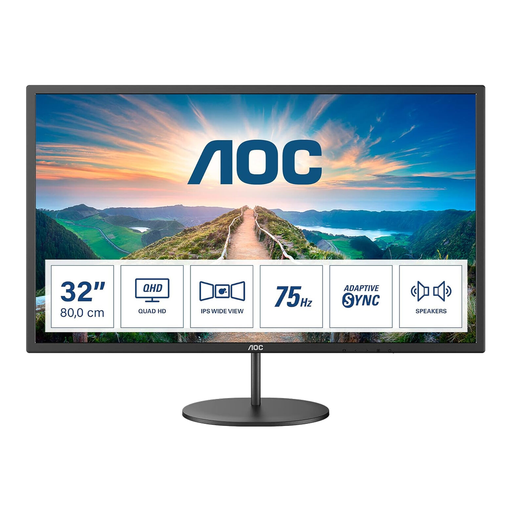
Why This Fits Their Persona: A sensible option for UK home offices, study desks and casual gaming where QHD detail matters more than esports-level speed.
Its stated 75Hz refresh rate is clear, so buyers are not paying for a high refresh rate they may not use. The 2560 × 1440 resolution is also better suited to a 32-inch-class screen than Full HD.
IPS panel, QHD resolution, AdaptiveSync, integrated 2 × 2W speakers and VESA 100 × 100mm support.
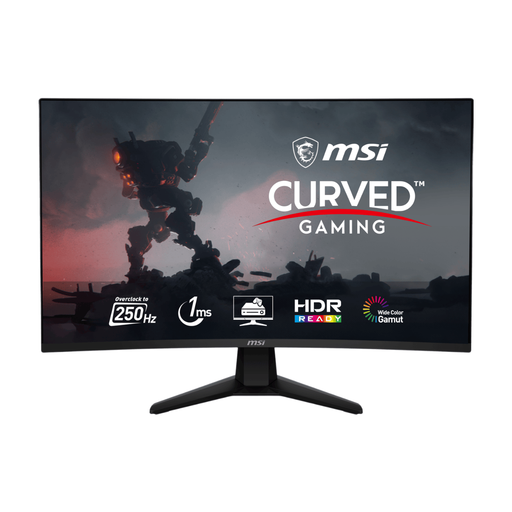
Why This Fits Their Persona: Designed for PC players who prioritise rapid motion in FPS, battle royale and other competitive games.
The listing specifies both the 250Hz overclocked mode and the DisplayPort and HDMI limits. Buyers can match the connection to the required refresh rate instead of assuming every input performs identically.
1500R VA panel, 250Hz (OC), 1ms MPRT, Adaptive Sync and a 3000:1 stated native contrast ratio.
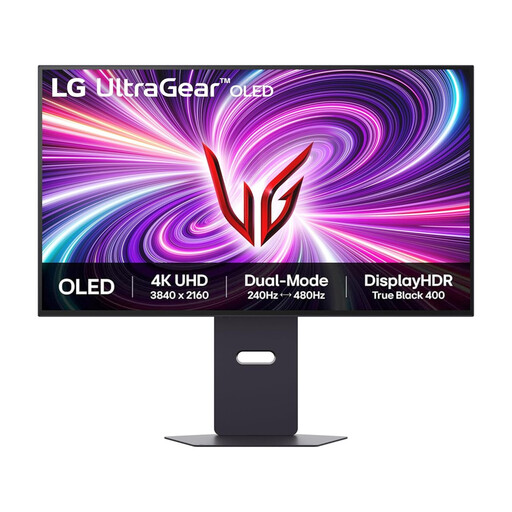
Why This Fits Their Persona: Suitable for buyers seeking 4K detail, OLED contrast and a display that can switch between immersive and competitive modes.
The dual-mode figures are stated separately: 4K at up to 240Hz and Full HD at up to 480Hz. This makes the trade-off between resolution and speed easier to understand.
31.5-inch OLED panel, 3840 × 2160 resolution, HDMI 2.1, USB 3.0 ports and height, tilt, swivel and pivot adjustments.
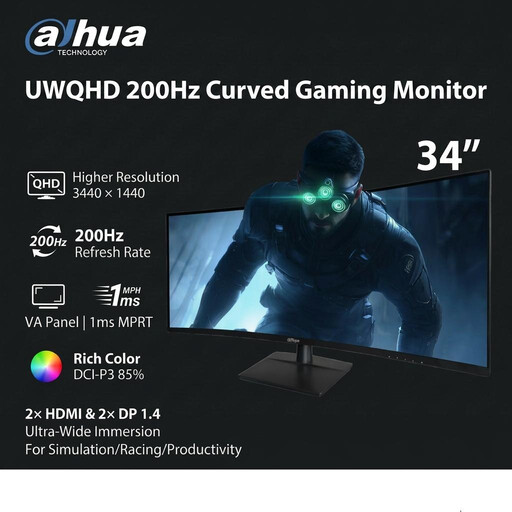
Why This Fits Their Persona: A widescreen format for racing, simulation, productivity and users who want several application windows visible at once.
The 21:9 aspect ratio, 3440 × 1440 resolution and port-specific refresh rates are clearly listed. Buyers can check desk width and PC output before committing to an ultrawide format.
1500R VA panel, 200Hz through DisplayPort, 1ms MPRT, 100mm height adjustment and VESA 100 × 100mm mounting.
We have compiled a complete, real-time list of products that fully satisfy these strict selection criteria and UK safety regulations.
For many PC users, 1440p offers a practical balance between image detail and graphics demand. It is sharper than Full HD on 27- or 32-inch screens, while generally requiring less rendering power than 4K. Check your graphics card and the games you play before choosing.
A 120Hz-capable monitor is usually sufficient for supported PlayStation 5 and Xbox Series X games. Ensure the monitor has a suitable HDMI input and check that the cable and console settings support the required resolution and refresh rate.
Power use varies with brightness, content and model. OLED displays may draw different amounts of power depending on how much of the screen is bright, while larger LCD models also consume more than compact displays. Review the manufacturer’s energy information and enable suitable power-saving settings for office use.