Shortcut-heavy PC racing players
If you use the mouse alongside a keyboard for menus, communication or secondary commands, accessible remappable controls may matter more than a sensor headline. Check that your game accepts the assignments you want.


For PC racing games played with headphones, choose a mouse for comfortable navigation and the secondary commands your game accepts; headphones do not create a separate mouse requirement. If your main aim is more lifelike steering, a compatible racing wheel is the more relevant upgrade: SCAN UK’s sim-racing guide distinguishes wheel control from keyboard-and-mouse input.
If you use the mouse alongside a keyboard for menus, communication or secondary commands, accessible remappable controls may matter more than a sensor headline. Check that your game accepts the assignments you want.
For extended PC sessions, hand fit, button reach and a manageable weight are practical reasons to compare shapes. Logitech G lists the wired G502 X at 89 g, but a stated weight alone cannot establish comfort for your grip.
A wireless mouse can suit a desk where a cable would be inconvenient or where connection options matter. Check the required receiver or Bluetooth setup and plan for charging or battery replacement.
Choose a mouse around the controls and handling you use at your desk. If the problem is driving feel rather than menus or shortcuts, assess a wheel and its game, platform and mounting requirements instead.
| Concern | What to check | Who this matters to |
|---|---|---|
| Shortcut access | Check button placement and the exact model’s remapping method; confirm that your game accepts the intended commands. | If I regularly reach for menus or communication controls, I want secondary commands close to hand. Around 31% of consumers put shortcut access first. |
| Hand fit and weight | Consider handedness, grip, dimensions and button reach alongside any stated weight or weight-adjustment system. | During a long desk session, I need a shape and weight I can handle comfortably rather than choosing by DPI alone; hand fit is the primary concern for around 31% of consumers. |
| Cable-free use | Confirm whether the mouse needs a USB receiver or Bluetooth, and check its power source and stated battery-life conditions. | I want to move the mouse without a cable across my desk and am willing to manage its connection and power. Cable-free use comes first for around 15% of consumers. |
| Basic function and value | Check PC connection compatibility, the buttons you will actually use and the seller’s return terms. | If I mainly need dependable navigation, I would rather avoid controls I will not use. Around 23% of consumers prioritise basic function and value. |
A sensor specification does not tell you whether the shape fits your hand, the buttons are reachable or the game uses your chosen inputs. It also does not turn mouse movement into wheel steering.
Choose a sensitivity you can control, then compare shape and button layout. If steering feel is the issue, investigate a compatible wheel.
Extra controls are useful only when you can assign the actions you need and the game accepts them. A button suited to menus may do little for driving.
Write down the commands you want within reach, then check the exact mouse’s controls, software and game-binding options.
A cable-free desk still requires a suitable receiver or Bluetooth connection. Manufacturer battery-life figures depend on their stated usage conditions.
Check the available USB ports or Bluetooth support, the mouse’s power source and how it is charged or fitted with batteries.
Charging time or battery replacement becomes part of routine use.
SCAN UK’s sim-racing guide describes a steering wheel as providing more lifelike and precise directional control than keyboard and mouse or gamepad. A mouse remains useful for PC navigation, but serves a different purpose.
Decide whether you want easier menus and shortcuts or a different driving control method; for the latter, check wheel-and-pedal compatibility.
A wheel setup also needs suitable desk or rig space and a way to mount it.
Its wired gaming mice offer different approaches to weight and extra controls; Logitech G also has separate sim-racing wheel and pedal products.
The Basilisk range includes wired and wireless mice with configurable controls, giving buyers a connection choice.
The wired M65 RGB ULTRA is a reference point for buyers interested in adjustable mouse weight and remappable controls.
These mice cover wired and wireless desktop choices for racing-game navigation and other PC use. Choose by hand fit, connection and the shortcuts your game permits, rather than expecting a mouse to replace a steering wheel.
 No image available
Consider this model if a cable-free desk and several assignable shortcuts are your priorities; confirm that your game accepts the commands you intend to use.
The product name specifies a 53 g weight and 10 programmable buttons. Check the connection setup and the conditions behind its stated battery-life figure.
 No image available
A wired option for a fixed PC desk if you would rather avoid battery management. Check how its programmable controls are assigned and whether your game accepts them.
The product name also identifies adjustable settings and RGB lighting; neither establishes how the mouse will fit your hand.
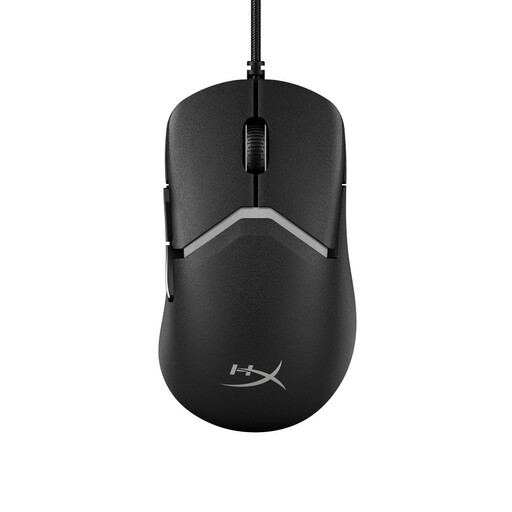 No image available
Consider it if wireless mouse use suits your desk. Before choosing it for shortcuts, check the controls, connection options and game bindings you need.
 No image available
Another wireless choice for PC navigation around racing games. Compare its shape and controls with your grip and intended shortcuts, and check its power and connection requirements.
 No image available
Consider this model if low stated weight and a choice of connections matter more to you than selecting by button count. Confirm PC compatibility and shortcut support for your intended use.
The product name specifies 49 g and wired, 2.4G and Bluetooth modes; check how each mode works with your setup.
No: headphone use alone does not create a separate mouse requirement. Choose the mouse around PC compatibility, hand fit, controls and connection preference, and check your headphones’ connection with the device separately.
If steering feel is the priority, investigate a compatible wheel rather than expecting a mouse upgrade to provide the same control. SCAN UK’s sim-racing guide describes wheel steering as more lifelike and precise than keyboard-and-mouse or gamepad control; check your game, platform and mounting space before choosing wheel hardware.
Check the marking and accompanying product information for the market in which the mouse is supplied. GOV.UK explains that UKCA and CE markings indicate the manufacturer’s belief that relevant product requirements are met; a marking alone is not a hands-on assessment of the mouse or a guarantee that it suits your game.