Offline-first coach puzzlers
If you want to play without depending on coach Wi-Fi, a phone hotspot or a console at home, start with a game that runs locally on a Switch or compatible handheld PC. PlayStation Portal needs a PS5 and network access.


For a coach journey where reception may drop, choose a handheld that runs your chosen logic-grid game locally rather than relying on Remote Play. Nintendo Switch systems offer Picross titles, while Steam Deck OLED is worth considering if your preferred Steam games work well on it. PlayStation Portal requires a PS5 and network access, making it a conditional choice for travel.
If you want to play without depending on coach Wi-Fi, a phone hotspot or a console at home, start with a game that runs locally on a Switch or compatible handheld PC. PlayStation Portal needs a PS5 and network access.
Small clue numbers and repeated square selections make the game’s controls worth checking. Nintendo UK lists a 7.9-inch touch screen for Switch 2 and mouse-function support for one specific Picross title; those controls should not be assumed to work in every game.
If you already own Switch or Steam games, check each title on the handheld you intend to buy. Nintendo warns of Switch 2 compatibility exceptions, while Valve assesses Steam Deck games individually. PlayStation Portal also depends on access to a PS5.
Decide whether the puzzle must work without a connection, then check its on-screen controls and compatibility with games you already own.
Consider when: you want locally played Picross games; Nintendo UK lists PICROSS S for Switch and identifies mouse-function support for PICROSS S SNK CLASSICS & NEOGEO edition on Switch 2.
Trade-off: check the exact game and preferred controls, because Nintendo says some Switch games may not be fully compatible with Switch 2.
Consider when: your preferred logic-grid titles are on Steam and their Deck compatibility and controls suit you.
Trade-off: Valve’s stated 3–12-hour gameplay range depends on content, and a Steam game’s Deck status needs checking title by title.
Consider when: you already have a PS5, a compatible game and dependable connectivity for Remote Play.
Trade-off: it cannot provide self-contained offline play; Sony specifies at least 5 Mbps for Remote Play and recommends 15 Mbps for a better experience.
| Concern | What to check | Who this matters to |
|---|---|---|
| Play without a connection | Confirm that the exact puzzle game runs locally; for Portal, check your PS5 setup and the connection you expect to use. | If reception drops mid-journey, I want to carry on playing rather than depend on a stream. Around 42% of consumers would put dependable local play first. |
| Readable grids and precise input | Check the game’s handheld controls, text legibility and support for touch or pointer input where relevant. | When clues are small, I need to read the numbers and mark the intended square without struggling with the controls. For roughly 33% of consumers, grid visibility and input would be the primary concern. |
| Using games you own | Check the exact title and edition for Switch 2 or Steam Deck; Portal additionally requires access to a PS5 and a connection. | If I already have puzzle games, I want to know whether they will work on the device I take away. Existing-library compatibility would come first for about 25% of consumers. |
PlayStation Portal needs a PS5 and a suitable network connection. Sony says Remote Play quality varies with the network environment, a material consideration on a coach route with changing reception.
If uninterrupted play matters, choose a locally playable game. Consider Portal for the journey only if you can assess its connection under comparable conditions.
Nintendo says some Switch games may not be supported or fully compatible on Switch 2. Valve also assigns Steam Deck compatibility by game rather than by genre.
Check the exact edition, platform listing and available controls before choosing hardware around a particular puzzle.
A screen must still be comfortable to view and use throughout your session. Battery figures also vary: Nintendo UK gives Switch Lite an approximate 3–7-hour range, while Valve states 3–12 hours for Steam Deck, depending on content.
Consider how long you expect to hold the device and whether the game’s controls suit you; treat battery ranges as planning guidance, not a promise for one puzzle.
A console route for travellers interested in Nintendo’s Picross catalogue.
A handheld PC route for travellers whose preferred puzzle games are on Steam.
A Remote Play route for existing PS5 owners, rather than a self-contained offline console.
This handheld gaming PC is a route to consider if you want to play a compatible logic-grid game locally. Check your chosen game and its controls before relying on it for a journey.
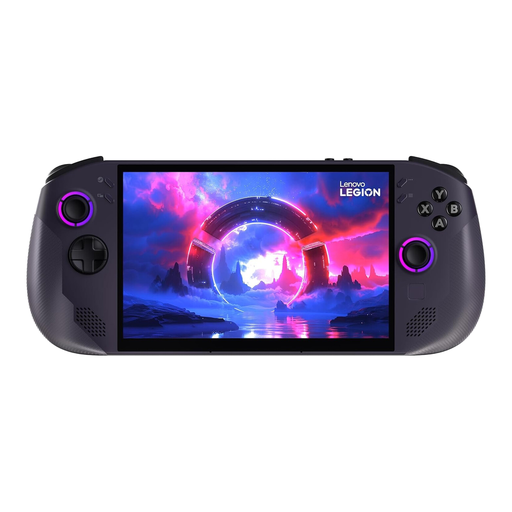 Image unavailable
Consider this handheld for coach puzzles if your chosen game runs locally on it with controls you find comfortable. Check game compatibility and battery runtime for your intended session before buying.
No: Nintendo says some Switch games may not be supported or fully compatible on Switch 2, so check the exact title. Nintendo UK specifically lists Joy-Con 2 mouse-function play on Switch 2 for PICROSS S SNK CLASSICS & NEOGEO edition.
Look up that game’s current Deck compatibility category and control details on Steam. Valve uses categories including Verified, Playable, Unsupported and Unknown; a category for one game does not establish how another puzzle will work.
Only if you have a PS5, a compatible game and a suitable connection throughout the journey. Sony specifies at least 5 Mbps for Remote Play and recommends 15 Mbps for a better experience, so variable reception makes Portal less dependable than a locally playable game.