Buying priorities
Start with the computer connection and desk position, then choose resolution and colour specifications that match the work you actually do.
| Priority |
What to check |
Your needs |
| Screen position |
Check the supplied stand for height, tilt, swivel or pivot adjustment. For an arm, match the exact VESA interface and the arm's load limit. |
I want to position the screen appropriately within my desk setup, rather than being limited by a fixed stand. |
| Computer connection |
Confirm whether the computer uses HDMI, DisplayPort, Thunderbolt or USB-C with DisplayPort Alt Mode. Compare USB-C Power Delivery with the laptop's charging requirement. |
I want to avoid unexpected adapters and, where compatible, use one cable for display, data and charging. |
| Editing detail and colour |
Compare the exact model's native resolution, published colour-space coverage and any calibration information. Keep manufacturer specifications distinct from independent colour testing. |
For video or colour-aware work, I need display specifications that fit the workflow rather than a generic assumption based on screen size or 4K resolution. |
Joybuy monitor options
Joybuy monitor options for a home desk, covering 4K editing displays, adjustable work monitors, conventional second-screen connections and compatible USB-C laptop setups.
 No image available
Dahua 32-inch 4K 165Hz Curved OLED Monitor
A 31.5-inch option for a fixed desk used for detailed editing, documents or a compatible laptop connection.
Stated specifications include 3840 × 2160 resolution, 165Hz, DCI-P3 99%, Type-C 65W, USB hub, 120 mm height adjustment, tilt, swivel and 75 × 75 mm VESA mounting. Check laptop display output and whether 65W charging is suitable; allow enough desk space for the curved screen.
Joybuy
 No image available
iiyama ProLite XUB2792UHSU-B6 27-inch 4K UHD Monitor
A 27-inch 4K IPS option for a home office or editing desk where stand adjustment matters.
The listing states 3840 × 2160 resolution, 100% sRGB coverage, HDMI, DisplayPort, USB-C, USB hub, 150 mm height adjustment, pivot, swivel, tilt and 100 × 100 mm VESA mounting. Confirm the exact USB-C video and Power Delivery functions before relying on it for laptop docking.
Joybuy
 No image available
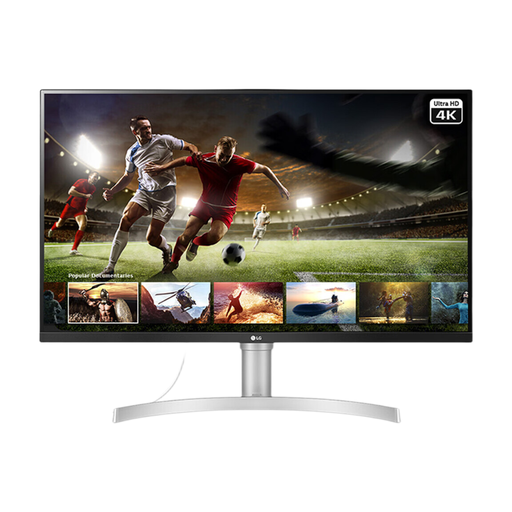
LG 32UN650K 32-inch 4K IPS Monitor
A larger conventional second-screen option for a desk with HDMI or DisplayPort connections.
Listed details include a 32-inch 3840 × 2160 IPS panel, 60Hz, stated 95% sRGB coverage, HDR10, two HDMI ports, DisplayPort, speakers and 100 × 100 mm VESA mounting. The supplied stand is tilt-adjustable only, and no USB-C charging capability is listed.
Joybuy
 No image available
ASUS ZenScreen MB249C IPS USB-C Monitor
A flexible 23.8-inch laptop second-screen option for smaller or changeable work areas.
The listing states Full HD IPS resolution, HDMI, USB-C with DisplayPort Alt Mode, 60W Power Delivery, a kickstand, C-clamp arm and partition hook kit. Confirm that the laptop supports DisplayPort Alt Mode and that 60W meets its charging requirement; Full HD is a different detail route from 4K.
Joybuy
 No image available
Dell P2425H 24-inch Full HD IPS Monitor
A document-focused fixed-desk monitor where screen-position adjustment takes priority over 4K detail.
The listing states 1920 × 1080 resolution, 100Hz, IPS, stated 99% sRGB coverage, HDMI, DisplayPort, USB-C, VGA, height, tilt and swivel adjustment. Check the USB-C port's exact functions and confirm VESA dimensions before choosing an arm.
Joybuy
Frequently asked questions
Does a USB-C monitor work with every USB-C laptop?
No. Check that the laptop's relevant USB-C port supports video output, such as DisplayPort Alt Mode, and that the monitor's USB-C connection supports the required video function. The connector shape alone is not enough.
Can a USB-C monitor replace my laptop charger?
Only when the monitor's stated USB Power Delivery level suits the laptop's charging requirement and the laptop accepts charging through that port. AOC states up to 65W for the Q27P3CV and LG states 90W for the 27UP85NP-W; these figures apply to those specific models.
What should I check before fitting a monitor arm?
Check the monitor's exact listed VESA mounting interface against the arm or wall mount's supported interface and load specification. VESA FDMI is the mounting-interface standard, but screen size alone does not establish compatibility.
Do UK display-screen regulations apply to home workers?
They can apply when someone works at home permanently or long term, or routinely splits work between home and the workplace, and uses display screen equipment daily for continuous periods of an hour or more. The Health and Safety Executive says employers should assess applicable home display-screen arrangements; this does not require every private consumer to buy a particular monitor.
Will an adjustable monitor alone solve eye strain or discomfort?
No. The Health and Safety Executive identifies the wider workstation, work environment, posture, breaks and training as relevant controls. An adjustable monitor can help with positioning, but it is only one part of the setup.


