What to prioritise
Work through screen and input position first, then confirm that the chosen display, cables and mounting arrangement fit your laptop and desk.
| Priority |
What to check |
Your needs |
| Independent screen and input position |
Check whether the screen can be raised while the keyboard and mouse remain separately positioned. For a raised laptop, allow space for an external keyboard and mouse. |
I need to place the display separately from the typing and pointing devices during prolonged laptop work. |
| The whole workstation |
Consider screen adjustment, input devices, desk space, lighting, work routine and individual requirements together. For an arm, check the VESA pattern, monitor-only weight, arm rating and fixing surface. |
I need the final arrangement to work with my desk and the way I use it, not just a promising feature on one product. |
| Display and cable compatibility |
Match the laptop video output to the monitor input. Check USB-C display support, charging wattage, cable requirements and whether the computer can drive the intended resolution. |
I want to avoid buying a monitor or cable that cannot provide the display connection or charging arrangement I need. |
Joybuy product options
Joybuy external-monitor options for a regular home laptop workstation. Confirm your laptop’s display output, cable requirements and desk arrangement before choosing.
 No image available
iiyama ProLite XUB2792UHSU-B6 27-inch 4K monitor
For regular laptop work needing a separately positioned external display.
Stated specifications include a 27-inch 4K display, HDMI, DisplayPort and USB-C inputs, plus 150 mm height adjustment, pivot, swivel and tilt.
Confirm laptop video output, USB-C functions and required cables. A separate keyboard and mouse may still be needed when positioning the screen independently.
Joybuy
 No image available
CRUA 32-inch curved QHD monitor
For a home setup needing a larger separate display and possible future mounting options.
Stated specifications include a 32-inch 2560 × 1440 screen, dual HDMI and dual DisplayPort inputs, tilt adjustment and VESA 100 × 100 mm mounting.
Height adjustment is not stated. Before using an arm, check monitor-only weight, arm rating and desk or wall fixing suitability.
Joybuy
 No image available
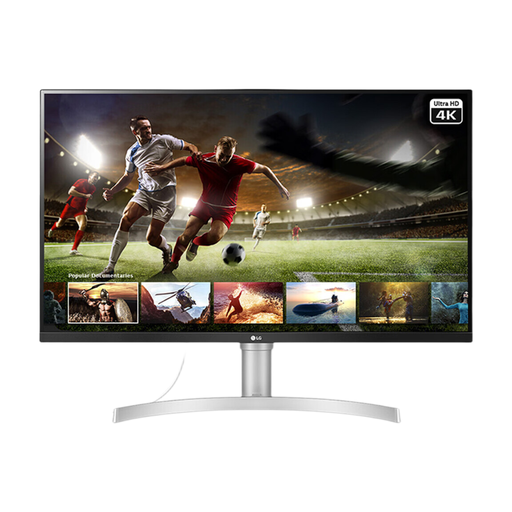
LG 32UN650K 32-inch 4K IPS monitor
For regular laptop work needing a large independently positioned 4K display.
It states a 32-inch 4K IPS panel, two HDMI inputs, DisplayPort, tilt adjustment, VESA 100 × 100 mm compatibility and built-in speakers.
Only tilt adjustment is stated for the supplied stand. Check desk clearance, laptop output capability and suitable cable availability.
Joybuy
 No image available
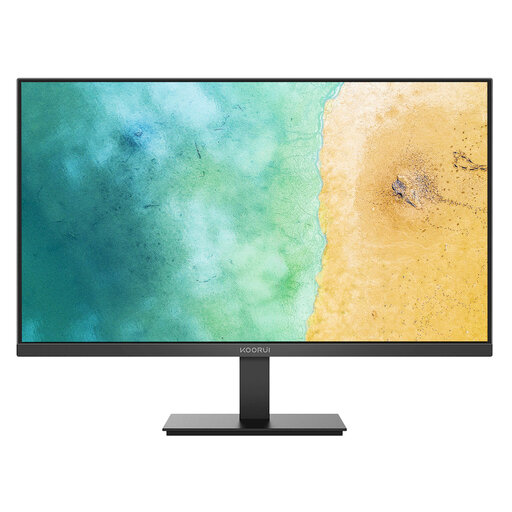
KOORUI MB27V29FS2 27-inch IPS monitor
For a regular home arrangement needing an external display with common video connections.
Stated features include a 27-inch IPS anti-glare panel, HDMI and VGA inputs, tilt adjustment and VESA 100 × 100 mm mounting.
Confirm that the laptop has a compatible HDMI or VGA output and that an appropriate cable is available. Independent height adjustment is not stated.
Joybuy
 No image available
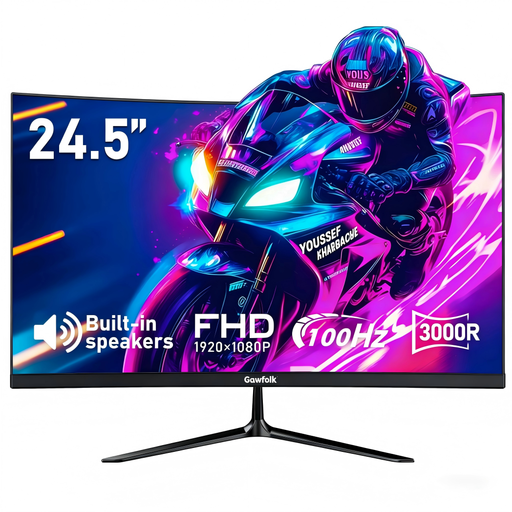
Gawfolk 24.5-inch FHD curved monitor
For a compact external-display route using HDMI or VGA with a compatible laptop or PC.
It states a 24.5-inch Full HD curved display, HDMI and VGA inputs, tilt adjustment, built-in speakers and a 100 Hz refresh rate.
Check the exact VESA mounting pattern before choosing an arm, as the supplied product information gives differing mounting details. Height, pivot and swivel adjustment are not stated.
Joybuy
Frequently asked questions
Do UK DSE requirements automatically mean I need an external monitor at home?
No. The Health and Safety Executive says DSE rules can apply to long-term and hybrid home workers who use DSE daily for continuous periods of an hour or more, but an individual assessment determines whether existing equipment is suitable and what action is needed. Workers may not need office-type equipment at home to achieve a comfortable, sustainable posture.
Can I raise my laptop on a stand and keep typing on its built-in keyboard?
For prolonged laptop use, the Health and Safety Executive advises using a separate keyboard and mouse so the laptop screen can be elevated on a riser or similar support. Raising the laptop without separating the inputs does not follow that specific setup advice.
Can an employer charge me for home-workstation equipment identified by a DSE assessment?
No. The Health and Safety Executive states that where a DSE workstation assessment indicates action is needed, such as providing DSE equipment, the worker cannot be charged. This applies to equipment indicated by the assessment, not automatically to every item a worker might prefer.
What must I check before fitting a monitor arm?
Check the monitor’s VESA mounting pattern, monitor-only weight, the arm’s per-monitor rating, the desk or wall construction, fixing requirements, movement range and cable clearance. Do not rely on screen size alone as proof of compatibility.
Does USB-C on a monitor guarantee video and charging through one cable?
No. Check the monitor’s USB-C display capability, stated power-delivery wattage, supplied or required cable, and whether the laptop supports video output and charging through that port. LG states that its 27U631A-B provides USB-C display connectivity and up to 15W power delivery, while its USB-C cable is not included.


