What matters when choosing?
For one-screen code review, compare text size at your preferred display setting before paying for more pixels. If several windows must stay visible, plan their layout and desk space first; check docking and stand adjustment against your own equipment.
27-inch 4K
Consider it when: You mainly read code and diffs on one screen and want a 3840 × 2160 format at a conventional desk.
Trade-off: A 16:9 screen gives you a different arrangement for several simultaneous windows than an ultrawide; try your preferred text scaling before deciding.
34-inch ultrawide
Consider it when: A diff, terminal and reference material need to remain visible side by side.
Trade-off: The wider screen needs more desk width, and 3440 × 1440 is a different layout from 4K, not a higher-resolution version of it.
27-inch QHD
Consider it when: A conventional 27-inch, 2560 × 1440 display gives you enough room for your usual review layout.
Trade-off: It has fewer pixels than a 27-inch 4K display, so check how much code and documentation remain comfortably readable at your chosen text size.
| Concern |
What to check |
Who this matters to |
| Code and diff detail |
Compare 27-inch 4K and QHD at the text size and display scaling you intend to use. |
If dense diffs are my main task, I need line numbers and comments to stay readable without giving up too much working space. Around 31% of consumers would put single-screen detail first. |
| Room for simultaneous panes |
Plan your usual window arrangement, then measure usable desk width and depth before choosing an ultrawide. |
When I compare a change with terminal output and documentation, I want those windows visible together. Keeping multiple panes in view would be the leading need for around 31% of consumers. |
| Single-cable laptop connection |
Check the laptop's USB-C video support and charging requirement against the monitor's stated video, data and power capabilities. |
If I connect a laptop each workday, fewer separate connections matter more to me than extra screen width. Around 23% of consumers would prioritise a compatible single-cable setup. |
| Workstation fit |
Check stand or mount adjustment and screen position as part of the desk, chair, lighting and work routine. |
If my desk is compact or screen position is difficult to get right, I need the monitor to fit the whole workstation. That would be the primary concern for around 15% of consumers. |
Joybuy monitors for these setups
These monitors include 27-inch and larger 4K options for single-screen review, plus a 34-inch ultrawide for arranging several review windows. Compare each model's stated connections with your laptop rather than assuming that screen format determines docking capability.
 No image available
BenQ MA270UP 27-inch Nano Glossy 4K USB-C monitor
Consider this 27-inch IPS model for a single-screen code-review desk. Its title identifies 4K resolution, USB-C and a height-adjustable stand; check the laptop's video and charging compatibility and the features you need on your intended device.
View on Joybuy
 No image available
MSI MD272UPSW 27-inch 4K smart monitor with Google TV
This IPS model offers a 27-inch 4K format for single-screen review. Its title lists USB-C with 65 W power delivery; check whether your laptop supports the required video connection and whether 65 W meets its charging needs. Google TV is an additional feature, not a requirement for reviewing code.
View on Joybuy
 No image available
BenQ MA320UP 32-inch Nano Glossy 4K USB-C monitor
Consider this larger IPS 4K screen if a 27-inch display feels restrictive for your window layout. Its title identifies USB-C and a height-adjustable stand. Check available desk space, your preferred viewing position and laptop compatibility before choosing it.
View on Joybuy
 No image available
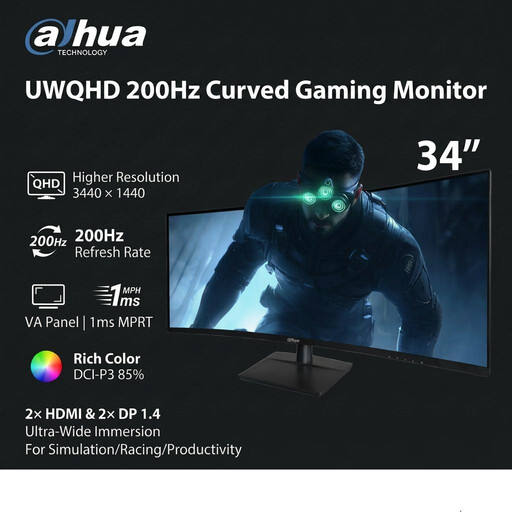
Dahua 34-inch curved 3440 × 1440 VA monitor
The ultrawide format is worth considering when several review panes need to remain visible. The title lists a 200 Hz refresh rate, two HDMI inputs and two DisplayPort 1.4 inputs. Measure your desk, and check the connection you need if you use a laptop.
View on Joybuy
 No image available
LG 27UP650K 27-inch 4K IPS monitor
This 27-inch 4K format suits readers considering a conventional single-screen setup. Its title lists a 60 Hz refresh rate, HDMI, DisplayPort and built-in speakers. If you need a single-cable laptop connection, check its port capabilities against your laptop before buying.
View on Joybuy
Frequently asked questions
Does buying a new monitor remove the need for a home-workstation assessment?
No. For UK workers who use display screen equipment daily for continuous periods of an hour or more as part of normal work, the Health and Safety Executive says employers must assess the workstation. That includes furniture, equipment, work conditions and the job, not just the monitor.
Will any USB-C laptop work with a single-cable monitor?
Not necessarily: a USB-C connector alone does not confirm video output or suitable charging. Check the laptop's DisplayPort Alt Mode, Thunderbolt or USB4 display support, then compare its charging requirement with the monitor's stated power delivery.
How should I clean a monitor panel?
Follow the instructions for your exact model first. Dell's guidance for its covered monitors calls for a soft, clean cloth lightly dampened with water rather than spraying liquid onto the panel; switch off and disconnect the display before cleaning.
What should I check about support before ordering?
Check the retailer's return terms, the exact model's warranty conditions and who provides service. LG UK, for example, lists 24 months of parts and labour cover for monitors, subject to its applicable model and use terms; that manufacturer policy is not a rule for every monitor.


