Text-first newsletter editors
If you mainly draft, proofread and check email or web layouts, focus on readable text, room for your editor and preview, and a screen you can position comfortably.


Start with a 27-inch QHD monitor with an adjustable stand if newsletter work is mainly drafting, proofreading and checking previews; Dell’s P2725D is one example of that configuration. Consider 4K for detailed image review or an ultrawide screen for persistent side-by-side windows, and prioritise USB-C only after checking your laptop’s video-output and charging requirements.
If you mainly draft, proofread and check email or web layouts, focus on readable text, room for your editor and preview, and a screen you can position comfortably.
If a laptop is your main computer, an adjustable external screen may make the desk easier to arrange. For a USB-C setup, check the laptop’s display output and charging needs against the particular monitor.
If you regularly inspect newsletter graphics or keep several applications open, consider whether higher resolution or a wider screen fits your work, desk space and laptop output.
For text and preview work, compare usable screen space and positioning before connection convenience. Dell lists a 2560 × 1440 QHD option in the P2725D, while LG lists a 3840 × 2160 4K option in the 27U730A-B and a wider 2560 × 1080 layout in the 29U511A-B; the right format depends on whether detail, vertical space or side-by-side windows matter most.
| Concern | What to check | Who this matters to |
|---|---|---|
| Readable text and workspace | Compare QHD at 2560 × 1440 with 4K at 3840 × 2160, and check your preferred text scaling. | When I move between a draft and its preview, I want enough room to read both without making the text uncomfortable. Around 44% of consumers would put readable text and workspace first. |
| Screen positioning | Check stand height adjustment and usable desk depth; confirm mounting compatibility if you plan to use an arm. | For long editing sessions, I need to place the screen at a comfortable height and distance on my desk. Comfortable positioning would come first for around 33% of consumers. |
| Laptop connection and charging | Confirm USB-C video output, the monitor’s power-delivery rating and whether a suitable cable is included. | If I edit on a laptop, I want fewer desk cables without losing the display connection or the charging my laptop needs. Roughly 23% of consumers would make that connection their primary concern. |
USB-C power delivery varies by model: LG specifies 15W for the 27U631A-B, BenQ specifies 65W for the GW2790QT, and LG specifies 90W for the 27U730A-B. A USB-C connector alone does not establish whether it meets your laptop’s needs.
Compare the monitor’s rating with your laptop’s charging requirement, and confirm that the laptop port supports video output.
If the monitor cannot meet those requirements, you may still need the laptop’s charger or a separate dock.
The Health and Safety Executive advises placing the top of the screen level with your eyes and the display about an arm’s length away. Desk depth and stand adjustment affect whether you can achieve that position.
Measure the usable desk space and check the stand’s adjustment range. If you plan to use an arm, confirm the monitor’s mounting pattern and the arm’s load rating.
A riser or monitor arm may be needed if the supplied stand cannot reach the position you need.
Higher resolution can help with detailed graphics, while a wider format can leave more horizontal room for separate windows. Neither benefit establishes that it is the right trade-off for mainly reading and revising text.
Choose the format around the work you do most: document and preview checks, detailed image review or persistent side-by-side panes. For 4K, also check laptop output and comfortable text scaling; for ultrawide, measure desk width.
Dell’s P2725D and P2725DE illustrate two distinct 27-inch QHD home-office options: an adjustable IPS monitor and a USB-C hub variant.
The GW2790QT is relevant if you want QHD, stand adjustment and a USB-C laptop connection in one monitor.
LG’s 27U631A-B, 27U730A-B and 29U511A-B illustrate QHD, 4K and ultrawide choices for different editing layouts.
These monitors cover QHD text-and-preview work, a 4K option for detailed graphics and wider screens for side-by-side windows. Check each model’s positioning and laptop connections against your own setup.
 No image available
Consider this QHD option if drafting and checking newsletter previews are your main tasks. The product name identifies an IPS WQHD display; check the stand adjustment and USB-C charging rating against your desk and laptop before choosing it.
 No image available
Consider the 3840 × 2160 display if detailed newsletter graphics are a regular part of your work; 4K is not essential for mainly text-based editing. Its listed Type-C power-delivery rating is 65W, so check laptop video output, charging requirements and your preferred text scaling.
 No image available
The listed 27-inch QHD format is relevant if you want room for newsletter text and preview checks. Its product name also specifies an OLED panel and 240Hz refresh rate; confirm the stand adjustment and the connections you need, particularly if you want a USB-C laptop setup.
 No image available
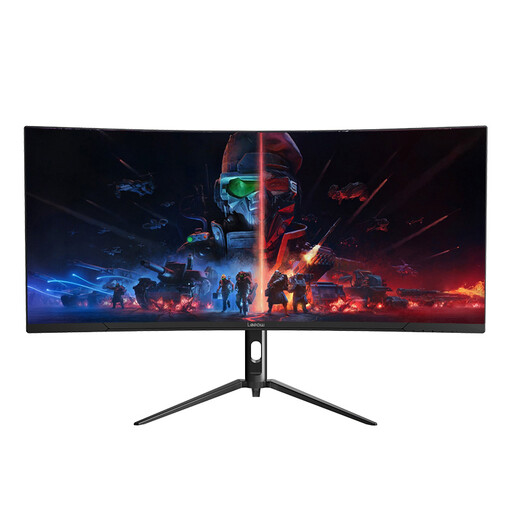
The 34-inch, 3440 × 1440 format is worth considering if you keep a newsletter editor and preview open side by side. The product name lists a VA panel, two HDMI inputs and two DisplayPort 1.4 inputs; measure desk width and check laptop connection options before buying.
 No image available
Consider this wider screen if your editing layout benefits from keeping several windows visible. Its product name specifies 3440 × 1440 resolution and a 165Hz refresh rate; measure desk width and confirm the stand adjustment and laptop connections you need.
Place the screen so its top is level with your eyes and it sits about an arm’s length away, following Health and Safety Executive guidance. Check that your desk depth and the monitor’s stand allow that arrangement.
It can only do so if your laptop supports the relevant USB-C functions and the monitor’s power delivery meets its charging needs. LG specifies 15W for the 27U631A-B and 90W for the 27U730A-B, while BenQ specifies 65W for the GW2790QT; check the particular model rather than the connector name.
Not necessarily: a 27-inch QHD monitor is a practical starting point for drafting, proofreading and layout checks. Consider 4K if detailed images are central to your work, then confirm that your laptop supports the resolution and that the resulting text size suits you.