For occasional timetable copies, a cartridge printer may be sufficient; for frequent colour revisions or larger batches, consider a refillable ink-tank printer. Whichever ink system you choose, check that it works with the device you edit on and that automatic two-sided printing and paper capacity suit your hand-outs. Add scan and copy functions only if they are part of your home-office routine.
Who needs which features?
Frequent timetable updaters
If you repeatedly print revised, colour-coded schedules or several copies at once, ink replacement and paper loading are likely to shape your routine. Canon UK and Epson United Kingdom describe refillable-ink ranges for recurring printing; check the exact model against your batch size.
Occasional home-office printers
If you print only a few copies at a time, focus on a connection that works with your devices and decide whether you will use scanning or copying. Canon UK positions cartridge models in its MAXIFY range for lower monthly print volumes.
Two-sided hand-out printers
If your timetable runs to several pages, automatic two-sided printing can save you from turning sheets by hand. Check the supported paper and tray capacity for the model you are considering; Brother UK specifies both automatic two-sided printing and an enclosed tray for its DCP-J1050DW.
What should you check?
Decide how often the timetable changes before choosing an ink system. Then check the paper handling and connection you will use for each print job.
Cartridge printer
Consider it when: you print occasional timetable batches and do not expect frequent colour revisions.
Trade-off: repeated batches mean more cartridge replacements to plan for. Canon UK positions its MAXIFY cartridge range for low-to-medium monthly print volumes.
Refillable ink-tank printer
Consider it when: revised colour schedules or multiple copies make printing a regular task.
Trade-off: tanks need refilling, and a quoted page yield will not tell you exactly how many of your own timetables you can print. Epson United Kingdom describes larger refillable tanks as the defining feature of this route.
| Concern |
What to check |
Who this matters to |
| Recurring ink use |
Compare the exact model’s ink system and replacement supplies. Read quoted page yields in light of your timetable’s colour coverage. |
When schedules change repeatedly, I want to know how often I will replace ink before committing to a printer; around 40% of consumers put recurring ink use first. |
| Two-sided hand-outs |
Confirm automatic two-sided printing for your paper size and type, plus a tray that accommodates your usual batch. |
I regularly produce multi-page hand-outs and would rather not turn every sheet manually. For around 30% of consumers, two-sided paper handling is the primary concern. |
| Device connection |
Check printing support for the phone or computer you edit on and the connection methods available in your home office. |
If an event detail changes shortly before printing, I need to send the revised file from the device at hand; roughly 20% of consumers prioritise a straightforward connection. |
| Scanning and copying |
Choose these functions if you also reproduce marked-up papers. Check for an automatic document feeder if you scan multi-page originals. |
I also need to copy annotated schedules, rather than just print digital files; scanning and copying come first for about 10% of consumers. |
Common buying mistakes
-
Choosing an ink system without considering repeat jobs
Occasional copies and repeated colour revisions place different demands on consumables. Canon UK positions MAXIFY cartridge models for lower print volumes and its refillable GX range for higher volumes.
Estimate how many timetable batches you actually print, then compare the exact models’ included and replacement ink.
-
Assuming A4 support includes automatic two-sided printing
An A4 printer may still require you to turn sheets manually for multi-page hand-outs.
Look for automatic two-sided printing in the exact model’s specifications and check that it covers your intended paper.
Manual turning also adds a task to every two-sided batch.
-
Treating quoted page yield as a timetable count
Canon UK describes its MAXIFY GX1050 yield as an estimate based on its own test method and continuous-printing simulation. A timetable with coloured blocks or dense graphics may use ink differently.
Use quoted yields to screen comparable models, then consider the coverage of the pages you normally produce.
-
Prioritising scanning over the printing job
Scan and copy functions help with marked-up originals, but they do not establish whether a printer can produce your hand-outs two-sided or hold enough paper for a batch.
Start with the device you print from, your usual batch and whether the timetable has multiple pages. Add scanning requirements if you will use them.
Printer brands to consider
Canon
Canon UK positions MAXIFY cartridge printers for low-to-medium monthly volumes and MAXIFY GX refillable models for higher-volume printing.
- The MAXIFY GX1050 specification includes a 250-sheet cassette, USB, dual-band Wi-Fi and Ethernet—features worth checking if you print batches at a fixed desk.
- Those connections and that cassette capacity are specific to the GX1050, not the whole MAXIFY range.
Brother
Brother UK presents the DCP-J1050DW as a compact A4 colour inkjet printer with print, scan and copy functions.
- For this model, Brother specifies automatic two-sided printing, wireless connectivity and a 150-sheet enclosed tray.
- It uses cartridges; compare its replacement supplies with your expected frequency of colour updates.
Epson
Epson United Kingdom describes EcoTank as a range using larger, refillable ink tanks rather than small replaceable cartridges.
- The refillable format is relevant if timetable revisions make ink replacement a regular interruption.
- Check two-sided printing, scanning and paper capacity on the particular model; the ink system alone does not establish those features.
HP
HP Store UK lists Smart Tank models for home printing with refillable ink; the Smart Tank 7305 is listed with print, scan and copy functions.
- HP lists wireless printing and an automatic document feeder for the Smart Tank 7305, which may matter if you also copy multi-page originals.
- Check the exact model’s two-sided printing and paper handling separately from its refillable-ink and scan features.
Joybuy products for this task
These printers are relevant to colour timetable printing and home-office document tasks. Compare each model’s paper handling, ink or toner supplies and device compatibility against the work you actually do.
 No image available
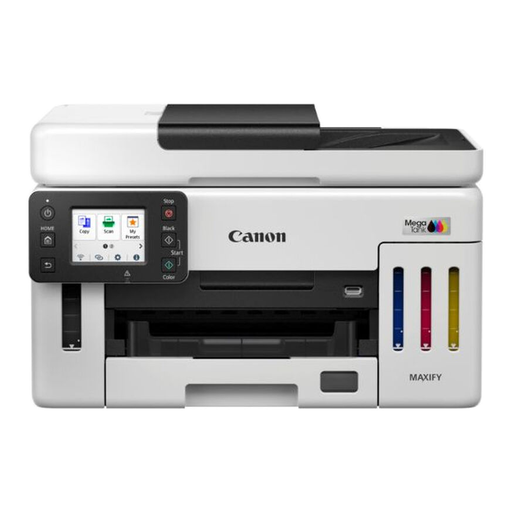
Canon MAXIFY GX6150
For frequent timetable revisions or larger batches, compare this model’s ink supplies and paper handling with the amount you expect to print.
Check how the stated ink yields relate to the colour coverage of your own timetable.
View on Joybuy
 No image available
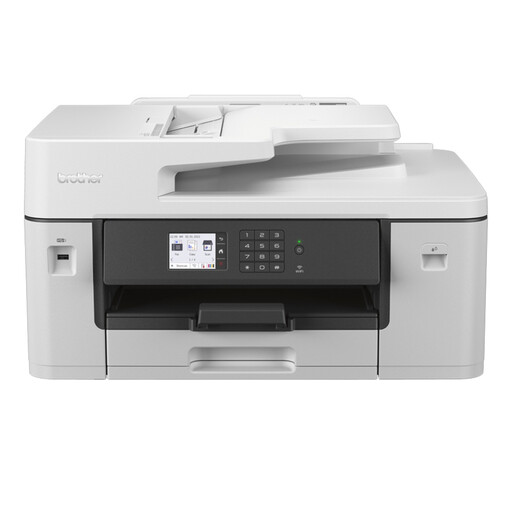
Brother MFC-J6540DWE Inkjet Printer
If you print two-sided timetables and also handle multi-page originals, check the supported paper and scanning arrangements for this model.
Confirm its exact ink system and replacement supplies before judging its fit for recurring colour batches.
View on Joybuy
 No image available
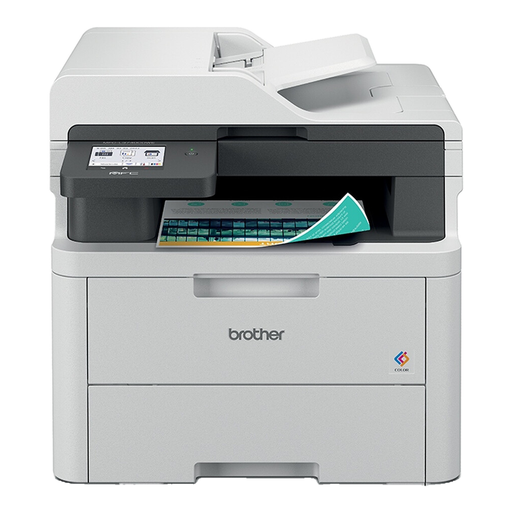
Brother MFC-L3740CDWE Colour Wireless LED Printer
For colour hand-outs and home-office document tasks, check whether its two-sided printing and scanning arrangements fit your usual batch.
Compare replacement toner supplies with your expected timetable printing before choosing a toner-based model.
View on Joybuy
 No image available
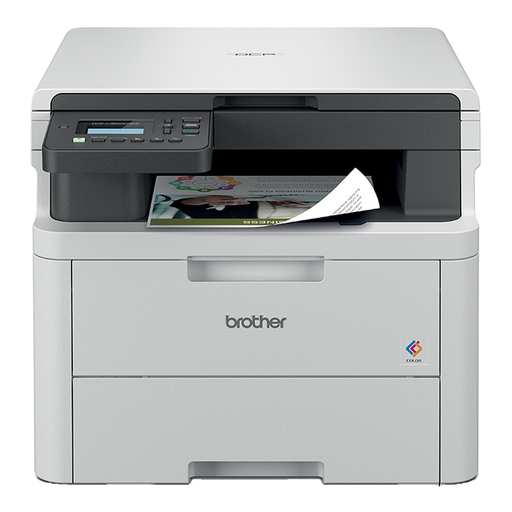
Brother DCP-L3520CDWE Colour Laser Printer
If you produce colour timetable hand-outs, check its two-sided paper settings and connection support for your usual devices.
If scanning several originals is also important, confirm the scanner arrangement; compare toner supplies for recurring print jobs.
View on Joybuy
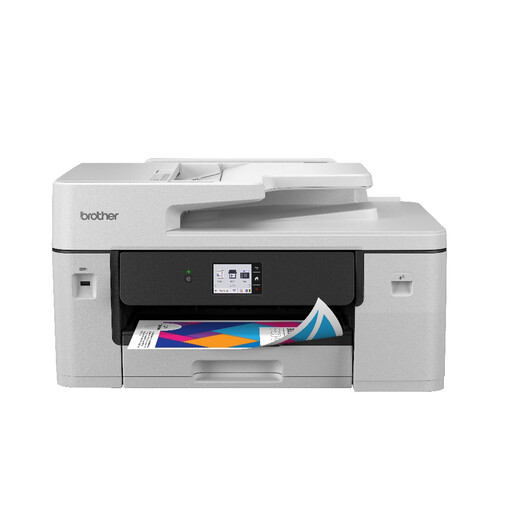 No image available
Brother MFC-J6760DW All-in-One Inkjet Printer
For timetable printing alongside copying or scanning, check whether its paper and document-handling options match both jobs.
It is an A3-capable model, so confirm that its size and larger-format capability make sense for your home-office space. Compare replacement cartridges against your expected colour use.
View on Joybuy
Questions about timetable printing
Do I need a refillable ink-tank printer for event timetables?
Not if you print only occasional copies. Refillable ink becomes more relevant when you regularly revise colour schedules or print larger batches; compare the exact printer’s replacement supplies and quoted yields against your own timetable layout.
What should I check before printing timetables on both sides?
Confirm that the exact printer offers automatic two-sided printing for your intended paper size and type. For reference, Brother UK specifies automatic two-sided printing and a 150-sheet enclosed tray for the DCP-J1050DW; check those features separately on any other model.
Do I need an automatic document feeder to print a timetable file?
No. An automatic document feeder is relevant mainly when you need to scan or copy multi-page originals. For a timetable created digitally, focus first on printing from your device and handling the finished pages.
How should I arrange disposal of an old printer?
Check your local authority’s electrical-waste arrangements or ask a retailer about its take-back service before disposing of the printer. GOV.UK’s guidance on waste electrical and electronic equipment addresses reducing electrical waste sent for incineration or landfill.


