For irreplaceable household photos, keep an off-site cloud copy for current phone images and a separate local copy on removable storage. The National Cyber Security Centre advises considering both cloud and removable-media copies; choose the local drive type around capacity, portability and the computers you use, then check that uploads and restores actually complete.
Who this setup suits
Families with irreplaceable phone photos and videos
Keep a current off-site copy of phone photos as well as another copy that does not depend on the same account or device. The National Cyber Security Centre advises considering both cloud and removable-media copies for irreplaceable family photos.
Mixed Apple, Android and computer households
Choose a route that can gather images from several ecosystems rather than assuming one phone service covers every device. Apple supports iCloud Photos on Apple devices, Windows and iCloud.com; Google Photos supports signed-in access; Microsoft provides camera upload on iOS and Android.
Households with large camera or video libraries
Prioritise capacity, transfer practicality and restoration time. A portable SSD can suit frequent large transfers with compatible hardware, while portable and desktop hard drives provide multi-terabyte options for local archive copies.
What to check before choosing
Start by deciding where the independent copy will live, then check how photos reach it, how quickly the collection is growing and how you will recover files when needed.
| Priority |
What to check |
Your needs |
| Separate recovery copy |
Keep at least one copy away from the original phone or computer; disconnect removable media after updating; test that recent files can be opened or restored. |
I want a recoverable copy if a phone, computer or one storage location is lost, stolen, damaged or accidentally cleared. |
| Automatic capture and access |
Check that the service supports the household devices; confirm the intended account is signed in; make sure uploads finish before relying on them. |
I want recent phone photos to reach another location without depending on a manual copying session every time. |
| Capacity and growth |
Measure the current library including videos and computer imports; allow room for future growth; compare cloud quality settings and drive capacity. |
I do not want new photos excluded because a cloud allowance or local drive fills sooner than expected. |
| Account and device security |
Use a strong unique cloud-account password and two-factor authentication; consider access protection for a removable drive where available; retain an independent copy outside a synchronised library. |
I want a lost drive, account-access problem or synchronised deletion to affect as little of the collection as possible. |
Backup mistakes to avoid
-
Treating photo synchronisation as an independent backup
Changes and deletions can be reflected throughout the same synchronised cloud library. Apple states that deletions in iCloud Photos are reflected across devices, with a 30-day Recently Deleted recovery period before permanent deletion.
Keep a separately retained copy on removable storage or another independent backup route, particularly for family photos that cannot be recreated.
-
Leaving the only external backup drive permanently attached
The National Cyber Security Centre warns that ransomware and other malware can move to attached removable media, potentially affecting the backup as well as the computer.
Run scheduled copies, check they have completed, then disconnect the drive and store it securely.
-
Choosing cloud capacity or a drive only for today's library
Original-quality cloud uploads use account storage, and video can make a library grow quickly. Google states that Original quality counts towards account storage.
Measure the existing library, include videos and computer imports, then leave headroom before selecting a capacity or cloud plan.
-
Assuming a fast SSD reaches its advertised speed on every device
Samsung states that the T7 Shield's quoted maximum sequential speeds require a USB 3.2 Gen 2 host, compatible cable and UASP support.
Check the computer's actual port specification and cable before choosing a high-speed SSD. If archive capacity matters more than transfer speed, a hard drive may be the more suitable local route.
Relevant storage and cloud services
Apple
iCloud Photos and iCloud+ are most relevant where an iPhone, iPad or Mac is central to the household photo workflow. Apple also supports access through Windows and iCloud.com.
- Apple states that iCloud Photos stores originals at full resolution and keeps changes updated across signed-in devices.
- Edits and deletions synchronise across devices, so iCloud Photos should not be the only retained copy for backup planning.
Google
Google Photos and Google One suit Android-first households and those wanting browser-based access from mixed devices.
- Google states that backed-up photos can be accessed from devices signed in to the same account.
- Original quality uses account storage, while Storage saver can resize qualifying photos above 16 MP and video above 1080p.
Microsoft
OneDrive is relevant for Windows-centred households and those already using Microsoft storage, with mobile camera-upload options for iPhone, iPad and Android.
- Microsoft describes iOS Camera Upload as upload-only, so deleting a device photo does not remove its uploaded OneDrive copy.
- Large iOS uploads can depend on Wi-Fi, charging and background-app conditions, so check that uploads have completed before clearing phone storage.
Samsung
Samsung's T7 Shield portable SSD range is relevant for compact local copies that are moved regularly between compatible devices.
- For the UK 1 TB T7 Shield MU-PE1T0S/EU, Samsung states up to 1,050 MB/s read and 1,000 MB/s write with USB 3.2 Gen 2 connectivity.
- Samsung says maximum transfer speed depends on the host, cable and UASP support, so the stated figures are not available with every computer setup.
Seagate
Seagate Expansion portable and desktop drives are relevant where multi-terabyte local archives matter more than the smallest size or SSD-class transfers.
- The reviewed portable Expansion model offers capacities up to 5 TB and is specified for Windows, macOS and ChromeOS systems.
- Time Machine use requires reformatting for the reviewed portable model; desktop versions need external power, so confirm the chosen model and setup before buying.
Joybuy product options
These Joybuy options cover portable SSDs and portable hard drives for a separate local photo copy. Pair any local drive with an independent off-site route if you need protection beyond one physical location.
 No image available
Samsung MU-PE1T0S 1TB USB Type-C SSD
Suited to frequent computer-based photo and video copies or restores where a compact local drive is useful.
1 TB capacity; USB 3.2 Gen 2; stated read and write speeds of 1,050 MB/s and 1,000 MB/s.
Check phone, port, cable and file-system compatibility for any direct-drive workflow. The stated maximum speeds require compatible USB 3.2 Gen 2 hardware, cable and UASP.
Joybuy
 No image available
SanDisk Portable SSD 2TB
A larger-capacity portable local copy for growing household photo and video libraries.
2 TB capacity; stated read speed up to 800 MB/s; included USB cable; up-to-2 m drop protection.
Confirm the drive format, connector and supplied cable suit the computers or phones in your intended workflow. Only read speed is stated.
Joybuy
 No image available
Lexar ES4 Portable SSD with Magnetic Set 1TB
Designed for a portable local copy when transferring media between compatible USB-C devices and computers.
1 TB capacity; USB 3.2 Gen 2; stated read and write speeds up to 1,050 MB/s and 1,000 MB/s; USB-C and USB-A cables included.
The magnetic attachment is limited to iPhone 15/16 with the supplied case or ring. Confirm phone connection, power and file-system requirements before relying on direct backup.
Joybuy
 No image available
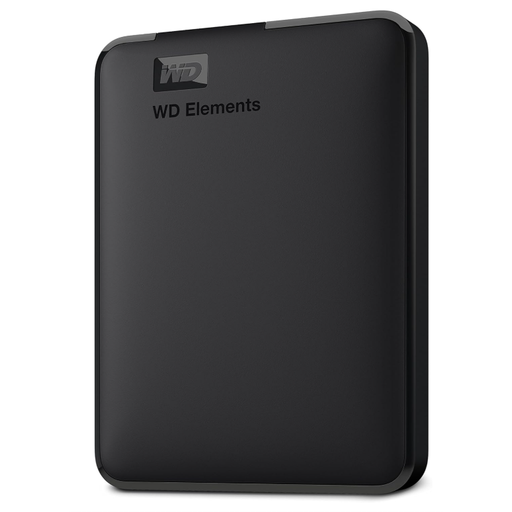
Western Digital Elements Portable Hard Drive 6TB
A high-capacity portable archive option for scheduled computer-based backups.
6 TB capacity; USB 3.2 Gen 1 and USB 3.0 connectivity; bus-powered operation; Micro-USB-to-USB-A cable supplied.
It is formatted for Windows and requires reformatting for macOS. Check USB-C-only computer requirements, and avoid moving the drive during transfers.
Joybuy
 No image available
Western Digital Elements Portable Hard Drive 4TB
A transportable local archive for households mainly making backup copies from a compatible Windows computer.
4 TB capacity; USB 3.2 Gen 1 and USB 3.0 connectivity; supplied USB-A cable; Windows 10+ recognition stated.
Mac or other operating systems may require reformatting. The drive is not waterproof or dustproof, so use a careful scheduled-copy routine and store it separately afterwards.
Joybuy
Frequently asked questions
Is iCloud Photos a complete backup for household photos?
No, do not treat it as the only retained copy. Apple says iCloud Photos keeps originals in iCloud and synchronises edits and deletions across devices, while photos uploaded to iCloud Photos are not duplicated in iCloud Backup; keep another copy of the library.
Should an external backup drive stay connected all the time?
Usually not for a household backup copy. The National Cyber Security Centre advises disconnecting removable media when it is not in use because ransomware and other malware can affect attached media; connect it for scheduled updates, confirm the copy completed, then store it securely.
Will Google Photos keep every photo and video at original resolution?
Choose Original quality when retaining source resolution matters, as Google says it counts towards Google Account storage. Storage saver also uses account storage and can resize photos larger than 16 MP to 16 MP and video above 1080p to 1080p.
Can OneDrive keep an iPhone photo after I delete it from the phone?
It can when iOS Camera Upload has completed. Microsoft describes this feature as upload-only rather than two-way sync, so deleting an uploaded photo from the device does not affect its OneDrive copy; check the upload status before clearing phone storage.


