Classroom rota coordinator
You regularly print revised A4 rotas and want shared access, automatic two-sided printing and a tray that suits your usual batches.


For volunteer rotas printed in a small classroom, start with an A4 inkjet all-in-one that supports shared printing, has a suitable paper tray and can print automatically on both sides of the paper you intend to use. A cartridge model can suit modest printing, while refillable tanks are worth considering for regular printing if fewer cartridge changes matter to you. Choose an automatic document feeder (ADF) for copying or scanning paper forms, not to speed up printing a digital rota.
You regularly print revised A4 rotas and want shared access, automatic two-sided printing and a tray that suits your usual batches.
You also print notices or volunteer documents and are deciding whether a refillable ink system would mean fewer cartridge changes.
You need to copy or scan multi-page forms as well as print rotas, making an ADF relevant to a separate part of the work.
Decide first how often you print and whether the same machine must handle paper originals. Then check shared access and the paper-handling features against the classroom setup.
Consider when: Rota printing is modest or irregular and an A4 model meets your shared-printing needs.
Trade-off: Replacement frequency depends on the compatible cartridges, page coverage and how often you print.
Consider when: Rotas and related documents are printed regularly and reducing cartridge changes is a priority.
Trade-off: Stated ink yields depend on their test conditions and cannot predict the classroom’s exact ink use.
| Concern | What to check | Who this matters to |
|---|---|---|
| Shared printing | Check Wi-Fi access under the venue’s network rules and whether each volunteer’s device is supported; consider a USB connection where needed. | When several volunteers update rotas from different devices, I do not want printing tied to one computer. Around 36% of consumers put shared access and setup first. |
| Ink use | Compare compatible ink systems and published yield conditions against your expected black-and-white and colour printing. | With rotas changing throughout the term, I want to know how often the ink may need replacing or refilling. For around 21% of consumers, ink use is the primary concern. |
| Paper handling | Confirm automatic duplex for A4 plain paper and choose an input tray suited to your usual print batches. | If I print repeated batches of rota sheets, turning pages or reloading paper interrupts the job. Paper handling comes first for around 29% of consumers. |
| Copying and scanning | Check whether an ADF handles the size and number of paper originals you need to copy or scan. | When sign-in sheets and volunteer forms arrive on paper, I would rather feed several originals than place each one on the scanner glass. Around 14% of consumers prioritise this paperwork task. |
Canon specifies automatic duplex for A4 or LTR plain paper on the PIXMA TS7750i. A general duplex label does not establish support for labels, card or other media.
Check automatic two-sided printing against the exact paper size and type used for your rotas.
An ADF feeds paper originals for copying or scanning; it does not feed digital print jobs or increase the printer’s paper output capacity.
For rota printing, check duplex support and paper capacity. Add an ADF if multi-page copying or scanning is part of the work.
Epson’s ET-2950 ink-yield figures are manufacturer statements tied to test conditions. The number of pages you obtain depends on what you print and your settings.
Compare the stated yield conditions and exact compatible inks with the documents you expect to print.
The DCP-J1360DW is a cartridge-based A4 all-in-one to consider when shared printing, automatic duplex and a paper tray matter.
The EcoTank ET-2950 illustrates a refillable A4 print, copy and scan option for regular rota work.
The PIXMA TS7750i is relevant when printing rotas is paired with copying or scanning paper paperwork.
These inkjet all-in-ones offer different ways to handle shared rota printing: compact A4 models, a refillable-tank model and larger A3-capable models for classrooms that also handle other paperwork. Check each model’s duplex and consumable details for your intended use.
 No image available
Suited to shared A4 rota printing when automatic duplex and a compact all-in-one are priorities.
The listing describes a 150-sheet input tray, Wi-Fi, automatic duplex and an ADF. If you will scan several forms at once, confirm the ADF capacity.
 No image available
Consider this refillable-tank A4 all-in-one for regular rota batches and related paper forms.
The listing describes automatic duplex, 350-sheet total paper capacity, Wi-Fi and a 50-sheet ADF. Its stated dimensions are 399 × 410 × 254 mm; allow space to use the trays.
 No image available
This A3-capable model also supports A4 rotas and may suit a classroom that copies or scans multi-page paperwork.
The listing describes a 250-sheet tray, Wi-Fi, automatic double-sided printing and a 50-page ADF. Confirm duplex support for your A4 rota paper. At 576 × 477 × 305 mm and 20.2 kg, it also needs a suitable surface and tray clearance.
 No image available
This A3-capable all-in-one can handle A4 rota batches alongside copying or scanning volunteer paperwork.
The listing describes automatic A4 and A3 duplex, a 250-sheet tray, Wi-Fi and a 50-sheet ADF. Check the exact supplied and compatible ink system before choosing it. Its stated dimensions are 576 × 477 × 305 mm.
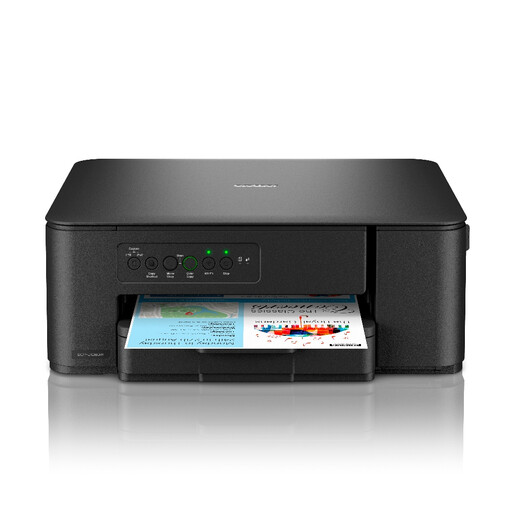 No image available
Consider this compact A4 all-in-one when shared printing and paper capacity matter, but establish its duplex mode before relying on it for two-sided rotas.
The listing describes a 150-sheet tray and Wi-Fi. Confirm that the supplied model is DCP-J1260DW and whether its duplex printing is automatic or manual.
Yes, if your rotas run to several pages or you print revisions often: automatic duplex avoids turning sheets by hand and can reduce paper use. Check the supported media for the exact model; Canon UK specifies A4 or LTR plain paper for automatic duplex on the PIXMA TS7750i.
No. An ADF feeds paper originals into a scanner for copying or scanning, not digital files into a print queue. It becomes useful if volunteers also handle multi-page paper forms or sign-in sheets.
They can if the printer supports their devices and the venue permits the required connection. Check the classroom’s Wi-Fi rules and each model’s operating-system or app support before purchase; a listed Wi-Fi feature alone does not settle either question.
Arrange an appropriate electrical-equipment collection or take-back route rather than putting the printer in ordinary rubbish. Check the classroom organisation’s arrangements and the available local or retailer collection options.
Consider one only after checking its page allowance, eligible cartridges, replenishment arrangements and cancellation terms against your printing pattern. A changing rota workload may not fit a fixed allowance consistently.