What matters when choosing?
Start with the programs and websites you actually use; screen size and portability are easier to judge once those requirements are settled.
Windows laptop
Choose when: You want to use Family Historian 7 or a Windows version of Family Tree Maker 2024, as well as genealogy websites.
Keep in mind: A Windows label alone does not establish that a particular configuration meets your chosen program’s requirements.
Mac laptop
Choose when: You prefer macOS and plan to use browser services or Family Tree Maker 2024, which Software MacKiev supports on macOS Big Sur (11) or later.
Keep in mind: Family Historian 7 is not a direct macOS option; check connections for scanners and other accessories, too.
Chromebook
Choose when: Your family-tree work stays in websites and cloud files, and the services you use support its current browser.
Keep in mind: Software MacKiev lists Windows and macOS, not ChromeOS, in the requirements for Family Tree Maker 2024.
| Concern | What to check | Who this matters to |
|---|
| Genealogy software |
Match the exact program and version to the laptop’s operating system and other published requirements. Family Historian 7 lists Windows; Family Tree Maker 2024 lists Windows and macOS. |
If I intend to keep my tree in an installed program, that program has to work on the laptop I buy. Around 33% of consumers put desktop-software compatibility first. |
| Website access |
Check that the device receives updates and can run a browser supported by each service you use; Ancestry, Findmypast and FamilySearch publish their own browser guidance. |
When most of my research happens online, I need dependable access to the record sites I use. Roughly 33% of consumers make website access their primary concern. |
| Document workspace |
Compare the exact screen size and resolution. If you plan to connect a monitor, check the display connection and any adapter you need. |
Reading a scan while keeping a tree and notes in view calls for enough usable screen space. For about 25% of consumers, that workspace is the main priority. |
| Portability |
Compare the exact variant’s weight, charger, screen size and battery claim; battery figures from different test methods are not directly comparable. |
If I regularly take my laptop to an archive or a family visit, carrying it matters more to me than a larger built-in display. Around 9% of consumers put portability first. |
Joybuy laptop choices
These laptops offer different sizes and configurations for family-tree research, from a smaller machine to larger screens for desk work. Check your chosen genealogy software against the exact device, particularly where the processor or operating system is not clear from the product name.
 No image available
ASUS Vivobook 14 X1407QA-LY003W, Snapdragon X, 16 GB RAM, 512 GB SSD, Quiet Blue
Consider this smaller Vivobook if you take your research between locations; check its screen and connections against the records and accessories you use.
It is listed with a Snapdragon X processor, 16 GB RAM and a 512 GB SSD. Confirm that your intended desktop genealogy software runs on this exact configuration before ordering.
View on Joybuy
 No image available
ASUS ProArt P16 H7606WW-SE006W, 16-inch 4K OLED touchscreen, 64 GB RAM, 2 TB SSD
Its 16-inch touchscreen provides a large built-in workspace to consider if you usually compare records and notes at a desk.
The listed configuration has Windows 11 Home, 64 GB RAM, a 2 TB SSD and NVIDIA GeForce RTX 5080 16 GB graphics. Dedicated graphics are not a requirement in the cited genealogy-software guidance; check this laptop’s weight and battery information if you will carry it regularly.
View on Joybuy
 No image available
HP OmniBook X Flip 16-as0004na, 16-inch touchscreen, 16 GB RAM, 512 GB SSD
Consider the larger touchscreen if you want room for records and notes at a desk, while deciding whether its convertible design is useful to you.
The title lists Windows 11 Home, 16 GB RAM and a 512 GB SSD. Check the exact device’s weight and battery information if you plan to take it to archives or libraries.
View on Joybuy
 No image available
Lenovo Legion Pro 7 16IAX10H 83F5000UUK, 16-inch, 64 GB RAM, 2 TB SSD
The 16-inch format is one to compare for desk-led work with records, a tree and notes.
This configuration lists Windows 11 Home, 64 GB RAM, a 2 TB SSD and NVIDIA GeForce RTX 5090 graphics. The cited genealogy-program requirements do not call for dedicated gaming graphics; check weight and battery information if the laptop will travel with you.
View on Joybuy
 No image available
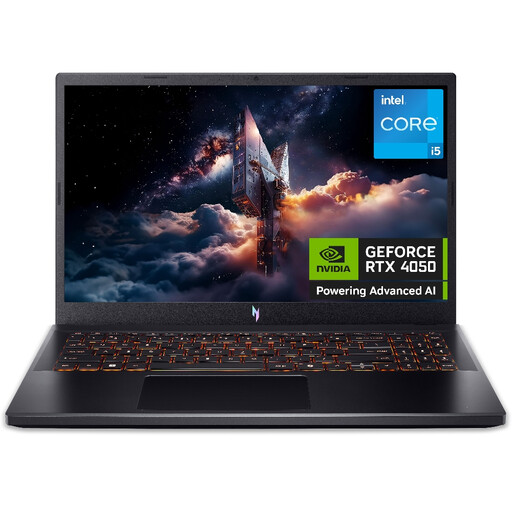
Acer Nitro V 15 ANV15-52, 15.6-inch Full HD, 16 GB RAM, 512 GB SSD
Its 15.6-inch screen is an option to compare if you usually read records at a desk but do not want a 16-inch model.
The title lists a 1920 × 1080, 165 Hz display and NVIDIA RTX 4050 graphics. Those gaming-oriented features are not requirements in the cited genealogy-program guidance; confirm the operating system against the software you intend to install.
View on Joybuy
Frequently asked questions
Do I need a gaming laptop to research a family tree?
A dedicated gaming graphics card is not listed in the cited browser guidance or the published requirements for Family Tree Maker 2024 and Family Historian 7. Check software compatibility, browser support and a screen you can use comfortably before deciding whether gaming features serve another task you have.
Can I use a Chromebook for Ancestry, Findmypast and FamilySearch?
A Chromebook can be a choice for browser-only research if its current browser works with each service you use. Ancestry UK Support lists Chrome for computers, while Findmypast and FamilySearch publish their own browser guidance; check those requirements against the device before buying.
Can I run Family Tree Maker 2024 on a Chromebook?
Do not buy a Chromebook on the assumption that it will run Family Tree Maker 2024 locally: Software MacKiev publishes Windows and macOS system requirements for that version, not ChromeOS requirements. Choose a device that meets the published requirements if the installed program is central to your research.
What if a laptop I order is faulty or does not match its description?
For a UK purchase, a faulty or misdescribed laptop raises rights distinct from simply changing your mind: GOV.UK says a seller must offer a full refund if an item is faulty, not as described or does not do what it is supposed to do. Keep the order confirmation and the model’s advertised specifications, and check any change-of-mind return terms separately.


