Start with a 31.5- or 32-inch 4K monitor if reading dense maps, menus and tables is your main reason for buying a larger screen; check desk fit and game interface scaling before choosing a panel. A flat IPS or Mini LED screen offers a conventional desktop layout, while a pronounced curve is a viewing preference. Consider OLED if contrast matters for your other games too, provided you are willing to follow the model’s guidance for prolonged static-interface use.
Who needs which features?
Map-and-interface strategists
If you spend most sessions reading policy panels, ledgers, diplomatic screens and tooltips, prioritise a large 4K viewing area and check whether your games keep text comfortable to read at your preferred interface scale.
Long-session hybrid desk gamers
If the same display serves political simulations, other games and desk work, check its stand adjustment, footprint and connections alongside its gaming specifications. The Health and Safety Executive’s display-screen guidance also identifies screen position, desk space and reflections as setup considerations.
Cinematic strategy-and-action players
If you also play visually rich or faster-paced games, contrast and refresh rate may carry more weight. Compare those features with the practical demands of long sessions showing persistent strategy-game interfaces.
What matters when choosing?
For political simulations on a large screen, assess map and text space, then desk fit; decide separately whether contrast or high-refresh play in other genres warrants a different panel. Flatness, curvature and panel technology are not interchangeable specifications.
| Concern |
What to check |
Who this matters to |
| Dense maps and menus |
Confirm native 3840 × 2160 resolution, actual screen size and how your games handle interface scaling. |
When maps, tables and tooltips compete for space, I want room to read them without losing the overall view. Around 40% of consumers put map and interface space first. |
| Desk fit and positioning |
Measure the stand footprint and check height adjustment; if using an arm, check the mounting pattern and supported load. |
For long sessions at one desk, I need to position a large screen without crowding the workspace. Desk fit and adjustment come first for roughly 30% of consumers. |
| Contrast and presentation |
Compare the exact model’s panel and HDR features; for OLED, read its static-image care guidance and warranty terms. |
If strategy games share my screen with visually rich titles, I care most about how contrasting scenes appear. Around 20% of consumers prioritise presentation. |
| Faster games on the same screen |
Check refresh rate at your intended resolution and whether your device and connection support it. |
When I switch from political simulations to faster games, I want the display’s refresh capability to suit both. High-refresh use is the primary concern for roughly 10% of consumers. |
Buying pitfalls
-
Choosing by refresh rate alone
A 240Hz specification may matter for faster games, but it cannot tell you whether a political simulation’s maps and panels will be comfortable to read on your desk.
Check native resolution, physical dimensions, adjustment and your device’s output capability before deciding how much refresh rate you need.
-
Treating OLED as maintenance-free with static menus
Political simulations can leave maps and toolbars in place for long periods. ASUS describes features intended to reduce burn-in risk on its ROG Swift OLED PG32UCDM; that does not remove the need for model-specific care.
Read the exact monitor’s care instructions and warranty terms. If you would rather avoid OLED care routines, compare the IPS and Mini LED options instead.
-
Overlooking the stand and mounting load
A large screen still needs a workable position on the desk. The Health and Safety Executive highlights desk arrangement and lighting reflections in its display-screen guidance.
Measure the monitor with its stand. For an arm or wall mount, check both the mounting pattern and the mount’s load rating rather than relying on the pattern alone.
Brands to consider
BenQ MOBIUZ
The EX321UX is an example of a flat, 32-inch-class 4K Mini LED route for a desk-based setup.
- BenQ UK lists a 31.5-inch IPS panel, 144Hz refresh rate, 100 mm stand height adjustment and multiple connection options for the EX321UX.
- Its listed maximum power consumption is 274W; check the model’s dimensions and power specification against your setup.
LG UltraGear
The 32GX850A-B combines a 4K OLED format with a separate lower-resolution, higher-refresh mode.
- LG UK lists UHD at 165Hz or FHD at 330Hz for this model, giving players distinct settings for detail-focused and faster games.
- For long periods with static simulation interfaces, review the model’s OLED-care instructions and warranty terms.
Samsung Odyssey
The Odyssey Neo G8 is a curved 4K Mini LED option for players who want that viewing shape alongside high-refresh gaming.
- Samsung Business UK lists a 32-inch 3840 × 2160 display, 1000R curvature, a maximum 240Hz refresh rate and height adjustment.
- A pronounced curve is a matter of preference for map and document viewing, not an automatic improvement.
ASUS ROG
The ROG Swift OLED PG32UCDM is a 32-inch-class 4K QD-OLED option for mixed strategy and faster gaming.
- ASUS ROG UK lists 240Hz operation and USB-C with 90W power delivery for this model.
- ASUS says its heat-management design reduces burn-in risk; follow its care guidance rather than treating that claim as a guarantee for persistent menus.
MSI
The MAG 321UPX QD-OLED provides another 4K OLED format to compare for mixed gaming.
- MSI lists a 3840 × 2160 QD-OLED panel, 240Hz refresh rate and HDMI 2.1 features for this model.
- Those gaming specifications do not settle its suitability for long sessions with static strategy-game panels; check the model’s care guidance.
Joybuy product choices
These choices cover 4K OLED and Mini LED displays, a 34-inch ultrawide alternative and a large 4K 60Hz display. Compare the screen format with your games and desk: the ultrawide is not a 4K 16:9 substitute, and the 60Hz model serves a different need from a high-refresh gaming screen.
 No image available
LG UltraGear 32GX850A-B 4K OLED dual-mode monitor
Consider this model if political simulations share your screen with faster games and you are willing to follow OLED-care guidance.
LG UK lists a 32-inch-class 3840 × 2160 OLED display with UHD 165Hz and FHD 330Hz modes. Check the exact panel-care instructions and warranty terms before prolonged static-interface use.
View on Joybuy
 No image available
Dahua 32-inch 4K 165Hz curved OLED monitor
Consider this curved OLED format if its viewing shape suits your maps and you also use the screen for faster games.
The product title specifies 3840 × 2160 resolution and a 165Hz refresh rate. Check the monitor’s footprint, OLED-care guidance and warranty terms for extended sessions with static panels.
View on Joybuy
 No image available
ASUS ProArt Display PA32UCG-K 32-inch 4K Mini LED monitor
This professional-display option is worth comparing if a large 4K screen for maps and desk work matters more to you than a dedicated gaming designation.
The product title specifies an IPS Mini LED panel and 120Hz refresh rate. Confirm the connection features your gaming device requires, as well as the stand’s adjustment range; check the exact brightness specification if HDR performance affects your decision.
View on Joybuy
 No image available
Dahua 34-inch 3440 × 1440 200Hz curved ultrawide monitor
Choose an ultrawide format only after checking how your political-simulation games place maps and interface panels at 21:9.
The product title specifies a VA panel, 3440 × 1440 resolution and 200Hz refresh rate. This is not a 3840 × 2160 4K screen.
View on Joybuy
 No image available
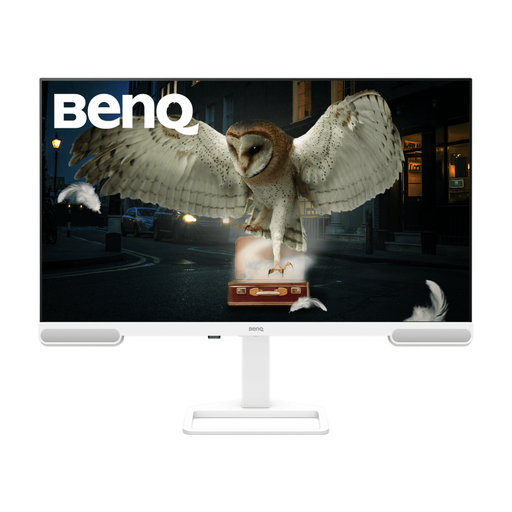
BenQ EW3290U 4K display
This large 4K display is a choice to examine if map and menu space matters more to you than high-refresh gaming.
The listing gives a 60Hz refresh rate. Confirm the exact screen size and stand adjustment before planning its position on your desk.
View on Joybuy
Questions about large monitors
Is a 32-inch monitor enough for political simulations, or should I choose ultrawide?
A 32-inch-class 4K 16:9 monitor is a practical starting format for a large map-and-menu view. If you prefer a 21:9 ultrawide, check how your specific games scale text and position interface panels before changing formats.
Do political simulations need a 240Hz monitor?
No: 240Hz is not a requirement for reading maps and managing political-simulation interfaces. It becomes more relevant if you also play faster games, provided your device and connection can output the resolution and refresh rate you intend to use.
Should I avoid OLED for long sessions with static game panels?
OLED remains an option, but persistent maps and toolbars make the exact model’s panel-care instructions and warranty terms important checks. ASUS describes heat-management features intended to reduce burn-in risk on its PG32UCDM; those features are not a promise that the risk disappears.
What should I measure before putting a large monitor on my desk?
Measure the available width and depth against the monitor and its stand, then check adjustment and cable space. The Health and Safety Executive’s display-screen guidance also calls attention to screen placement and lighting reflections; if you plan to use an arm, check its mounting compatibility and load rating.


