Bright-window data readers
If you read public tables, dashboards or maps near daylight for long sessions, screen reflections and positioning deserve attention before entertainment features.


A 27-inch 4K IPS monitor with an anti-glare or matte screen is a useful starting point for reading public datasets beside a bright window, but its finish and stated brightness cannot guarantee readability in your room. Check the window’s reflection angle and the stand’s adjustment range; if you use a laptop, also match the monitor’s USB-C charging and display modes to your device.
If you read public tables, dashboards or maps near daylight for long sessions, screen reflections and positioning deserve attention before entertainment features.
If your datasets live on a USB-C laptop, check whether one connection can provide the display output, charging and peripheral access you need.
If you regularly keep documents, browser tabs, charts and data exports in view, consider screen resolution alongside text scaling and an adjustable viewing position.
For a monitor beside a bright window, establish how you will control reflections before weighing workspace size and laptop connections.
| Concern | What to check | Who this matters to |
|---|---|---|
| Reflections and daylight | Check the exact screen’s anti-glare or matte finish and stated typical brightness; plan its position so the window is not reflected directly. | If the window catches the screen while I read, I need to move or angle the display rather than rely on brightness alone. Around 45% of consumers put reflection control first. |
| Dense-data workspace | Compare native resolution and screen size, then check whether your operating system’s text scaling and viewing distance suit you. | When I compare tables with charts and documentation, I want room for those views without making text uncomfortable to read; around 33% of consumers prioritise the data workspace. |
| Laptop and peripherals | Confirm USB-C video support, charging wattage and any connection-mode limits for your laptop and monitor. | I want to connect my laptop without repeatedly changing display and peripheral cables. Laptop connection is the primary need for around 22% of consumers. |
HDR specifications do not tell you whether a window will reflect in the screen. Finish, typical brightness and placement still matter for reading tables in daylight.
Check the exact model’s screen finish and typical-brightness specification, then work out where the display can sit without directly reflecting the window.
Charging power and video modes vary. ASUS states that its PA279CV is limited to 4K at 30Hz when USB-C DisplayPort Alt Mode is used with USB transmission set to USB 3.2.
Match the monitor’s documented charging and display modes to your laptop and the peripherals you intend to connect.
A sharp display can still be awkward to place if its adjustment range cannot move it clear of a reflection or to your preferred reading height.
Check desk depth, window direction and the exact stand adjustments before choosing a monitor or a compatible mounting arrangement.
Model suffixes and included connections can change whether a monitor fits your laptop and desk setup; seller and warranty terms also matter.
Compare the complete model number and listed specifications with the manufacturer’s UK documentation, and check the seller’s warranty and return terms before buying.
The ProArt PA279CV is a 27-inch 4K IPS option for a desk where screen finish, positioning and USB-C connections matter.
The UltraSharp U2725QE is a 27-inch 4K hub-monitor option for a desk that needs extensive connections.
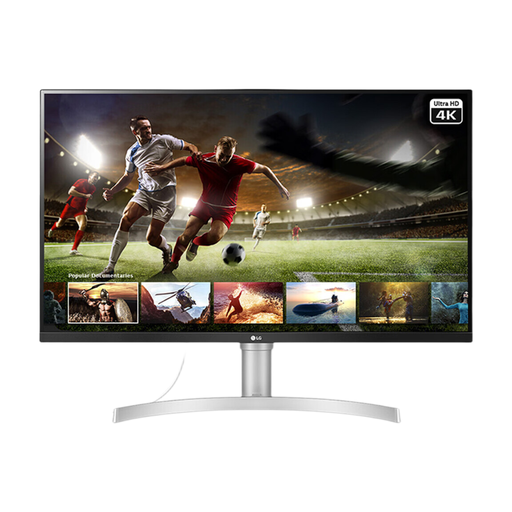
The 27UP850K-W is a 27-inch 4K IPS option for a compatible laptop setup.
The PD2705U is a 27-inch 4K matte IPS option for people connecting peripherals or switching between computers.
These 4K monitors include 27-inch and 32-inch choices for viewing datasets. Compare each model’s screen finish, positioning options and connections against your window and laptop setup; gaming or HDR features alone do not establish suitability for daylight reading.
 No image available
Consider this model if you want a 27-inch screen for dataset views and will check its placement beside the window.
The product name specifies 4K UHD, Nano IPS and dual-mode 240Hz/480Hz operation. Those gaming specifications do not establish an advantage for reading datasets.
Check the connections against your laptop if USB-C video or charging is essential.
 No image available
Consider the 32-inch screen if you want space to arrange dataset views, while allowing for its size on your desk.
The product name specifies a 4K IPS Mini LED display and Thunderbolt 3.
Check the exact model’s typical brightness and laptop-charging requirements separately; a peak-brightness claim is not a like-for-like substitute for typical brightness.
 No image available
Consider how long your tables or dashboards will remain static before choosing this OLED model for extended dataset sessions.
The product name specifies an OLED 4K UHD display. The product description advises against prolonged static images at high brightness.
Check typical brightness and USB-C charging against your workspace and laptop needs.
 No image available
The 27-inch 4K format is relevant if you compare tables and charts on one screen.
The product name specifies a 4K UHD LED monitor; its matte-black description refers to the cabinet, not necessarily the screen surface.
Check the screen coating for a bright-window position and confirm laptop-charging capability if you need it.
 No image available
Consider this 32-inch option if you have room for a larger dataset display and can position it clear of window reflections.
The product name specifies 4K IPS, 60Hz, HDMI, DisplayPort and built-in speakers.
Check the screen coating and stand adjustment range if glare control or raising the display matters to your setup.
Yes, if you need to compare dense tables, charts and browser views on one screen. The cited ASUS and BenQ 27-inch models specify 4K resolution and 163 PPI; check your operating system’s scaling and your viewing distance before deciding whether that density suits you.
Not necessarily: anti-glare or matte treatment does not eliminate reflections at every window angle. Check the exact screen finish and stated typical brightness, then position the display so it does not directly reflect the window.
Yes, when both devices support the required video and charging functions. LG specifies charging up to 90W for the 27UP850K-W, while BenQ and ASUS specify 65W for the PD2705U and PA279CV respectively; compare those ratings with your laptop’s requirements and check its USB-C video capability.
Yes. ASUS states that the PA279CV reaches a maximum of 4K at 30Hz when USB-C DisplayPort Alt Mode is used with USB 3.2 data selected. Check the manual for your exact monitor and intended connection mode rather than assuming every USB-C setting behaves alike.
Use an appropriate electrical-equipment recycling or take-back route rather than treating the monitor as ordinary household waste. GOV.UK describes the UK WEEE framework for reducing electrical waste; check your local authority or retailer for the practical route available to you.