Dense-table and documentation readers
If you spend much of your time inspecting CSV extracts, variable definitions, codebooks or code, the vertical space available for readable text deserves particular attention.


Choose a 27-inch 4K monitor if reading dense tables, code and documentation takes priority; consider a 34-inch ultrawide if you more often need a dashboard, map and references visible side by side. At a standing desk, check that you can position the screen independently of the desktop, and confirm your laptop’s video and charging requirements before relying on a single USB-C cable.
If you spend much of your time inspecting CSV extracts, variable definitions, codebooks or code, the vertical space available for readable text deserves particular attention.
If you compare maps and dashboards with spreadsheets, queries or browser references, consider how many windows you need to keep visible at once.
If you change desk height or reconnect a laptop regularly, screen adjustment and the laptop’s connection requirements can matter as much as panel size. Health and Safety Executive guidance also treats screen and furniture adjustment as parts of workstation setup.
Consider it when: Dense tables, code and documentation are your main workload. Dell UK lists a 3840 × 2160 panel and an adjustable stand for its U2723QE.
Trade-off: Its 16:9 shape leaves less horizontal room for several wide windows than a 21:9 ultrawide.
Consider it when: You want a conventional screen shape with an adjustable stand; BenQ UK presents the GW2790QT as a QHD USB-C option.
Trade-off: A 2560 × 1440 screen has fewer vertical pixels than a 3840 × 2160 screen, which may matter when viewing long tables.
Consider it when: Keeping a map, dashboard and reference material open together is your priority. LG UK lists a 3440 × 1440 panel for its 34BA75QE.
Trade-off: Its 1440 vertical pixels leave less vertical room than a 2160-pixel-high 4K display, and the wider screen needs desk space.
| Concern | What to check | Who this matters to |
|---|---|---|
| Text and vertical space | Compare native resolution and screen size, then consider the text scaling you find comfortable. | When I work through long data tables and methodology notes, I want room to read without losing my place. Around 42% of consumers put text and vertical workspace first. |
| Side-by-side windows | Compare aspect ratio and resolution, and check that the screen fits the available desk space. | With a map or dashboard open, I want the spreadsheet and its references alongside it rather than repeatedly switching windows. Around 33% of consumers prioritise that wider workspace. |
| Positioning and laptop connection | Check stand adjustment or mounting compatibility, plus laptop USB-C video support and the monitor’s stated power delivery if you want one cable. | As I move between sitting and standing, I need to reposition the screen and reconnect my laptop without disrupting the setup. For around 25% of consumers, adaptability and docking are the primary concern. |
A 34-inch 3440 × 1440 ultrawide offers more width, but its 1440 vertical pixels differ from the 2160 vertical pixels of a 27-inch 4K screen. LG UK’s 34BA75QE and 27U730A-B illustrate those different layouts.
Compare the shape and native resolution with the tables, documents and windows you normally keep open.
USB-C power-delivery ratings vary between models, and the laptop’s port must support video output for a USB-C display connection.
Check the laptop’s USB-C video capability and charging requirement against the exact monitor’s stated connection and power delivery.
Raising the desktop moves the keyboard and monitor together; it does not independently set the screen position. Health and Safety Executive guidance covers adjustment of screens and furniture as well as work routines.
Check the stand or a compatible mount, position the screen for your working posture, manage glare and vary activity during long sessions.
Dell’s 27-inch 4K USB-C models are relevant if you want a conventional screen shape for text-heavy desk work and laptop connection.
The GW2790QT is a 27-inch QHD option for a laptop-based setup where USB-C connection and screen positioning matter.
LG UK lists both a 34-inch ultrawide format for arranging windows horizontally and a 27-inch 4K format for a taller pixel workspace.
These models offer 4K, ultrawide and QHD options to compare for dataset reading, multi-window work and screen positioning at a standing desk. Check the connections of the individual model against your laptop before choosing.
 Image unavailable
Consider this format if dense tables and documentation are your main task and you want to adjust screen height as the desk moves.
The product name specifies a 27-inch 4K IPS display, USB-C and a height-adjustable stand. Check your laptop’s USB-C video output and charging needs, particularly if you plan to use it outside a Mac-focused setup.
 Image unavailable
Consider the ultrawide format when keeping dashboards, maps and references alongside one another matters more than 4K vertical space.
The product name specifies 3440 × 1440 resolution, a VA panel, HDMI and DisplayPort connections. Check desk depth and how you will connect and charge a laptop if a one-cable setup matters to you.
 Image unavailable
This 4K format is worth comparing if long tables and documentation take priority over ultrawide window arrangements.
The product name specifies HDMI and DisplayPort connections. If you need USB-C laptop docking or a particular number of HDMI ports, confirm the exact connection layout before buying.
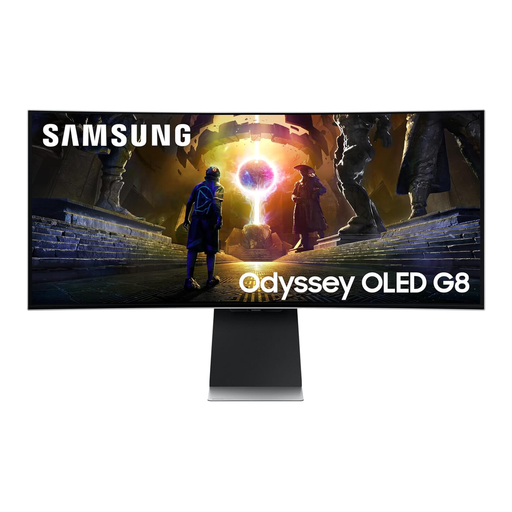 Image unavailable
The 34-inch ultrawide format suits a comparison of side-by-side window layouts with the vertical space of a 4K screen.
The product name specifies an OLED panel and 175Hz refresh rate. Check the stand’s tilt and swivel adjustment, desk space and laptop connection requirements for your setup.
 Image unavailable
Consider this QHD option if screen positioning is important and you do not need the vertical pixel count of 4K for your tables.
Check the exact unit’s adjustment options and whether its USB-C connection, if fitted, meets your laptop’s video and charging needs.
No: changing desk height moves the keyboard and screen together, while an adjustable stand or compatible monitor arm lets you position the screen separately. Health and Safety Executive guidance includes screen and furniture adjustment in workstation setup.
No: check that the laptop’s USB-C port supports video output and that the monitor’s stated power delivery meets its charging needs. BenQ UK states up to 65W for the GW2790QT, while Dell UK and LG UK list up to 90W for the U2723QE and 34BA75QE respectively; those ratings do not establish compatibility with every laptop.
For an employee who uses display screen equipment daily as part of normal work for continuous periods of an hour or more, Health and Safety Executive guidance says the employer must assess the workstation. A private monitor purchase does not, by itself, mean that workplace requirement applies.
No. Health and Safety Executive guidance says employers must plan display-screen work so it is interrupted by breaks or changes of activity; screen adjustment does not replace that work routine.