What matters when choosing?
Decide whether the main constraint is controlling two computers, keeping more windows in view, fitting a compact screen or adjusting the display between users. A wider screen does not provide keyboard-and-mouse switching unless the exact model includes that function.
| Concern | What to check | Who this matters to |
|---|
| Two-computer sharing |
Check for a built-in KVM if one keyboard and mouse must control both computers; check Picture-by-Picture separately if both sources must stay visible. |
When I alternate between two computers, I want to keep using the same keyboard and mouse without reconnecting them. Around 36% of consumers put two-computer sharing first. |
| Multiple visible windows |
Compare usable screen width with available desk width; decide whether a 34-inch 21:9 display suits the windows you keep open. |
Keeping a timetable, map and disruption alerts in view matters more to me than saving desk width. Around 29% of consumers prioritise simultaneous window space. |
| Detailed text in a compact space |
Compare 27-inch QHD and 4K options at a text size you find comfortable; check operating-system scaling for 4K. |
I need to read dense timetable rows, but a wider monitor would crowd the shared desk. Roughly 21% of consumers place compact, readable text first. |
| Positioning between users |
Check the supplied stand’s height, tilt, swivel and pivot adjustments against the positions users need. |
When someone else takes over the desk, I need to reposition the screen without rearranging the whole workspace. About 14% of consumers make physical adjustment their primary concern. |
Joybuy products for this task
These monitors cover compact QHD and 4K screens as well as a wider ultrawide format for comparing timetable windows. Check two-source controls and stand adjustment on the exact model where those features determine your choice.
 No image available
MSI MD272UPSW Smart 27-inch 4K monitor
A compact 4K option to consider when detailed timetable text is the priority. The product name specifies USB-C 65W and Multi-Control; check laptop video and charging compatibility, and confirm the exact two-source viewing functions you need.
View on Joybuy
 No image available
MAG 274QP QD-OLED X24 27-inch QHD monitor
Consider this compact QHD format if desk width is limited. The product name specifies 2560 × 1440 resolution and 240Hz; confirm the stand and two-source functions on the exact model if users need to share the screen.
View on Joybuy
 No image available
ASUS ProArt PA278CFRV IPS QHD monitor
A QHD option for a compact timetable workspace. The product name specifies an IPS display and 100Hz; check the exact variant’s connections and stand adjustment if laptop docking or regular desk handovers matter.
View on Joybuy
 No image available
Dahua 34-inch 3440 × 1440 curved ultrawide monitor
Its wide format is relevant when several timetable-related windows need to remain visible. Measure the desk before choosing it, and check Picture-by-Picture or KVM on the exact model if two computers must share the display or peripherals.
View on Joybuy
 No image available
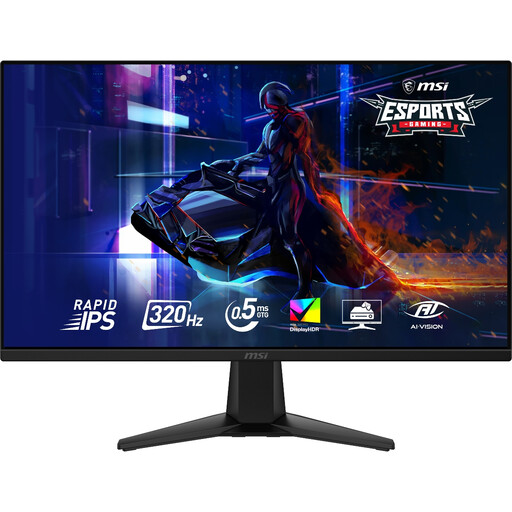
MAG 275QF X32 27-inch QHD monitor
A compact 2560 × 1440 option for timetable comparison. The product name specifies 320Hz; check the exact model’s source-viewing functions and stand adjustment if two-computer use or frequent repositioning is important.
View on Joybuy
Frequently asked questions
Do I need a KVM switch to compare transport timetables?
You need a KVM switch if two connected computers must share one keyboard and mouse, not merely because you have several windows open. Samsung describes that function on its S60UD; check Picture-by-Picture separately if you also need to see both computer sources at once.
Is a 34-inch ultrawide always preferable to a 27-inch QHD monitor?
No. An ultrawide is worth considering when several timetable windows need to remain side by side and the desk has room; a 27-inch QHD monitor takes a more compact route. Measure the usable desk space and check the stand and connections rather than choosing by diagonal size alone.
What matters when a monitor is shared at work?
The whole workstation matters, not just the monitor. For workers who use display screen equipment daily for continuous periods of an hour or more as part of normal work, the Health and Safety Executive says employers must assess the workstation and reduce risks; equipment, furniture and work conditions should be considered together.
What should I confirm before ordering a monitor online?
Confirm the exact model and variant, the connections and accessories you need, current availability, delivery arrangements and the seller’s return information before ordering. Keep the product specification so you can check what was described if the item received differs from the listing.


