What to check before buying
Start with the devices at both ends of the transfer, then match the storage route to file size, transfer frequency and the sensitivity of the files.
| Priority |
What to check |
Your needs |
| Large-file transfer time |
Compare the exact model’s stated write speed, not only its read speed. Check the capacity variant and whether the host and cable support the required USB mode. |
I move multi-gigabyte media or project folders regularly and do not want routine copies to take unnecessarily long. A portable SSD can be the more suitable route when repeated writing and carrying are priorities. |
| Connector and protocol fit |
List Type-A and Type-C ports on every endpoint. Confirm USB mass-storage support, the USB data capability of each port and the cable specification; USB-IF states that connections operate at the lowest common capability. |
I need to connect directly to older and newer devices without discovering too late that I need a different cable or adapter. |
| Protection for sensitive files |
Check whether encryption and PIN or biometric access apply to the exact drive. Confirm supported operating systems, access recovery behaviour and the consequences of repeated failed sign-in attempts. |
I carry files that would cause problems if a lost drive could be opened. The Information Commissioner’s Office identifies encryption as an appropriate protective measure for personal information stored on removable media. |
| Remote sharing controls |
Confirm the service’s per-file limit, available account storage and sharing permissions. Use the least-open access setting that meets the recipient’s need and protect the account with a unique, strong password. |
I need someone in another location to receive or work from files without a physical handover, while keeping control over who can view or edit them. |
Joybuy product options
Joybuy options for physical transfer of large files between devices, including portable SSDs for compatible high-throughput workflows and a dual-connector encrypted flash drive for sensitive files.
 No image available
Samsung MU-PE1T0S 1TB USB 3.2 Gen 2 Portable SSD
For repeated multi-gigabyte transfers where a portable SSD workflow and mixed-port computer connections are needed.
Stated 1TB capacity, USB Type-C and USB 3.2 Gen 2, with USB-C-to-C and USB-C-to-A cables included.
Samsung states up to 1,050MB/s read and 1,000MB/s write; these maximum figures require a compatible USB 3.2 Gen 2 host, suitable cable and UASP. Check each endpoint’s USB mass-storage support and data capability.
Joybuy
 No image available
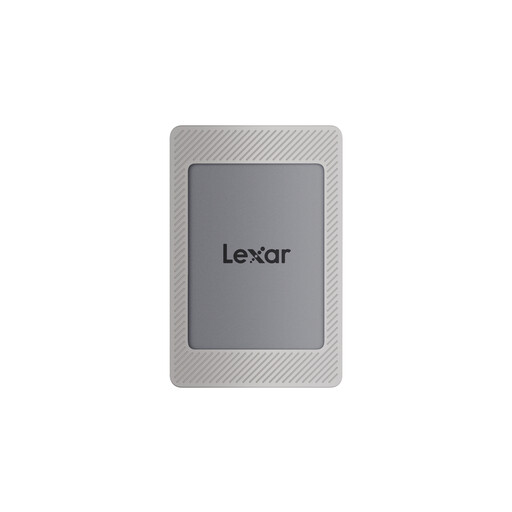
Lexar ES4 1TB USB 3.2 Gen 2 Portable SSD
For moving large folders between computers and compatible USB-C devices where both USB-C-to-C and USB-A-to-C cables are useful.
Stated 1TB capacity, USB 3.2 Gen 2 and up to 1,050MB/s read and 1,000MB/s write.
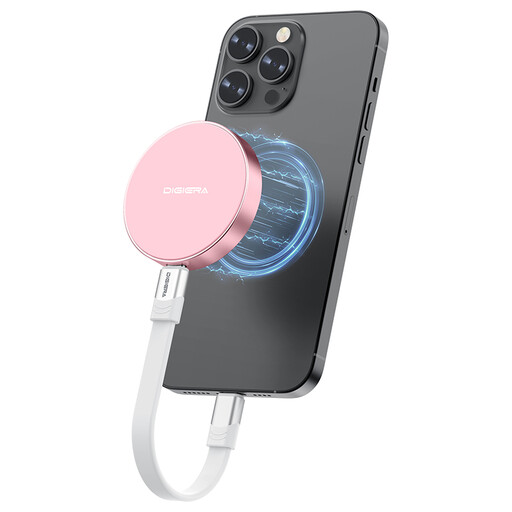
Magnetic attachment for iPhone 15/16 requires the supplied silicone case or magnetic ring, and wireless MagSafe charging is not supported. Check the exact security method before relying on it for sensitive files.
Joybuy
 No image available
DigiEra LPS2000M-3 1TB Magnetic Portable SSD
For USB-C creator workflows moving large media or project folders, including compatible mobile recording setups.
Stated 1TB capacity, USB 3.2 Gen 2x2 Type-C interface, up to 2,000MB/s read and 1,800MB/s write.
The magnetic iPhone function is limited to iPhone 15/16 Pro and Pro Max models. Confirm cable inclusion and the connection method needed for USB-A devices before buying.
Joybuy
 No image available
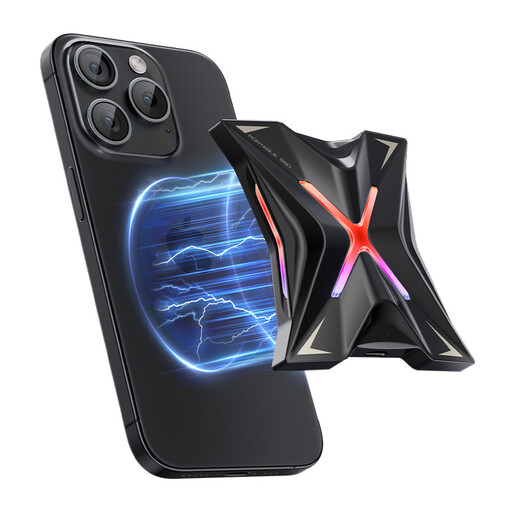
MOVESPEED YSPSRX20M-1TTG 1TB Portable SSD
For frequent large-file transfers in a compatible USB-C workflow, particularly where stated high write speed is a priority.
Stated 1TB capacity, USB-C, USB 3.2 Gen 2x2, up to 2,060MB/s read and 1,800MB/s write.
Confirm the exact iPhone connection method and supported models, as well as cable inclusion and any USB-A connection requirement. Maximum performance depends on compatible host and cable capability.
Joybuy
 No image available
MOVESPEED YSUYC-256GSN 256GB Fingerprint USB Flash Drive
For carrying sensitive files between older USB-A and newer Type-C devices in a compact physical-transfer format.
Stated 256GB capacity, USB 3.2 Gen 1 dual USB-A and Type-C interfaces, AES-256 encryption, fingerprint access, up to 550MB/s read and 500MB/s write.
Check the required free capacity for large media libraries and confirm supported platforms, fingerprint enrolment and recovery behaviour before relying on the encrypted access method.
Joybuy
Frequently asked questions
Does a USB-C connector guarantee fast file transfer?
No. Type-C describes the connector shape, not a guaranteed data rate. USB-IF states that USB 3.2 has 5Gbps, 10Gbps and 20Gbps transfer-rate tiers, and the drive, cable and endpoints operate at the lowest common capability.
When should I move from a basic USB stick to a portable SSD?
Consider a portable SSD when you repeatedly copy multi-gigabyte files, move large video or photo folders, work directly from external storage or need a more durable device for carrying. Which? identifies substantial differences in USB-stick transfer performance, heat and durability, while portable SSD performance still depends on the exact drive, cable and host.
Do sensitive files on a USB drive need encryption in the UK?
For organisations handling personal information, security measures should be appropriate to risk; the Information Commissioner’s Office describes encryption as an appropriate measure rather than a blanket requirement for every file. The ICO specifically advises using encryption to protect personal information on removable media, and employer, university or client policies may add further requirements.
Can cloud storage replace carrying a drive for a large file?
It can, provided the account has enough storage, the connection is suitable and the service accepts the individual file size. The Information Commissioner’s Office notes that cloud services support access and sharing across devices and locations; Microsoft documents a 250GB per-file browser upload limit for OneDrive, so check the specific service and plan before relying on it.
Which cloud-sharing permission is suitable for personal files?
Use the least-open setting that still lets the intended recipient work with the file. The Information Commissioner’s Office distinguishes private access, sharing limited to invited people and public access without restriction; review recipients before sending and use a unique, strong account password.


