What to check before choosing
For a sizeable family archive moving from Mac to Windows, establish how the destination will accept files, measure what you intend to export and plan a separate copy before deciding how much transfer speed or shared access you need.
| Concern |
What to check |
Who this matters to |
| Writable cross-platform storage |
Check the drive’s current file system. Apple Support identifies ExFAT for a Windows-compatible volume over 32 GB; safeguard existing files before formatting, and confirm the Mac can write to the prepared drive. |
A Windows drive might appear on my Mac yet refuse the photos I need to copy, so write access comes before speed. Around 27% of consumers put cross-platform writing first. |
| Capacity and preservation |
Measure the intended export in bytes, including any videos, and allow room for the files you plan to copy. Decide where an independent backup will live and check the transferred files before removing the original. |
When family photos cannot be replaced, I need room for the intended files and confidence that the copy is usable before anything is deleted. Roughly 33% of consumers prioritise capacity and preservation. |
| Transfer time and connections |
Check the ports on both computers and whether a suitable data cable or adapter is available. Treat advertised drive speeds as conditional maximums. |
If I will move the archive between computers more than once, waiting and carrying the drive matter to me. Around 20% of consumers make transfer convenience their primary concern. |
| Access after the move |
For a NAS, consider compatible drives, setup and a separate backup. For cloud storage, check available capacity, upload practicality, file restrictions and account access. |
If several people need the photos after the move, I want an archive they can reach without passing around one drive. Approximately 20% of consumers put continuing access and resilience first. |
Relevant brands to consider
These brands illustrate different ways to move or keep a family archive; the useful choice depends on whether you need a portable transfer drive, continuing home-network access or a cloud workflow.
Samsung
The T7 Shield portable SSD range is relevant to a direct Mac-to-Windows transfer when the drive is prepared in a suitable format and both computers can connect to it.
- Samsung UK lists 1 TB, 2 TB and 4 TB T7 Shield variants. It quotes maximum read and write speeds of 1,050 MB/s and 1,000 MB/s under specified USB 3.2 Gen 2 and UASP conditions.
- Those maximums are not a promise for every computer and cable. Check the volume format and keep a separate copy of the archive.
Synology
Synology’s two-bay DS225+ illustrates a NAS route for a household that wants the archive available on its home network after the initial move.
- A NAS provides a central location rather than requiring the same portable drive to move between computers; the DS225+ requires compatible internal drives and setup.
- Synology warns that RAID crashes and drive failures can still cause data loss. A redundant arrangement needs an independent backup.
Microsoft
OneDrive illustrates uploading from the Mac and downloading or syncing on Windows when access from different locations matters.
- Microsoft states that OneDrive does not compress, change or modify files when they are uploaded.
- Check account capacity, file and path restrictions, broadband practicality and account protection before moving a large archive. Keep an independent copy rather than relying on a sync location alone.
Portable drives for a direct transfer
These portable SSDs suit a drive-based Mac-to-Windows copy if their capacity fits your measured export and you prepare a writable cross-platform volume. Check the connection at both computers and retain a separate backup; a portable drive is not a substitute for a shared NAS or cloud workflow.
 No image available
Samsung MU-PE1T0S 1 TB USB-C SSD, Black
Consider this portable drive for a direct transfer if the measured photo export fits within its 1 TB capacity.
The product name specifies USB Type-C and USB 3.2 Gen 2. Check both computers’ connections and the drive’s format before copying; formatting a drive with existing files erases them.
Keep the original until the Windows copy has been checked, and maintain another copy separately.
Joybuy
 No image available
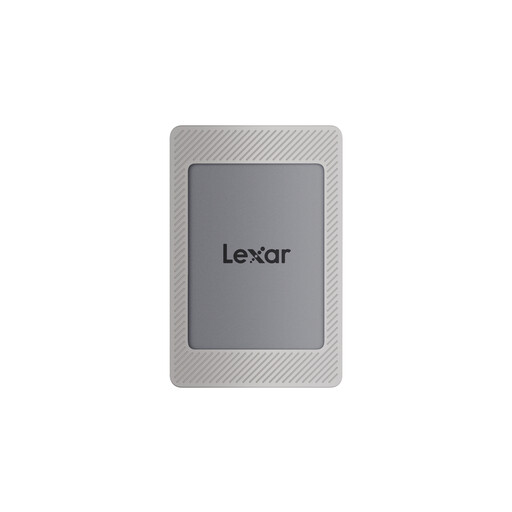
Lexar ES4 Portable SSD with Magnetic Set, 1 TB
This portable SSD is an option for moving exported files between the Mac and PC if 1 TB accommodates the measured archive.
The product name specifies USB 3.2 Gen 2 and claims up to 1,050 MB/s read and 1,000 MB/s write; actual transfer speed depends on the connection and files. Check the drive’s format and protect any existing contents before preparing it as ExFAT.
Confirm that a suitable cable fits both computers, and keep an independent copy of the photos.
Joybuy
 No image available
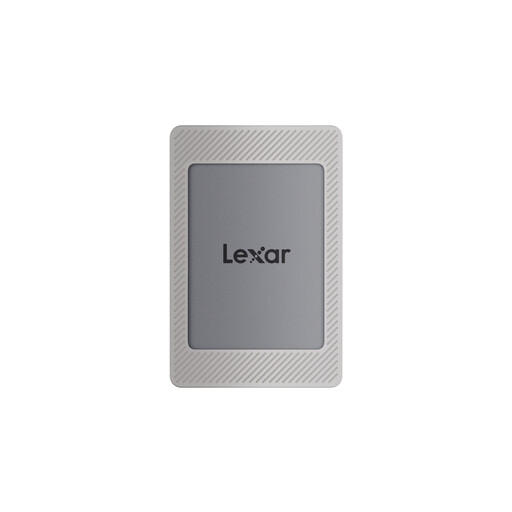
Lexar ES4 Portable SSD with Magnetic Set, 2 TB
Consider this 2 TB variant if the measured export needs more room than a smaller drive offers, while still checking space for the files you intend to move.
Its product name specifies USB 3.2 Gen 2 and claims up to 1,050 MB/s read and 1,000 MB/s write; those figures are conditional maximums. Check cable fit and prepare a writable cross-platform format without erasing the only copy of any files.
Verify the transferred files on Windows and retain a separate backup.
Joybuy
Common questions
Which format should I use for a large drive shared between Mac and Windows?
For a newly prepared Windows-compatible volume over 32 GB, Apple Support directs Mac users to choose ExFAT. Check the selected disk carefully and copy off any existing files first, because erasing and reformatting deletes its contents.
Why can my Mac see the drive but not copy photos onto it?
An NTFS format is one possible reason: Apple Support says a Mac may read an NTFS drive while Disk Utility does not support writing to it. Check the drive’s format, available space and whether it is being used for Time Machine before changing anything; do not erase a drive holding the only copy of its files.
Should I move the Photos library or export the pictures?
Export photos and videos from Photos on the Mac if the Windows PC needs files it can view or use in another app. Apple Support describes exporting for that purpose; decide whether you need originals, edited versions or both before measuring the transfer.
Does a two-drive NAS remove the need for a backup?
No. A suitably configured redundant NAS may help when a drive fails, but it is not an independent backup. Synology warns that RAID crashes and drive failures can still cause data loss, so keep another copy separate from the NAS.
Will OneDrive compress photos uploaded from the Mac?
Microsoft states that OneDrive does not compress, change or modify files when they are uploaded. Before using it for the archive, check available account storage, file-name and path restrictions, and whether uploading and downloading the collection is practical; retain another copy.


