People moving to a replacement computer
You need room for the folders you are moving and a connection and file format the old and new computers can use. Microsoft Support describes external storage as one way to move files to a new Windows PC.


For modest files carried regularly, consider a USB stick with connectors that fit both devices; for repeated transfers of large folders, consider a portable SSD. An external hard drive can serve a sizeable one-off move if slower copying and careful handling are acceptable, while cloud transfer suits access across devices when the internet connection is workable. Before choosing a physical drive, check its capacity, connectors and file format against every device that must read or write the files.
You need room for the folders you are moving and a connection and file format the old and new computers can use. Microsoft Support describes external storage as one way to move files to a new Windows PC.
You may value a drive that is easy to carry and plugs into the devices used at home and work. Which? identifies regular home-to-work file carrying as a use for USB storage.
If losing the transfer drive would expose personal or work information, consider how to protect the files without preventing the intended recipient from opening them. The Information Commissioner's Office advises using encryption to protect personal information on removable media.
Match the method to the amount of data, how often it moves and whether you need to hand over a drive. For a physical transfer, check both devices before deciding which connector or file format to use.
Consider it when: You carry modest file loads regularly and want a compact drive that connects to the devices involved.
Trade-off: Which? notes that USB-stick speeds vary; a USB-C connector alone does not establish how quickly a particular transfer will finish.
Consider it when: You repeatedly move large folders and copying time matters.
Trade-off: Which? describes SSDs as faster than hard drives as a category, but the drive, cable and host connection still affect an individual transfer.
Consider it when: You need to carry a sizeable set of files for a move to another computer and can allow more time for copying.
Trade-off: Hard drives are slower than SSDs as a category, according to Which?, and their moving parts call for care during transport.
Consider it when: Files must be accessible on multiple devices or shared without passing over a physical drive.
Trade-off: Access depends on an internet connection, so check the available space, upload time and recipient's access before a time-sensitive move.
| Concern | What to check | Who this matters to |
|---|---|---|
| Transfer speed | Check the exact drive's interface, the cable and the ports on both devices. A stated maximum is not an end-to-end copying time. | If I move large folders repeatedly, waiting for each copy could disrupt my work. Around 29% of consumers put transfer speed first. |
| Portability and port fit | Identify the USB-A or USB-C ports on every device; check whether the drive's connectors or supplied cables fit them. | When I carry files between home and work, I want the storage to travel easily and plug in at either end. For around 24% of consumers, carrying and connecting the drive is the primary need. |
| Usable capacity | Measure the folders to be moved and allow room for files added before the transfer; for cloud use, check the space available. | A complete move to a replacement computer matters more to me than fitting the drive in a pocket, so the selected files need to fit. Capacity comes first for around 18% of consumers. |
| File access and confidentiality | Confirm which devices must read and write the files, their file-format support and any encryption or recovery-key requirements. | If I share a drive between systems or carry sensitive files, I need the intended devices to open it while keeping the files protected. Around 29% of consumers prioritise that combination of compatibility and confidentiality. |
USB-C names a connector shape. Which? notes that transfer performance varies between USB sticks, while the connected equipment also affects the result.
Check the specific drive interface, cable and ports on both devices if copying time influences your choice.
Apple Support identifies exFAT as Windows-compatible and notes that a Mac may read, but not write to, NTFS storage. A format that works on one computer may therefore obstruct a two-way transfer.
Decide which devices must write to the drive before formatting it, and keep a separate, checked copy of existing files first.
Reformatting normally erases the drive's contents, so an unchecked copy may have to be made again or could be lost.
Apple Support says its removable-media encryption converts the disk to APFS, which older Macs without APFS support cannot read. Microsoft Support says BitLocker Drive Encryption is unavailable on Windows Home.
For sensitive files, check the recipient's operating system and encryption support, test access before the move, and retain passwords or recovery keys securely and separately.
A large migration must fit the available cloud space, and file access depends on an internet connection.
Measure the files, check the space and upload time, and make sure the receiving device can access the account before depending on cloud transfer for a deadline.
Its Ultra Dual Drive Go line is relevant when a small flash drive needs to connect to both USB-C and USB-A devices.
Its T7 portable SSD line is relevant to transfers between devices with different USB port types.
Its X9 Pro line is relevant when a compact portable SSD is being considered for repeated file transfers.
These flash drives, portable SSDs and external hard drives are options for carrying files between compatible devices or moving them to another computer. Choose by the size of the move, the ports at both ends and the format each device can use.
 No image available
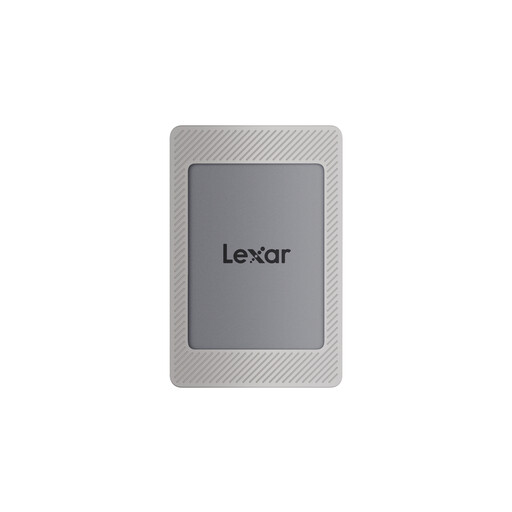
Consider this portable SSD for carrying sizeable folders between devices with suitable connections.
The product name specifies 1TB, USB 3.2 Gen 2 and maximum speeds of 1,050MB/s read and 1,000MB/s write; actual copying depends on the connected equipment. Check the cables, file format and any encryption software against the devices you intend to use.
 No image available
Consider this compact drive if you regularly carry files between a device with USB-A and one with USB-C.
The product name specifies both connectors, USB 3.2 and a stated maximum read speed of 500MB/s. Check that 128GB holds the files you need to move and that the drive's format works with each device.
 No image available
Consider this SSD when moving sizeable files and a USB-C connection fits the devices involved.
The product name specifies USB 3.2 Gen 2. Confirm which cable is supplied, what format the drive uses and whether the intended devices can open the files before relying on it for a transfer.
 No image available
Consider this flash drive if you need to carry a larger file set between USB-A and USB-C ports.
The product name specifies 1TB and both connector types. Check the exact interface and achievable transfer rate before choosing it for time-sensitive copying, as well as the file format required by each device.
 No image available
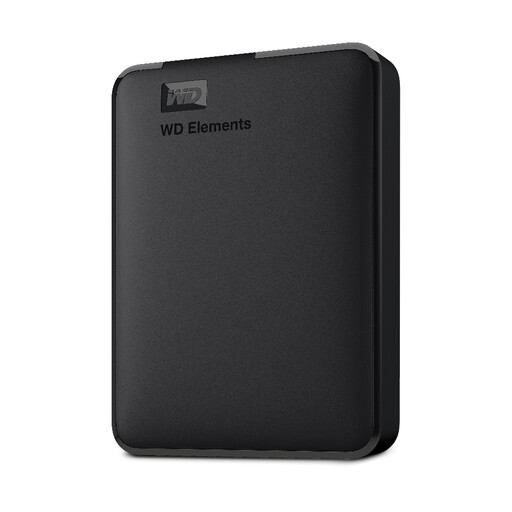
Consider this physical drive for a sizeable move between computers when transfer speed is less important than fitting the selected files.
Check its connection and file format against both computers. Handle the hard drive carefully while carrying it, and confirm its transfer performance if the move has a deadline.
Check whether exFAT works on every device that must read and write the drive. Apple Support identifies exFAT as Windows-compatible and recommends it for Windows volumes over 32GB; it also notes that a Mac may read, but not write to, NTFS storage. Copy existing files elsewhere before reformatting a drive.
No: access depends on the encryption method and the receiving computer. Apple Support says its removable-media encryption uses APFS, which Macs without APFS support cannot read; Microsoft Support says BitLocker Drive Encryption is unavailable on Windows Home. Check the recipient's system and keep the recovery details secure before moving sensitive files.
Yes: check that the copied folders open, then eject the external drive before disconnecting it. Microsoft Support includes verification and ejection in its guidance for moving files to a new Windows PC. Do not delete the original files merely because a copy operation appeared to finish.
No blanket encryption requirement applies to every file: the Information Commissioner's Office says the UK GDPR does not specifically require all personal information to be encrypted. Organisations must choose security measures appropriate to the risk, and the ICO advises using encryption to protect personal information on removable media. For work files, also follow the organisation's handling rules.