Offline file keepers
Households that want to browse a personal photo or document collection from an iPad without making cloud storage their only way to reach it.


Choose a directly connected drive if you mainly want to open your photo and document files offline on one iPad; choose network-attached storage (NAS) if several household devices need regular access to the same collection. Cloud storage is another route when internet-based synchronisation matters, not a requirement for using a local drive. Before transferring anything, check the iPad connection, drive power, file format and partitioning, and keep a separate copy before any erase or reformat operation.
Households that want to browse a personal photo or document collection from an iPad without making cloud storage their only way to reach it.
People who want an iPad and other household devices to reach the same collection over a home network.
People moving files from a Windows laptop or attached drive who need to protect the collection while checking how it will open on an iPad.
For a collection moving from a Windows laptop to an iPad, decide where you need to reach the files before choosing a drive or service. Apple Support describes external storage, file servers and cloud services as separate ways to transfer files.
Choose it when: You mainly need local access on one iPad; a portable SSD or suitable USB drive can hold files you connect when needed.
Trade-off: You must have the drive with you and connect it each time.
Choose it when: Several household devices need regular access to one shared collection.
Trade-off: It needs network and access-management setup; Synology says its SMB connection through iPad Files requires the iPad and NAS to be on the same local network.
Choose it when: Internet-based synchronisation is more important than keeping access centred on a local drive or home network.
Trade-off: Check the service’s access arrangements before relying on it for your collection.
| Concern | What to check | Who this matters to |
|---|---|---|
| Offline access on an iPad | Match the connector or adapter to the iPad and check drive power. Apple Support requires one data partition and an iPad-supported file format. | If I want to open my files without setting up a shared service, I need a drive I can connect when I use the iPad. Around 36% of consumers put straightforward offline access first. |
| Access across devices | For Synology NAS access through SMB in iPad Files, check that SMB is enabled and both devices are on the same local network; check remote access separately. | When several devices need the same collection regularly, I would rather reach shared folders than move a drive between them. Around 29% of consumers prioritise household sharing. |
| Safe migration | Identify the current file format, partition count and any Windows-specific library software. Make and check a separate copy before changing a drive’s format. | If my photos depend on the old Windows setup, I need to preserve both the files and a way to find them before retiring it. Around 21% of consumers put migration safety first. |
| Occasional USB transfers | For selected files, check a flash drive’s capacity, connector and format against Apple Support’s iPad storage requirements. | If I move only selected photos or documents now and then, I want a compact way to carry them rather than a shared library. Around 14% of consumers make occasional transfer their primary concern. |
Apple Support warns that formatting erases files. An existing photo collection may also rely on folders or Windows library software that you need to inspect before changing the storage setup.
Make and check a separate copy, then inspect the drive’s format and partitions before considering a supported format such as exFAT.
Apple Support says external hard drives often need an external power source when connected to an iPad. A suitable cable alone may not make the drive appear in Files.
Check the iPad connector and the drive’s power requirements together; establish whether a powered hub or adapter is needed.
Samsung says the T7’s stated maximum speeds depend on a compatible host, cable and interface conditions. Crucial likewise qualifies the speeds stated for its X9.
Treat speed figures as model-specific maximums, then check format, connection and power requirements for the iPad you will actually use.
A NAS serves files over a network rather than through a direct cable. Synology’s SMB instructions for iPad Files require a local-network connection and SMB setup; its QuickConnect address cannot be used as an SMB address in Files.
Choose this route when shared access justifies the setup, and check the intended local and remote access methods separately.
These examples show different storage routes and product lines; a brand name alone does not establish compatibility with a particular iPad.
The SANDISK Extreme Portable SSD is a compact, directly connected storage option for a local file collection.
The Portable SSD T7 is a USB-C drive for buyers considering directly connected storage.
The X9 Portable SSD is another USB-C option for carrying photos and documents locally.
Synology’s NAS route suits a collection intended to be shared over a household network rather than attached to one iPad.
These portable SSDs are choices for keeping a local collection on a drive you connect when needed. Before choosing one for an iPad, match its connection and power needs to your device and check that the drive has one data partition in an Apple-supported format.
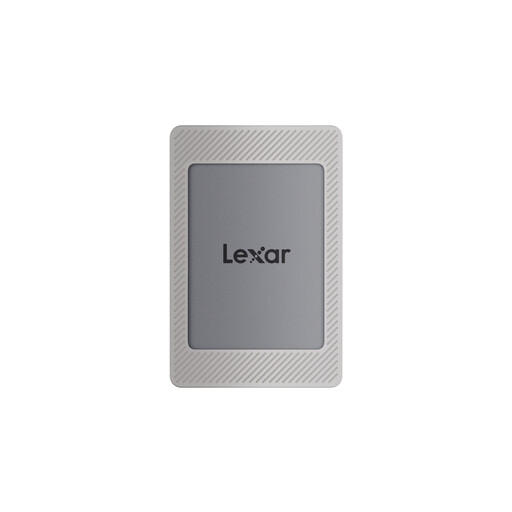 No image available
For a larger collection kept on a drive you connect directly; the listing describes use with iPad Files.
USB 3.2 Gen 2 and USB-C. The listed maxima are 1,050MB/s read and 1,000MB/s write, not assured iPad transfer speeds.
Check the delivered format, partition count and power needs before relying on it with your iPad. Copy existing files elsewhere before any reformatting.
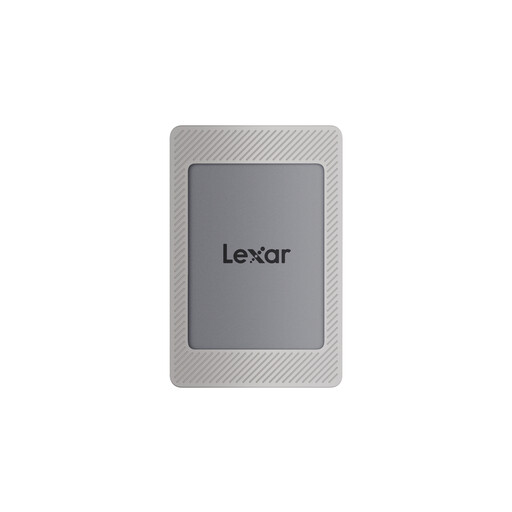 No image available
For a portable local collection where 1TB meets your capacity needs.
USB 3.2 Gen 2 and USB-C. The listed maxima are 1,050MB/s read and 1,000MB/s write; actual speed depends on the setup.
Check compatibility with your exact iPad, including its connector, the delivered format and the drive’s partition count.
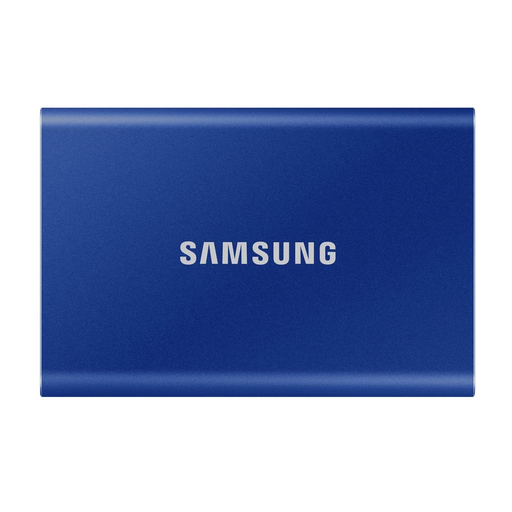 No image available
For keeping a larger photo or document collection on a portable drive rather than a household NAS.
USB Type-C 3.2 Gen 2; the listing describes USB-C-to-C and USB-C-to-A cables.
Check your iPad’s connection, the delivered file format and partition count. Keep a separate copy before changing the format.
No image available
For a portable local collection when 1TB is sufficient for the files you plan to retain.
USB Type-C 3.2 Gen 2; the listing describes USB-C-to-C and USB-C-to-A cables.
Before depending on it with an iPad, check the connection, delivered file format and partition count. Do not reformat your only copy.
 No image available
For a portable local copy that you may carry between devices.
USB Type-C 3.2 Gen 2. The listing describes dust, water and drop resistance, but its IP65 claim does not mean the drive can be submerged.
Check compatibility with your exact iPad and confirm the delivered format and partition count before moving the collection.
It can if the drive meets the iPad’s storage requirements; previous use with Windows does not settle the question. Apple Support requires one data partition and lists APFS, APFS (encrypted), macOS Extended (HFS+), exFAT, FAT32 and FAT among supported formats. Check the actual drive before connecting it, and copy its files elsewhere before any format change.
No. Apple Support describes direct storage connections for USB-C iPads and adapter options for Lightning iPads. Identify your iPad’s port first, then check the drive’s connector and power requirements rather than assuming that a cable alone is sufficient.
Insufficient power is one possible reason: Apple Support says external hard drives often need an external power source with an iPad. Check the drive’s power arrangement as well as its connection, format and partitioning before deciding it cannot be used.
Yes, Files can connect to a file server. For Synology NAS access through SMB, Synology says the iPad and NAS must be on the same local network and SMB must be enabled; its QuickConnect address cannot be entered as the SMB address in Files.
No. Apple Support describes external storage devices and file servers alongside cloud services as ways to transfer files. Choose among them according to whether you need a drive connected locally, access across your home network or internet-based synchronisation.