
24/7 Customer Support

Free returns

Same-day & Next-day Delivery

Quality Guaranteed

Unlock Your Welcome Offers: FREE Delivery | Up to 80% OFF | Free 30-day JoyPlus trial
Download the APP
Buying original printer ink cartridges should be straightforward, but choosing the wrong model can lead to wasted money, poor print quality or a cartridge that your printer will not recognise. Whether you print university assignments, invoices, postage labels or family photos, the cartridge number matters more than attractive packaging or a low headline price.
This guide explains the checks that UK households, students, home-office users and small businesses should make before buying genuine HP ink cartridges, genuine Canon ink cartridges or genuine Brother ink cartridges.
A cartridge for an HP printer is not automatically suitable for every HP model. The same applies to Canon and Brother. Cartridge families are identified by specific codes, such as HP 308, Canon PG-540 or Brother LC-3219XL.
Always check the full printer model and cartridge number. For example, an HP ENVY 6120e uses HP 308 cartridges, while a Canon PIXMA TS5150 can use Canon PG-540 and CL-541 cartridges. A similar-looking cartridge with a different number may not fit or may not be electronically recognised.
High-yield ink cartridges contain more ink and may produce more pages, but they are not automatically the right choice for every household. If you print only a few pages each month, a standard cartridge may be more practical, particularly where the printer’s cleaning cycles use ink over time.
For regular printing, compare the stated page yield and price rather than judging by the cartridge size alone. Page yields are commonly measured using the ISO/IEC 24711 standard, but real-world results vary according to page coverage, images and printer settings.
Some multipacks contain black and colour cartridges, while others contain several colour cartridges but no black. Check the box contents before ordering. A two-cartridge bundle may be useful if both cartridges are nearly empty, whereas buying colours separately can make more sense if you mainly print text.
The most important detail is the exact cartridge code. Check:
“Printer-compatible ink cartridges” can refer to either original cartridges designed for the printer or third-party alternatives. If consistent recognition, manufacturer support and predictable output are priorities, choose the genuine cartridge family specified for your device.
Standard-yield cartridges suit occasional printing and smaller monthly workloads. High-yield ink cartridges are often more suitable for home offices, students with frequent coursework or small businesses printing forms and correspondence.
For reference, the Canon PG-540 black cartridge is listed with an approximate yield of 180 A4 pages, while the Canon PG-540L high-yield ink cartridge is listed for up to 300 A4 pages. The Canon CL-541 colour cartridge is also listed at approximately 180 A4 pages. These figures are useful for comparison, but photos and heavily coloured documents can reduce the actual number of pages.
Pigment-based black ink is commonly used for sharp text on plain paper. Dye-based colour ink is often used for colour documents and images. Neither is universally suitable for every print job, so consider what you produce most often.
For example, black-and-white letters and invoices may benefit from a black cartridge with a stated pigment formulation, while colour charts, school projects and photographs require a compatible tri-colour cartridge or separate colour set.
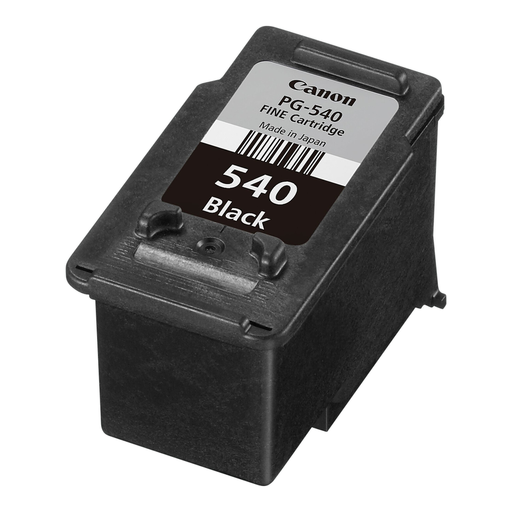
Why This Fits Their Persona: A practical option for Canon PIXMA owners who mainly print letters, forms, homework and other everyday black-text documents.
The listing identifies the PG-540 code, genuine Canon specification and an approximate ISO/IEC 24711 yield of 180 A4 pages, making comparison easier than relying on price alone.
Pigment-based black ink, 8 ml capacity and compatibility with selected PIXMA TS, MG and MX series printers.
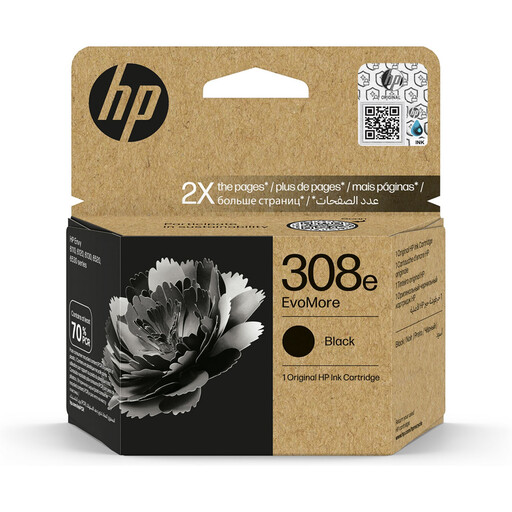
Why This Fits Their Persona: Suitable for HP ENVY 6120e users who value a genuine cartridge for regular documents, correspondence and home-office work.
It is identified as an original HP 308e cartridge and is specified for the HP ENVY 6120e and selected HP+ inkjet printers, helping buyers check the model before ordering.
Black original ink, straightforward installation and HP Planet Partners recycling eligibility as stated in the product information.
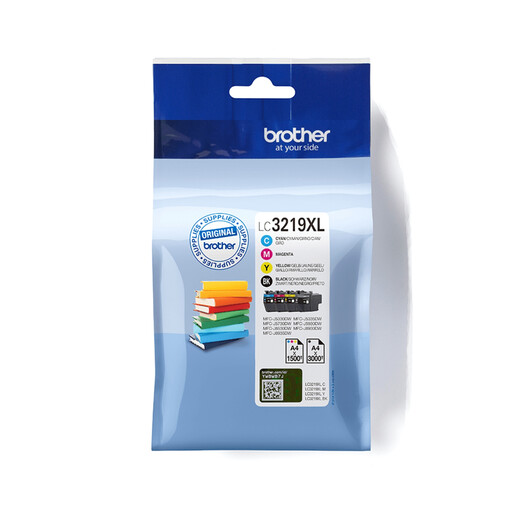
Why This Fits Their Persona: Designed for busy households, home offices and small businesses using compatible Brother printers for frequent colour and black printing.
The multipack clearly states its cartridge contents, compatible Brother models and separate quoted yields, reducing uncertainty about what is included.
The listed yield is up to 3,000 pages for black and up to 1,500 pages for each colour cartridge, measured using ISO/IEC 24711.
We have compiled a complete, real-time list of products that fully satisfy these strict selection criteria and UK safety regulations.
They can be suitable when reliable printer recognition, manufacturer support and predictable print output matter. Compare the cartridge price with its stated yield and your monthly printing volume. For occasional use, standard cartridges may be sufficient; frequent users may prefer a high-yield option.
Find the exact printer model and search for the cartridge code listed in its manual, printer menu or manufacturer’s support information. Do not rely solely on the printer brand. For example, Canon PG-540 black ink and Canon CL-541 colour ink are intended for particular PIXMA models, while Brother LC-3219XL multipack cartridges suit a separate group of Brother printers.
Shelf life depends on storage conditions, packaging and the manufacturer’s stated use-by guidance. Once installed, lifespan depends on how often you print, page coverage and cleaning cycles. Keep cartridges sealed until needed and replace them when the printer reports low ink or print quality begins to deteriorate.