What should you check before choosing?
Decide whether you need to restore the phone’s data or keep accessible copies of particular files, then check capacity and the connection or account needed for that route.
| Priority | What to check | Your needs |
|---|
| Recoverable data |
Check which apps, settings, contacts and files the platform backup includes; identify content synced separately. Inspect the backup before erasing the phone. Apple Support and Google Android Help distinguish device backups from file access. |
I want my new or reset phone to recover the data I rely on, not just display copied photos. |
| Space and duration |
Compare the files or backup with available account or drive capacity. For a qualifying new iPhone or iPad transfer, check Apple’s temporary iCloud storage eligibility and restoration period; assess ongoing capacity separately. |
If this is a one-time move, I want to check the space already available before taking out an ongoing subscription. |
| Connection and method |
Check the exact phone, connector, drive format, power needs and app used to copy files. For a computer route, confirm the platform’s backup procedure rather than assuming a USB file transfer saves app data. |
I need to know whether my phone can use the drive or card directly, or whether I will need a computer. |
| Access and protection |
Keep access to the backup account and restoration credentials. Apple Support says Health, Activity and Keychain data require an encrypted iPhone computer backup; retain its password. Protect removable copies and disconnect them when not in use, as the UK National Cyber Security Centre advises. |
After the old phone is gone, I still need to reach the backup without leaving a removable copy unnecessarily connected. |
Relevant platform and storage brands
The phone platform determines the restoration workflow; a storage brand does not, by itself, make copied files a restorable phone backup.
Apple
Apple Support documents iPhone backups through iCloud or a Mac or PC, as well as access to files on supported external storage.
- Eligible new iPhone or iPad buyers can check Apple’s conditional temporary iCloud transfer storage.
- External-file access is not an iPhone device backup; specified sensitive data needs an encrypted computer backup.
Google
Google Android Help documents account-based backup, while Files by Google covers file access on supported USB storage and SD cards.
- The documented routes let Android owners consider device restoration and selected-file copying separately.
- Google cautions that not all apps restore all settings and data; copying files is a different task.
Samsung
Samsung UK documents Smart Switch transfer between Galaxy devices and computer-backup workflows.
- Samsung describes cable or wireless transfer methods for supported Galaxy workflows.
- Transferable data and requirements depend on the devices and method; check the exact phone rather than assuming it accepts an SD card.
Kingston
Kingston identifies the DataTraveler microDuo 3C as a USB-C and USB-A flash-drive line for file transfer.
- Kingston lists 64GB, 128GB and 256GB variants, allowing a capacity check against the files being copied.
- Phone compatibility needs checking, and a flash drive does not itself provide device-backup restoration.
Crucial
Crucial identifies the X9 1TB portable SSD, model CT1000X9SSD9, as a separate storage option.
- The identified 1TB variant provides a specific capacity to compare with a planned file copy.
- Check the exact phone, cable and workflow; the drive alone does not establish a device-restoration method.
Portable SSD options on Joybuy
These portable SSDs are options for keeping separate copies of selected phone files, directly where the phone supports the connection or through a computer. For apps and settings, use the phone platform’s supported restoration workflow as well.
 No image available
Samsung MU-PE1T0S 1TB USB Type-C, black
Consider the 1TB capacity for a separate photo or video file copy. Check whether your phone or computer supports the USB Type-C connection and intended copying method; storing files here does not create a restorable backup of apps and settings.
View on Joybuy
 No image available
Samsung Portable SSD T7 2 TB, blue
The 2 TB capacity is worth comparing with a large collection of files you want to copy separately. This USB Type-C, USB 3.2 Gen 2 SSD stores files; confirm the connection and file workflow for your device, and use a supported phone backup for restorable app data and settings.
View on Joybuy
 No image available
DigiEra LPS2000M-3 1TB magnetic portable SSD, pink
This 1TB USB 3.2 Gen 2x2 drive is a file-storage option for a phone workflow that supports external storage. If you plan to attach it to an iPhone or record video directly, confirm the exact phone and recording requirements first; it does not replace an iPhone device backup.
View on Joybuy
 No image available
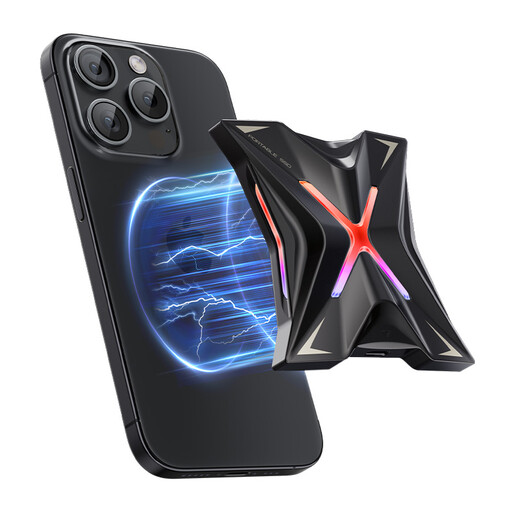
MOVESPEED YSPSRX20M-1TTG 1TB magnetic portable SSD
Use the 1TB capacity as a starting point for checking a separate file-copy or supported video-storage workflow. Its stated interface is USB 3.2 Gen 2x2; confirm host compatibility for the intended transfer, and keep a platform-supported backup if apps and settings must return.
View on Joybuy
 No image available
Lexar ES4 1TB portable SSD with magnetic set
Consider this USB 3.2 Gen 2 model for a separate 1TB file copy, after checking the exact phone connection and file app. The magnetic set does not make the drive a restorable backup for phone apps and settings.
View on Joybuy
Phone backup questions
Can a USB drive hold a complete iPhone backup?
Do not treat files copied to a USB drive as a restorable iPhone device backup. Apple Support documents iCloud and computer backups for restoration; its external-storage instructions describe accessing files through supported apps.
Can an Android phone copy files directly to USB storage or an SD card?
Files by Google documents USB access on Android 7.0 and later, and SD-card copying on Android 8.0 and later. The phone must support and recognise the storage; copying files does not establish that its apps and settings have been backed up.
What should I check before erasing my old phone?
Confirm a recent backup, inspect the files or contents you can check, and make sure you can access the account and restoration method. Check separately synced content and app-specific exclusions; where possible, restore the new device before erasing the old one.
Do I need ongoing iCloud storage just to move to a new iPhone?
Not necessarily: Apple Support says qualifying buyers of a new iPhone or iPad without enough iCloud backup space can obtain temporary storage for the transfer. Check eligibility and its restoration deadline, then decide separately whether future backups need more capacity.
What matters when choosing a cloud-storage subscription?
Check the capacity you need after the phone change, along with renewal, cancellation and data-access terms. The UK Competition and Markets Authority identifies clear information about renewal and cancellation as important for cloud-storage providers.


