Phone owners short of photo and video space
If you plan to clear files from your phone, choose a workflow that lets you confirm the originals open from another destination first. A transfer attempt is not the same as a recoverable copy.


Choose a portable drive if you are comfortable copying photos and videos yourself and want a removable local copy; a compatible home storage hub can suit several phones that need automatic backups. Cloud storage can provide another destination alongside local storage, but check its quality and deletion settings. Whichever route you use to free phone space, open files from the backup destination and keep an independent additional copy before deleting originals.
Start with how the copy will be made and checked, rather than choosing a drive by capacity alone.
If you plan to clear files from your phone, choose a workflow that lets you confirm the originals open from another destination first. A transfer attempt is not the same as a recoverable copy.
A compatible home storage hub can receive backups over the home network without passing one portable drive between phones. Synology describes automatic phone photo and video backup through its BeePhotos app; the hub still needs a separate backup destination.
A removable drive can keep a local copy accessible without relying solely on cloud storage. Before buying, check the phone connection, adapters, power needs and supported file system—not just whether the drive has a USB-C plug.
Choose it when: You want to start and check your own copies, or move files between a phone and computer.
Trade-off: Direct phone use depends on the connection and storage format, and a drive on its own is only one copy.
Choose it when: Several phones need a central library and a compatible app can automate their backups.
Trade-off: It needs home-network setup and another destination to protect against device or drive failure.
Choose it when: Automatic upload and an off-site copy matter, particularly alongside local storage.
Trade-off: Capacity, photo quality and deletion behaviour depend on the service and settings.
Once you have a workable route, check that it preserves the files you need and that you can retrieve them.
| Priority | What to check | Your needs |
|---|---|---|
| Original files and capacity | Compare the current library and expected growth with the available GB or TB. Confirm whether the workflow copies original files or uses a space-saving cloud setting; open sample files from the destination. | I want to reclaim phone space without discovering later that the full-resolution photos or videos I intended to keep are missing. |
| Phone compatibility | Check the port, cable ends, adapter and power path. Apple Support says direct iPhone storage needs a single data partition and a supported format, including exFAT; check an Android model's own storage support separately. | A drive needs to work with my particular phone, not merely have a connector that looks right. |
| Backup routine | Decide who starts each copy, how completion is confirmed and how a file is restored. For a home hub, check the phone app and network setup; for a manual drive, plan when to reconnect it. | If several people take photos, an automatic home workflow may be easier to maintain. For my own phone, I may prefer to control each transfer. |
| Independent copies | Keep another copy on a separate device or destination and test retrieval. The NI Cyber Security Centre recommends three copies on two devices, with one kept offline in a different location. | I need the library to remain recoverable if a phone or storage device is lost, damaged or fails. |
| Cloud behaviour | Check upload quality, available capacity and what happens when an item is deleted. Apple Support says iCloud Photos can retain full-resolution originals while an iPhone keeps space-saving copies; Google Photos Help says deleting in its app can also remove items from devices with backup enabled. | Before clearing my phone, I want to know which copy remains and whether a deletion will affect other devices. |
A lost or failed drive can take its only copy with it. Synology also cautions that RAID in a home storage device does not eliminate the risk of data loss from drive failure.
Keep an independent copy elsewhere, disconnect an offline backup drive after use, and try restoring a sample folder.
A plug that fits does not establish that an iPhone can access the drive. Apple Support specifies a supported file system and a single data partition; some hard drives need additional power.
Check the exact phone port, cable, adapter, drive format and power arrangement before choosing a direct-to-phone setup.
Google Photos Help says deleting photos and videos in its app also deletes those items from the device. Cloud upload and space-saving settings need to be understood before a library clean-up.
Open originals from an independent destination first, then check the service's deletion behaviour before removing phone files.
Samsung UK says the T7 Shield's stated maximum read and write speeds require a compatible USB 3.2 Gen 2 host and cable with UASP enabled. That figure does not establish the speed of a particular phone connection.
Check the whole connection path and prioritise a usable copying and restore routine over the maximum speed printed for the drive.
These examples describe particular product lines and workflows; they do not establish that every device from a brand works with every phone.
Samsung's portable SSD lines offer different connection and access-control features for removable storage.
The Creator Phone SSD is a phone-oriented example for people considering removable storage for compatible video-capture workflows.
BeeStation and BeePhotos provide an example of a central home-network workflow for phone photos and videos.
These options cover portable SSDs and a USB-C phone drive for local photo or video storage. Check the exact phone workflow and keep another independent copy before clearing files from the phone.
 No image available
For a removable USB-C copy or a compatible direct-to-drive video workflow. The title specifies USB 3.2 Gen 2x2 and a claimed transfer speed of up to 2000MB/s; the connection and phone affect what you can achieve. Check your exact iPhone and recording mode, then confirm copied files open before removing phone originals.
 No image available
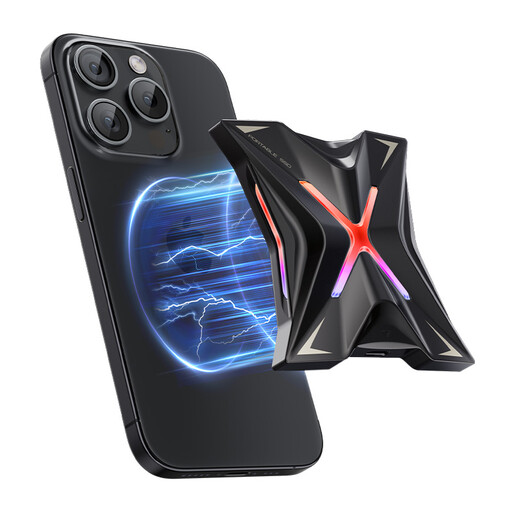
For people considering magnetic attachment and separate storage for phone video. The title specifies USB 3.2 Gen2x2 and a claimed transfer speed of up to 2060MB/s, not a guaranteed phone transfer rate. Confirm which exact phone and recording mode work with the drive before relying on direct recording.
 No image available
A removable storage option for a compatible USB-C phone or computer. The title specifies USB 3.2 Gen 2 and claimed read/write speeds of up to 1050/1000MB/s. Check fit with your exact phone and case, plus the drive format needed by each device; the magnetic set is not a wireless charging feature.
 No image available
For a compatible USB-C phone user considering a compact, app-assisted local copy. Compare its 128GB capacity with your photo library and check the app's copying, deletion and restore steps before relying on its automatic-backup workflow.
 No image available
For a removable local copy if your phone supports the intended USB storage and drive format. The title specifies USB Type-C 3.2 Gen 2; Samsung UK says the T7 Shield's maximum speeds require a compatible host and cable with UASP. Confirm your exact phone connection and keep another copy apart from this SSD.
Yes, with a compatible connection and storage format. Apple Support says an external storage device used with iPhone must have one data partition and use a supported file system; check whether your iPhone needs an adapter and whether the device needs external power.
exFAT is among the formats Apple Support lists for iPhone external storage, provided the device has a single data partition. If the same drive will also connect to an Android phone or computer, confirm support on those exact devices before formatting it.
It may, but a matching connector is not enough: check the format, adapter and power supply. Apple Support notes that external hard drives can need their own power or a powered connection when used with an iPhone.
Do not treat sync alone as an independent archive. Google Photos Help says deleting an item in its app can remove it from devices with backup enabled; check your service's deletion and quality settings, and retain a separate copy you can open and restore.
Use an automatic workflow or a regular manual schedule that fits how often you take photos and videos. Check that recent files have arrived, periodically open a sample from the backup, and keep an independent additional copy.