What should you check before choosing?
Start with what the copy must do after the old phone is gone: preserve original files, remain accessible, provide a separate local copy or complete a supported move to the new phone.
| Concern |
What to check |
Who this matters to |
| Keeping original files |
Check the cloud quality setting and whether full-resolution originals must be downloaded before making a local copy. Open sample photos and videos at the destination. |
If I might edit or print photos after clearing my phone, I need the original files rather than an unchecked copy or a lower-resolution setting. About 31% of consumers put original-file preservation first. |
| Access after changing phones |
Check available account storage, supported devices and how you will sign in or recover access without the old phone. |
When my household uses several devices, I want the library to remain reachable even if the old phone is unavailable. Cross-device access is the primary need for about 31% of consumers. |
| A separate local copy |
Check destination capacity and the phone-to-computer or phone-to-drive transfer method, including the cable's data-transfer capability. |
If I prefer to keep files somewhere I control without depending on a cloud subscription, I need a copy stored apart from the phone. That local-copy need comes first for about 23% of consumers. |
| Moving to the new phone |
Check destination-device support, available storage and the transfer tool's stated content limits. |
With a replacement phone ready, I may need a supported transfer promptly, while still checking what arrived. About 15% of consumers prioritise that immediate move. |
Joybuy options for local photo storage
These drives are options to consider for a separate local copy before clearing or replacing a phone. Check the capacity against your library and confirm the transfer method for your exact device; the drives do not replace a cloud service or establish that a full phone migration will work.
 No image available
SanDisk Phone Drive with USB-C, Arctic White, 256GB
Consider this USB-C phone drive if a compact destination for copied photos fits your routine. Its stated capacity is 256GB; confirm that the drive and intended backup method work with your exact phone and that your library will fit.
View on Joybuy
 No image available
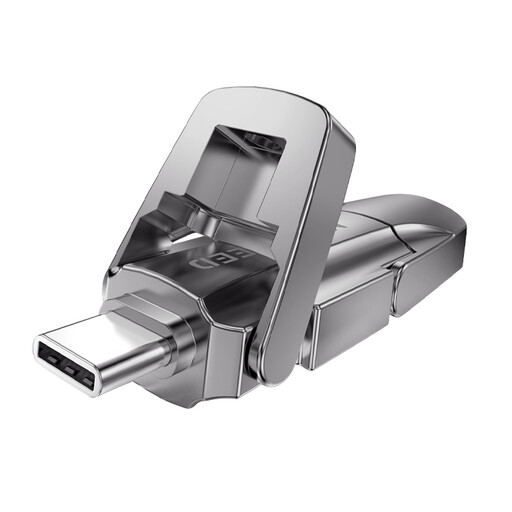
MOVESPEED YSUYVP10-256GSR USB-A and Type-C flash drive, 256GB
The two connector types make this worth considering if your planned file-copy route involves compatible phone and computer ports. It has a stated 256GB capacity and USB 3.2 Gen 1 interface; check support for the exact phone and make sure copied media opens before deleting it.
View on Joybuy
 No image available
Samsung MU-PE1T0S USB Type-C external SSD, 1TB, black
Consider this external SSD as a local destination for files you transfer from a phone or computer. The title specifies 1TB and USB 3.2 Gen 2; check how your exact phone will connect and transfer files rather than assuming a direct photo-backup workflow.
View on Joybuy
 No image available
Lexar ES4 Portable SSD with Magnetic Set, 1TB
This portable SSD is an option for a local file-copy route using a compatible phone or computer. Its title specifies 1TB and USB 3.2 Gen 2 and names iPhone 15/16 compatibility; confirm your exact model and file system. If formatting is required, check that the drive holds no files you need before proceeding.
View on Joybuy
 No image available
DigiEra LPS2000M-3 magnetic portable SSD, 1TB, pink
Consider this magnetic portable SSD if you want a local destination for media from a compatible USB-C device. Its title specifies 1TB, USB 3.2 Gen 2x2 and iPhone 15/16 series compatibility; confirm the exact phone, file system and photo-transfer process before relying on it as a copy.
View on Joybuy
Questions about phone photo backups
Will cloud storage keep my photos at their original quality?
It can, if you use the appropriate service setting. Apple says iCloud Photos stores media at full resolution; Google says Photos Original quality retains captured resolution, whereas Storage saver can resize photos above 16 MP and videos above 1080p. Check the setting before relying on an upload as your preservation copy.
Can I copy photos to a computer before resetting my phone?
Yes, if the phone, cable and computer support the transfer method. Google documents Android USB file transfer, and Apple documents iPhone photo import to Mac and Windows. Apple says that, when iCloud Photos is enabled, full-resolution originals must be downloaded to the iPhone before importing them to a Windows PC; open sample files on the computer before resetting the phone.
Does a computer phone backup give me a separate photo archive?
Not necessarily. Apple says an iPhone computer backup does not include photos already synchronised and stored in iCloud Photos. If you need an independent archive, copy or export the photo files to a separate destination and check that they open there.
How should I prepare my cloud account before changing phones?
Check that you can sign in and use a recovery method without the old phone before erasing or handing it over. The National Cyber Security Centre recommends two-step verification for important accounts; Google also documents backup codes for situations in which normal verification codes are unavailable.


