What should you check before buying?
Check how photos can leave their current service before choosing a drive, NAS or cloud plan. Google Account Help documents Takeout archives, while Amazon Customer Service says its web download process requires selecting photos and cannot download an entire album as one unit.
| Concern |
What to check |
Who this matters to |
| Making a full copy |
Check the source service's bulk-download or archive route, and allow space for both the download and its destination. |
If I have years of photos in an account, I want to move them without selecting every file. Around 33% of consumers would put the export workflow first. |
| Recovering lost photos |
Keep a copy separate from the originals; check whether you can restore sample photos and videos after a deletion or device problem. |
If a device disappears or a deletion spreads across synchronised devices, I need another copy I can actually open. Roughly 27% of consumers would make recoverability their primary concern. |
| Moving a portable copy |
Match the drive's capacity and USB connection to your devices; check the exact model's protection and unlock requirements if you will carry it. |
When I regularly move a large library between computers, transfer time and access to a carried drive matter to me. Around 20% of consumers would prioritise this portable workflow. |
| Sharing one library |
For NAS, check drives, accounts and a separate backup destination. For cloud storage, check allowance, synchronisation and restore options. |
With photos arriving from several household devices, I want one place to organise them without losing track of the originals. About 20% of consumers would put shared access first. |
These choices solve different parts of the task. A portable drive is a local destination for exported files; it does not itself provide an export function. Synology describes its DS224+ NAS as a central place to manage photos and files, but drive redundancy in the same enclosure is not a separately stored backup. Cloud storage can provide access away from the household, yet Apple Support says changes made in iCloud Photos appear on other devices too. Check the chosen service's recovery features before relying on synchronisation after an unwanted change.
For a local copy, compare the library's size with the drive's capacity and leave room on the computer for any temporary archive files. After copying, open a sample of photos and videos from the destination. If the collection is difficult to replace, plan where another separate copy will live and how you will check it.
Joybuy choices for local photo copies
These drives provide local destinations for photo files: the portable SSDs suit a carry-between-devices workflow, while the external hard drives offer different stated capacities for a computer-based copy. Choose only after checking your library size, download process and connection needs; keep a separate backup as well.
 No image available
Samsung Portable SSD T7 2 TB, Grey
A portable local destination if you regularly move photo files between compatible devices. The listed capacity is 2 TB and the interface is USB 3.2 Gen 2; check that your library fits and that your computer has a suitable connection.
View on Joybuy
 No image available
Lexar ES4 Magnetic Set 1TB Portable SSD
A portable local-copy option when its 1TB capacity is sufficient for the files you intend to store. The listing specifies USB 3.2 Gen 2 and compatibility with iPhone 15/16, PC and Mac; confirm the connection and file system needed for your devices.
View on Joybuy
 No image available
Western Digital My Passport Ultra 5TB, Blue
A portable hard-drive destination for a periodic local copy of a large photo library. Its stated capacity is 5TB; compare that with the full library and check file-system compatibility with the computer you will use.
View on Joybuy
 No image available
Western Digital Elements 4TB Portable Hard Drive, Black
A portable destination for photo files downloaded to a computer. The listing gives 4TB and USB 3.0; check available capacity against the library and confirm compatibility with the computer used for copying.
View on Joybuy
 No image available
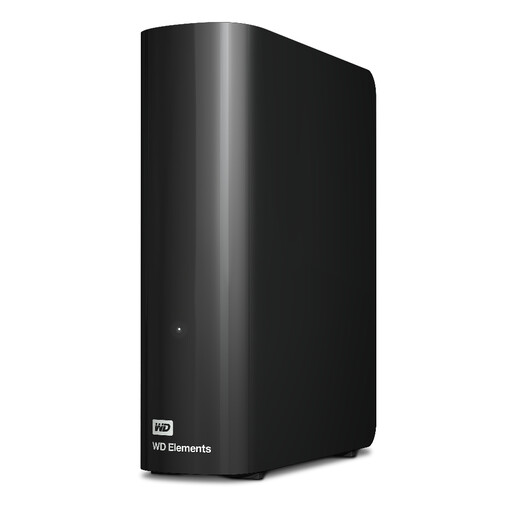
Western Digital WD Elements 12TB Desktop Hard Drive
A fixed-location local destination if the photo library calls for its stated 12TB capacity rather than a portable drive. The listing specifies USB 3.2 Gen 1; check computer and file-system compatibility before transferring the archive.
View on Joybuy
Photo backup questions
Can I download my Google Photos library without selecting every photo?
Yes: Google Account Help describes using Google Takeout to select data, create an archive and download it through the chosen delivery method. Check the archive size and allow local space for both the download and extracted files, then open a sample before relying on the copy.
How do I make a local copy of iCloud Photos?
Apple Support describes downloading copies of iCloud photos and videos to a device or from iCloud.com. On Windows, its iCloud Photos guidance also describes an 'Always keep on this device' option. Check that the selected files have finished downloading locally before copying them to another drive.
Can Amazon Photos download a whole album in one action?
Not through the web download method described by Amazon Customer Service: it says to select photos or videos and states that an entire album cannot be downloaded as one unit. Its desktop-app backup feature concerns sending files into Amazon Photos, not exporting the whole existing library. Test the download process in your account before choosing storage around it.
Is RAID in a two-bay NAS enough for family photos?
No. Synology says a suitably configured two-bay DS224+ can provide one drive of redundancy, but that is not a copy stored separately from the NAS. Keep another copy in a separate safe location and test that you can restore photos from it.


