What matters when choosing?
Decide how the second copy will be made and accessed, then check whether your devices can use that route. A computer archive, frequent video transfers, automatic phone uploads and a shared household library lead to different checks.
| Concern |
What to check |
Who this matters to |
| Keeping a separate copy |
Choose another location or medium for irreplaceable files, and check that recent files can be restored. |
If family photos cannot be recreated, I do not want one attached drive or synced library to be my only copy. Around 25% of consumers put a separate, recoverable copy first. |
| Automatic uploads |
Check device and app support, account access, upload settings and what happens when files are deleted. |
If I mainly take photos on my phone, I want uploads that do not depend on remembering to connect a drive. Around 25% of consumers prioritise automatic backup and access across devices. |
| Local capacity |
Compare drive capacity with the current library and expected growth; check the computer connection and backup-software support. |
With a growing computer archive, I need room for photos and videos more than rapid transfers. Around 19% of consumers place local capacity first. |
| Portable transfers |
Confirm the source device's port, cable, power needs and file system; check the conditions behind any rated speed. |
When I repeatedly offload large videos, a drive I can carry between compatible devices matters most. Around 19% of consumers prioritise portable transfer speed. |
| Shared home library |
Check mobile-app support, user permissions and how the NAS itself will be backed up elsewhere. |
If several household devices feed one photo library, I want to manage access in one place and can take on the setup. Around 12% of consumers put shared-library control first. |
Portable drives for local copies
These portable HDDs and SSDs are options for keeping a local copy of a photo or video library. Choose by the devices you will connect, the amount of storage you need and how often you move large files; keep another copy of irreplaceable files elsewhere.
 No image available
DigiEra LPS2000M-3 magnetic portable SSD, 1TB, pink
Consider this for a portable local copy when you frequently move large files through compatible USB-C devices.
The product name specifies USB 3.2 Gen 2x2 and a stated maximum transfer speed of 2,000 MB/s; actual speed depends on the connection. Check your phone's exact compatibility before relying on it for a video workflow.
View on Joybuy
 No image available
Lexar ES4 portable SSD with magnetic set, 1TB
This is a portable local-copy option if you move files between compatible devices and want the stated magnetic attachment arrangement for an iPhone 15 or 16.
The product name specifies USB 3.2 Gen 2 and stated maximum speeds of 1,050 MB/s read and 1,000 MB/s write; actual speeds depend on the connection. Magnetic attachment requires the specified case or ring, and the listing says wireless MagSafe charging is not supported. Check the file system before any first-use formatting.
View on Joybuy
 No image available
Western Digital My Passport Ultra for Mac portable HDD, 5TB, silver
Consider this Mac-oriented portable HDD for a larger local computer archive when frequent high-speed transfers are not the priority.
The product name specifies 5TB. The stated HFS+ format means Windows use requires a downloadable driver; confirm that arrangement works with your devices. Check the applicable warranty terms before ordering.
View on Joybuy
 No image available
Samsung MU-PE1T0S portable SSD, 1TB, black
Consider this portable SSD for a 1TB local copy if your intended devices and backup workflow support it.
The product name specifies USB Type-C and USB 3.2 Gen 2. Confirm file-system and device compatibility before buying; do not treat the stated IP65 protection as permission to submerge the drive.
View on Joybuy
 No image available
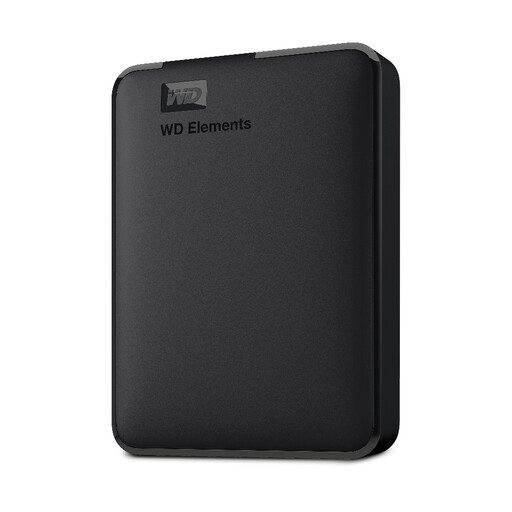
Western Digital Elements portable HDD, 1TB
This portable HDD may suit a smaller local photo and video library; compare its 1TB capacity with the files you need to copy and any expected growth.
For a Mac or another non-Windows device, check the required file system before use. Reformatting may be needed, so ensure any existing files are copied elsewhere first.
View on Joybuy
Common questions
Is iCloud Photos a separate backup on its own?
Do not treat iCloud Photos as an independent archive on its own. Apple says edits and deletions sync across devices and that iCloud Photos items are not duplicated in an iCloud device backup; keep another copy of photos you cannot replace.
Can I connect an external drive directly to an iPhone?
Yes, if the connector, power arrangement and drive format are compatible. Apple says iPhone external storage must have one data partition and use APFS, encrypted APFS, Mac OS Extended, exFAT, FAT32 or FAT; some drives need an adapter or separate power.
Can a Mac Photos library go on any external drive?
No. Apple says the drive must use APFS or Mac OS Extended (Journaled), and the library cannot be stored on a device used for Time Machine backups. Apple also advises against using USB flash drives, SD cards, network-shared storage or cloud-based storage for the library itself.
What should I check before using Google Photos for videos?
Check available account storage and the upload-quality setting against the videos you intend to keep. Google says a Google Account includes up to 15 GB of storage, while its Storage saver setting can reduce quality; choose deliberately if retaining originals matters to you.
Does a personal UK photo backup fall under UK GDPR?
Purely personal or household photo activity with no professional or commercial connection is outside the UK GDPR's scope, according to the Information Commissioner's Office. Do not extend that conclusion to a business, freelance or client photo archive.


