PS5 players needing more playable space
If you want to install and launch PS5 games from added storage, look at an internal M.2 SSD that meets PlayStation’s interface, size and cooling requirements. A USB drive serves a different role for PS5 games.


Choose extra console storage by the games you need to play from it, not capacity alone. PlayStation says a compatible PS5 M.2 SSD can launch PS5 games, while USB extended storage can hold them but requires a transfer back before play. Xbox Support makes a similar distinction for Optimised Xbox Series X|S games: they can run from the internal SSD or a Storage Expansion Card, but not an ordinary USB drive.
If you want to install and launch PS5 games from added storage, look at an internal M.2 SSD that meets PlayStation’s interface, size and cooling requirements. A USB drive serves a different role for PS5 games.
If you can move some games back to the console before playing, USB storage lets you keep those games outside the internal drive. PlayStation and Xbox Support distinguish this storage role from direct play of their respective current-generation games.
If added storage must launch Optimised Xbox Series X|S games directly, Xbox Support identifies the Storage Expansion Card as the expansion route. Ordinary USB storage can hold those games for transfer instead.
Start with your console and the games you want ready to play. Then decide whether moving games from USB before play is acceptable or whether you need a compatible direct-play expansion.
| Concern | What to check | Who this matters to |
|---|---|---|
| Playable current-generation space | Identify PS5 games or Optimised Xbox Series X|S games; check the expansion type that can launch them. | If I want my regularly played current-generation games ready without a transfer, direct play is my priority. Roughly 33% of consumers put that need first. |
| Space for stored games | Check your console’s USB requirements and whether you are willing to transfer games before play. | I would rather keep games on a USB drive than have every title ready to launch, and I can allow time to move them back. For roughly 27% of consumers, storing games is the primary need. |
| PS5 installation fit | For M.2, check PCIe Gen4x4 NVMe, 250 GB–8 TB capacity, dimensions and cooling; for USB, check SuperSpeed USB 5 Gbps or later and 250 GB–8 TB. | When choosing between PS5 USB and an internal M.2 SSD, I need the exact drive and installation method to fit the role I have in mind. PS5-specific compatibility comes first for roughly 20% of consumers. |
| Xbox game-type fit | Check which games are marked Optimised for Xbox Series X|S; Xbox game-and-app USB storage requires USB 3.0 and at least 128 GB. | If most of my Xbox library can wait on USB but certain Optimised titles must stay playable, their game labels decide my route. Roughly 20% of consumers prioritise that Xbox-specific distinction. |
PlayStation says PS5 games can be stored on USB extended storage but must be copied back to console storage before play. A compatible internal M.2 SSD is the expansion route for launching them.
If direct play is essential, check the full PS5 M.2 specification before choosing a drive; capacity alone does not establish compatibility.
According to Xbox Support, Optimised Xbox Series X|S games must be on the internal SSD or a Storage Expansion Card to run. A USB drive can hold them, but frequent transfers may mean waiting before play.
Check the labels of the games you play regularly. If those Optimised titles must launch from added storage, look for a compatible Storage Expansion Card.
PlayStation also specifies the interface, physical fit and heat dissipation required for an installed M.2 SSD. A headline read-speed figure does not settle those checks.
Compare the exact variant, including its fitted heatsink and dimensions, with PlayStation’s installation requirements.
The WD_BLACK SN850P is positioned by its manufacturer as an internal M.2 SSD line for PS5 consoles.
Seagate offers a Storage Expansion Card for the Xbox Series X|S direct-play route.
The Samsung 990 PRO is a PCIe 4.0 NVMe M.2 line to assess against PS5 installation requirements.
The Lexar PLAY 2280 PCIe 4.0 SSD line is an internal M.2 candidate for PS5 storage expansion.
These external drives are options for keeping console games on USB storage. For PS5 games and Optimised Xbox Series X|S games, choose them for storage and transfer rather than direct play; check the exact console requirements before buying.
 No image available
Consider this external SSD for storing PS5 games if transferring them back before play suits you.
 No image available
This variant is another USB option for keeping PS5 games outside the console until you want to play them.
 No image available
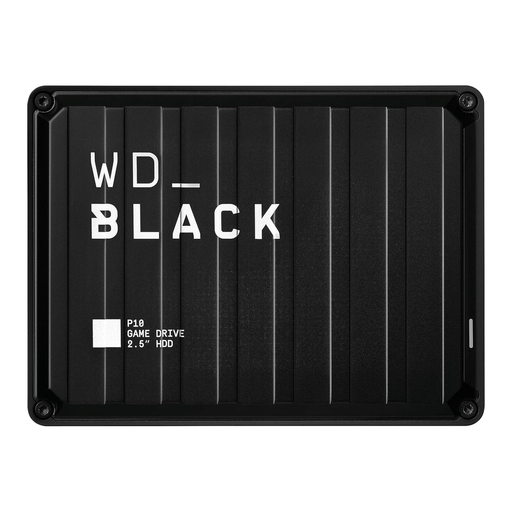
Consider this external game drive if you want to keep PS5 or Xbox Series X|S games for transfer rather than launch those current-generation games from USB.
 No image available
For PS5 USB storage, this external SSD can hold PS5 games, while compatible PS4 games can run from the drive.
No. PlayStation says a PS5 can store PS5 games on compatible USB extended storage, but you must copy them back to console storage before playing. Compatible PS4 games can play directly from USB.
A compatible internal M.2 SSD can launch PS5 games from added storage. Check PlayStation’s PCIe Gen4x4 NVMe, capacity, physical-size and heat-dissipation requirements against the exact drive and heatsink.
No. Xbox Support says Optimised Xbox Series X|S games must be installed on the console’s internal SSD or a Storage Expansion Card to play. A suitable USB drive can hold them until you transfer them back.
No. Xbox Support specifies the Storage Expansion Card for Xbox Series X|S, not Xbox One or Windows devices. Check the intended console before choosing that expansion route.