
24/7 Customer Support

Free returns

Same-day & Next-day Delivery

Quality Guaranteed

Unlock Your Welcome Offers: FREE Delivery | Up to 80% OFF | Free 30-day JoyPlus trial
Download the APP
As a Joybuy Product Recommendation Officer, my role is to help you navigate the crowded market of car accessories. If you're driving a vehicle from the pre-infotainment era or a base model without the latest tech, you've likely considered how to add CarPlay to an older car. A portable CarPlay screen seems like the perfect plug-and-play solution.
However, the market is filled with devices that promise a seamless car infotainment screen upgrade but deliver frustration. Before you make a purchase, it's crucial to understand the common pitfalls that lead to buyer's remorse.
Many drivers are drawn in by flashy features, only to find their new gadget is unusable after a few weeks. Here are the most common issues we see:
To ensure you get a device that enhances your drive rather than hinders it, focus on these non-negotiable specifications.
The way the screen connects to your phone and your car's stereo is paramount.
The visual and interactive experience is just as important.
We've matched a few options from our catalogue to different driver profiles, helping you find a solution that fits your specific needs and budget.
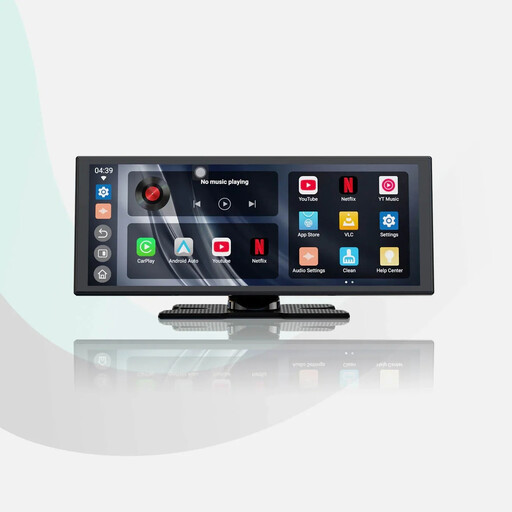
Why This Fits Their Persona: This is for the driver who wants the complete package: a large, high-resolution display for navigation, seamless wireless phone integration and built-in entertainment apps for passengers or for use during breaks on long journeys.
It uses a dual Wi-Fi and dual Bluetooth design to maintain stable connections. Its Audio Mixing feature also prevents navigation prompts from cutting out your music, solving a common audio frustration.
Runs Android 13, giving you native apps like YouTube and Netflix. Includes a 1080P hardwired backup camera, adding a significant safety feature.
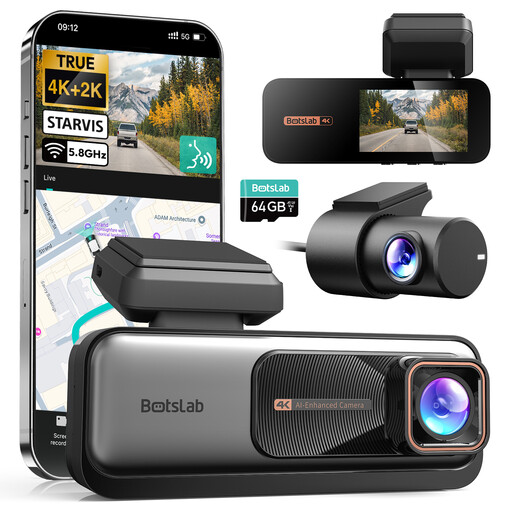
Why This Fits Their Persona: If your primary goal is road safety, evidence protection and parking assistance rather than entertainment, a dedicated dash cam system is a more focused upgrade. This provides front and rear recording, not phone mirroring.
As a dedicated safety device, it's engineered for reliability. It avoids the complexities of phone mirroring and app integration, focusing entirely on high-quality recording and driver alerts.
It captures video in true 4K (front) and 2K (rear) for exceptional clarity. The system also includes ADAS features for forward collision and lane departure warnings.
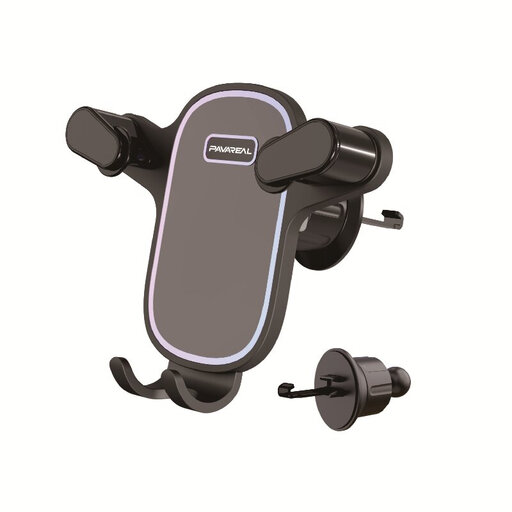
Why This Fits Their Persona: For the driver on a strict budget or a lease-holder who cannot make modifications, a high-quality phone mount is the simplest way to get navigation into their line of sight without any wiring or complex setup.
This is a purely mechanical solution. It completely sidesteps all electronic pitfalls like connectivity drops, audio issues, lag or overheating because it simply holds the powerful device you already own.
Extremely low cost and zero installation complexity. It provides a stable, adjustable mount for your phone, allowing you to use its native CarPlay or Android Auto interface safely.
We have compiled a complete, real-time list of products that fully satisfy these strict selection criteria and UK safety regulations.
Most portable infotainment screens are powered via a standard 12V accessory socket (the cigarette lighter) in your vehicle. They typically come with a compatible power adapter. Some higher-end models may include a small internal battery, but this is usually for enabling a "quick start" feature rather than for prolonged use without being plugged in.
Yes, there are three common methods to connect the audio. The most reliable is a 3.5mm AUX cable from the screen to your car's AUX-in port. Alternatively, you can use the built-in FM transmitter to broadcast the audio to an empty frequency on your car radio. Some units also support a direct Bluetooth connection to your car's stereo system for a fully wireless experience.
It is a serious offence for a driver to watch video content on any screen while the vehicle is in motion. Regulation 109 of the Road Vehicles (Construction and Use) Regulations 1986 makes this clear. Features like Netflix or YouTube on a car screen with Netflix are intended for use by passengers or by the driver only when the vehicle is safely and legally parked. Always prioritise road safety.