Small-desk recipe archivists
If you mainly keep documents and occasional scans, you may want a USB-powered drive that is easy to connect, put away and keep clear of your working space.


For a modest collection of recipe documents, start with a portable drive that fits your desk and connects to your computer without an awkward setup. Consider an SSD if you carry the drive or regularly copy scans and photos; consider a portable hard drive if the archive includes enough media to make higher capacity a priority. Check the exact model’s cable, file format and backup arrangements before copying your files.
If you mainly keep documents and occasional scans, you may want a USB-powered drive that is easy to connect, put away and keep clear of your working space.
If recipes sit alongside photo collections, batches of scans or videos, check how much space the whole archive needs. Seagate’s One Touch portable hard-drive range, for instance, lists capacities up to 5 TB.
If you move files between Windows and macOS computers, the drive’s supplied format and any backup software may affect setup. Seagate describes its One Touch SSD as usable with both systems without reformatting; Western Digital says the referenced My Passport drives need reformatting for macOS.
Choose between an SSD and a portable hard drive by looking at your archive and the space available, then check how the exact drive will connect to your computer.
Consider it when: You want a compact drive that you will move often or use to copy batches of scans and photos.
Bear in mind: Published peak speeds depend on the computer and connection, and that speed may offer little everyday benefit for mostly text documents.
Consider it when: Photos, videos and scans make capacity a more pressing concern than frequent transfers.
Bear in mind: Check the size of the capacity you choose: Seagate lists a thicker body for One Touch portable hard drives of 4 TB and above than for versions of 2 TB and below.
| Concern | What to check | Who this matters to |
|---|---|---|
| Desk space and everyday access | Check the exact drive dimensions and whether its cable and USB-powered setup fit your desk. | I want recipe files close at hand without leaving a bulky setup beside my laptop. Around 38% of consumers put a compact everyday setup first. |
| Computer compatibility and file protection | Confirm the supplied file format, port and operating-system requirements; plan a separate copy of important files. | Moving my archive between computers matters more to me if formatting or a missed backup could disrupt access. For around 37% of consumers, compatible setup and protecting the archive are the primary concern. |
| Space for a growing archive | Measure the current folder and allow for planned scans, photos and videos; compare physical dimensions by capacity. | If I keep adding food photos and videos, I need room for more than text recipes. Capacity is the leading need for around 25% of consumers. |
Samsung says the T7 Shield’s maximum sequential speeds require a USB 3.2 Gen 2-capable host and cable with UASP enabled. The speed on your own computer depends on that connection.
Check your computer’s USB specification and the cable you will use before making peak speed a reason to choose the drive.
Western Digital says the referenced My Passport drives ship formatted as NTFS and need reformatting for macOS. Reformatting can erase files already on a drive.
Check the exact model’s format against your computers, and keep another copy of any files before reformatting.
An unreliable connection can interrupt access while you work with the archive. Western Digital advises using the supplied cable, connecting without a USB hub and safely ejecting its external drives before removal.
Start with the supplied cable and a direct computer connection, then eject the drive before unplugging it.
Seagate lists its One Touch portable hard drive at 11.7 mm deep for capacities of 2 TB and below, compared with 20.9 mm for 4 TB and above.
Check dimensions for the capacity you intend to buy if the drive must fit a desk tray or a particular gap.
The T7 Shield portable SSD is relevant if you want a compact drive and expect to move scans or photos as well as documents.
The One Touch range offers an SSD route for a compact setup and a portable hard-drive route for a growing recipe and media archive.
The referenced My Passport portable hard drives are worth examining if password features matter alongside recipe storage.
These portable SSDs and hard drives offer different ways to keep a recipe archive near a small desk. Compare the stated capacity and connection with your computer and the files you expect to store.
 No image available
Consider this compact-drive route if you will move a recipe archive or regularly copy scans and photos.
The product name specifies USB Type-C and USB 3.2 Gen 2. Samsung states that the T7 Shield MU-PE1T0S/EU reaches up to 1,050 MB/s read and 1,000 MB/s write sequentially with a compatible host and cable and UASP enabled.
Keep a separate copy of important recipe files; the drive alone is not a backup routine.
 No image available
Consider this hard drive if a growing archive of recipes, scans and photos makes capacity a priority.
The named variant has 2 TB of storage. Western Digital states that the referenced My Passport drives include 256-bit AES hardware encryption.
If you use a Mac, confirm the exact setup before buying: Western Digital says the referenced drives ship as NTFS and need reformatting for macOS.
 No image available
Consider this portable SSD if your recipe documents sit alongside a larger collection of scans or photos.
The named variant has 2 TB of storage. Confirm its file format, operating-system requirements and connection against the computer you intend to use.
Keep another copy of important files rather than relying on one portable drive.
 No image available
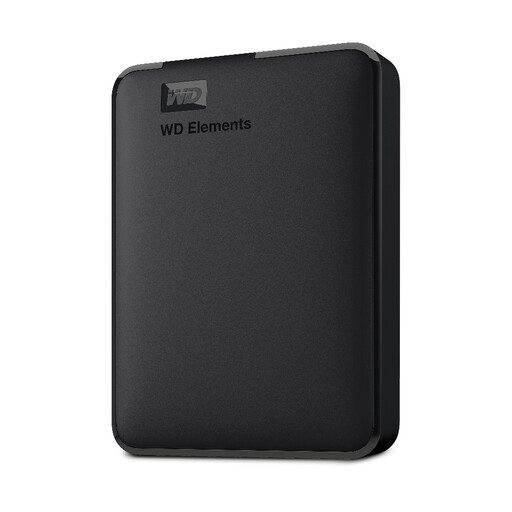
This portable hard drive is an option for a recipe archive that includes documents and some room for additions.
The named variant has 1 TB of storage. Check that its cable matches your computer’s ports; if you plan to use a Mac, confirm whether reformatting is needed before copying files.
Maintain a separate copy of important recipes.
 No image available
Consider this portable SSD if you want recipe storage that can connect to different USB port types.
The product name specifies 1 TB and USB 3.2 Gen 2. Check the included cables, your computer’s file-format requirements and the drive’s dimensions before relying on it for a particular desk space.
Keep another copy of important recipe files.
An SSD is worth considering if compact handling, frequent carrying or copying batches of scans and photos matters to you; its peak transfer speed may matter less for mostly text files. If your archive is growing with photos and videos, compare the capacity and physical size of portable hard drives too. Seagate lists its One Touch portable hard-drive range at up to 5 TB.
You can choose a model intended for both systems, but check its supplied file format before moving your archive. Seagate says its One Touch External SSD works with Windows and Mac without reformatting, whereas Western Digital says the referenced My Passport drives need reformatting for macOS. Keep a copy of any existing files before changing a drive’s format.
Start with the supplied cable and a direct computer USB connection, then safely eject the drive before unplugging it. Western Digital advises avoiding a USB hub in its external-drive setup guidance. Check that your computer has a port for the supplied cable before buying.
Erase personal files and check the current collection options offered by your retailer or local authority. GOV.UK explains that the UK Waste Electrical and Electronic Equipment Regulations 2013, as amended, underpin the recycling framework for electrical and electronic equipment; that does not specify one collection route for every household.