What matters when choosing storage?
For client files that move between locations, decide how you will access the working files and how you will restore them if that access fails. A portable drive, cloud service and separate backup can each serve a different part of that plan.
Hardware-encrypted portable storage
Consider it when: Client files regularly travel on an SSD or USB drive and you need unlocking that does not depend on configuring encryption on each host computer.
Trade-off: Check the exact model’s capacity, connector and credential-recovery rules; a lockout or erase policy can also put your own files out of reach.
Standard SSD with software encryption
Consider it when: You move active projects between computers on which you can manage the encryption method consistently.
Trade-off: Confirm access on every intended operating system and keep the recovery key securely apart from the drive.
External drive for offline backup
Consider it when: You need a separate copy of substantial project folders or completed work, rather than another place for the only live copy.
Trade-off: Backup takes a deliberate routine: store the drive securely, disconnect it between sessions and test restoration. The National Cyber Security Centre warns that connected storage can be affected by malware.
Cloud storage
Consider it when: Remote access, sharing or synchronisation across devices is central to client work.
Trade-off: Check account security, sharing permissions and the chosen service’s recovery settings; synchronised changes can reach copies of a file.
Encrypted device with separate backup
Consider it when: Most work stays on your laptop or phone and removable storage is used only for transfers or an additional copy.
Trade-off: Device encryption does not automatically protect files copied to removable media, and it cannot restore files without a backup.
| Concern |
What to check |
Who this matters to |
| Loss or theft |
How the files are encrypted and unlocked; the model’s credential-recovery and lockout rules. |
When I carry client documents to meetings, losing a drive could expose sensitive files. Around 31% of consumers would put loss-and-theft protection first. |
| File volume and transfers |
Capacity for current projects and future copies; whether your ports and cables meet the conditions for advertised speeds. |
If I move large photo or design folders regularly, I need sufficient space without lengthy transfers. For roughly 31% of consumers, file volume and transfer time would come first. |
| Backup recovery |
Whether a separate copy can be restored; how an offline drive or the chosen cloud account handles unwanted changes. |
If a laptop fails or files change unexpectedly, I need a copy I can actually restore. Backup recovery would lead the decision for around 23% of consumers. |
| Access across devices |
Compatibility with intended computers and connectors; who controls passwords, recovery keys and cloud permissions. |
Working across devices makes dependable access and credential recovery important to me. About 15% of consumers would prioritise those access arrangements. |
Relevant brands for reference
These examples illustrate different storage and recovery approaches; a brand’s features should be checked against the exact product or service you intend to use.
Kingston IronKey
Kingston’s Vault Privacy 80ES is a hardware-encrypted portable SSD with touchscreen unlocking for work across compatible host devices.
- Kingston lists Admin and User credentials and capacities from 960GB to 7.68TB for the VP80ES.
- Its listed transfer speeds and password-attempt erase policy need checking against large-file workflows and your access-recovery plan.
iStorage
The diskAshur M² uses a keypad for PIN-based access without requiring encryption software on the host computer, according to iStorage.
- iStorage lists hardware encryption and capacities from 240GB to 2TB for this model.
- Check whether that capacity range and the model’s PIN-recovery rules fit your project archive and continuity needs.
Samsung
Samsung’s T7 Touch combines portable SSD storage with fingerprint or password unlocking; it is a distinct model from the T7 listed below.
- Samsung lists 500GB–2TB variants and maximum sequential read and write speeds of up to 1,050 and 1,000 MB/s for the T7 Touch.
- Samsung specifies compatible USB 3.2 Gen 2 hardware, cable and UASP for maximum speed. Confirm the unlocking workflow on every intended device.
Crucial
Crucial describes using operating-system tools to encrypt portable storage, rather than relying solely on a specialist encrypted drive.
- Crucial’s guidance identifies Windows BitLocker To Go as an option for encrypting an external drive.
- Check the encryption method, access on other operating systems and secure recovery-key handling for your own setup.
Microsoft OneDrive
OneDrive offers a cloud route for remote access, sharing and file-version recovery instead of relying only on a carried drive.
- Microsoft documents version history and file-recovery tools for OneDrive.
- Microsoft states that version history is retained for 30 days and that work or school administrators may disable document versioning. Check the relevant account settings and maintain another backup where needed.
Portable storage options on Joybuy
These portable SSDs, hard drives and USB storage options address carrying files or keeping a local copy. Choose according to file volume and intended devices, then plan encryption access and a separate backup for client work.
 No image available
Samsung Portable SSD T7 1 TB, Blue
Consider this portable SSD if you regularly carry an active set of project files between locations. The listed variant has 1 TB capacity and a USB Type-C 3.2 Gen 2 connection. Check the ports on your intended devices, how you will protect access to client files and where a separate recoverable copy will be kept.
View on Joybuy
 No image available
Western Digital My Passport Portable Hard Drive 2TB, Black
Consider the 2TB capacity if you carry a larger working set or use a portable hard drive for a local copy. Handle the drive carefully while travelling, and confirm password recovery and the intended macOS workflow before relying on it for client files.
View on Joybuy
 No image available
Western Digital My Passport Ultra for Mac Hard Drive 5TB, Silver
The 5TB capacity is worth considering for substantial project collections or a local archive. This is a portable hard drive designed for Mac; confirm the Windows access workflow if you also use Windows computers, and check password recovery before storing important files.
View on Joybuy
 No image available
Lexar ES4 Portable SSD with Magnetic Set 1TB
This 1TB SSD may suit a working set moved between compatible computers or devices. Its title lists USB 3.2 Gen 2 and up to 1,050 MB/s read and 1,000 MB/s write; actual transfers depend on the connection. Check how its encryption feature is set up and which operating systems it works with before using it for client files.
View on Joybuy
 No image available
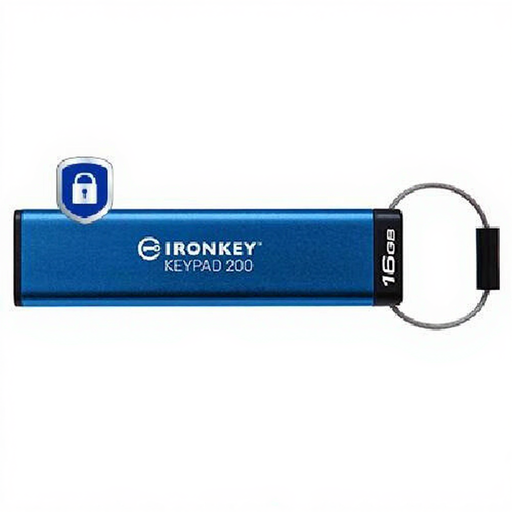
Kingston Technology IronKey Keypad 200 16GB
Consider this encrypted USB drive for a small set of files rather than a large project archive. Its title specifies 16GB capacity and AES-256 encryption. Check the connector on each intended device and the PIN recovery, lockout and erase rules before putting important files on it.
View on Joybuy
Common questions
Does UK GDPR require a freelancer to buy a hardware-encrypted drive?
No particular storage product is prescribed by the Information Commissioner’s Office guidance. For processing personal information, the ICO says UK GDPR requires appropriate technical and organisational security measures, with encryption considered according to the nature and risks of the activity. The ICO notes that its encryption guidance is under review following changes made by the Data (Use and Access) Act; a specific workflow still needs its own assessment.
Does laptop encryption protect files copied to a portable drive?
Not automatically. Assess the removable drive separately once client files are copied to it. The Information Commissioner’s Office discusses encryption for USB and backup media as well as for devices storing personal information.
Can cloud storage replace a backup drive?
Cloud storage can form part of a backup arrangement, but synchronisation alone does not ensure an unaffected copy. The National Cyber Security Centre warns that connected storage can be affected during malware incidents; check cloud recovery settings and keep another appropriately separated copy of important files.
What should I check before relying on cloud file recovery?
Check the chosen plan’s version history, retention period, administrator settings and restoration steps. Microsoft documents 30-day OneDrive version history and says work or school administrators may turn document versioning off; the settings for your actual account determine what you can use.
What if I forget an encrypted drive’s password or PIN?
Access depends on the encryption method and the exact model’s recovery design; do not assume that files can be recovered without the required credential. Keep software-encryption recovery keys securely apart from the drive, and check any administrator access, lockout or erase policy before storing live client work.


