What matters when choosing?
Identify which devices need power and for how long, then distinguish between recharging them after a cut and keeping them on as mains power fails. Compare battery energy in watt-hours (Wh) with the required output in watts (W), while allowing for losses and devices being used during charging.
USB power bank
Choose when: Phones or tablets need portable charging rather than uninterrupted mains power.
Trade-off: Capacity affects possible recharges, but the pack must be recharged again once its stored energy is used.
USB-C PD laptop power bank
Choose when: The laptop supports USB-C charging and the bank's single-port output meets its power requirement.
Trade-off: Using the laptop while charging draws on the bank's stored energy; sharing output with other devices may also affect what is available to it.
Uninterruptible power supply
Choose when: A connected, low-power setup must continue operating as mains power fails.
Trade-off: Continuity does not imply long runtime; check the unit's runtime at the actual connected load.
Portable power station
Choose when: Several devices need repeated charging, or compatible equipment needs both USB and AC outputs.
Trade-off: It is a less compact route than a USB bank, and an advertised backup function does not by itself establish no-break operation.
| Concern |
What to check |
Who this matters to |
| Phone and tablet charging |
Compare available battery energy, USB output and the ports needed for your devices. |
If I mainly need calls, messages and updates, I want to recharge my phone or tablet without carrying a larger backup unit. Around 36% of consumers would put mobile-device continuity first. |
| Laptop charging |
Confirm USB-C charging support, the laptop's required wattage and the bank's single-port output and cable rating. |
Keeping a laptop usable matters more to me than topping up another mobile device when work or study depends on it. Laptop capability would be the primary need for around 29% of consumers. |
| Uninterrupted operation |
Check the stated transfer behaviour, supported load and runtime at that load. |
If my connected setup cannot switch off when mains power fails, a battery I plug in afterwards does not meet that need. For around 21% of consumers, continuity would take priority. |
| Repeated multi-device charging |
Compare Wh capacity, continuous output and USB and AC connections against the devices used together. |
During a longer interruption, I need enough stored energy to charge several devices repeatedly, even if the unit is less easy to carry. That would be the leading concern for around 14% of consumers. |
Joybuy options for device charging
These options cover portable power stations for repeated device charging and USB power banks for mobile devices. Choose by the ports, output and stored energy your own devices require; do not treat a power station here as a no-break UPS without checking its transfer specification.
 No image available
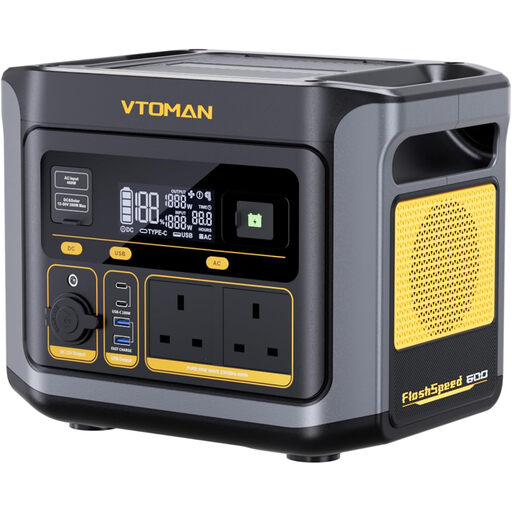
VTOMAN FlashSpeed 600 portable power station, 499Wh
Consider this for charging several personal devices during an interruption if its outputs match them.
Stated capacity: 499Wh. Rated output: 600W, with 1200W peak stated separately; the title also specifies 100W USB-C and 230V AC.
Check runtime at your combined load and any required transfer behaviour before relying on it for continuous operation.
View on Joybuy
 No image available
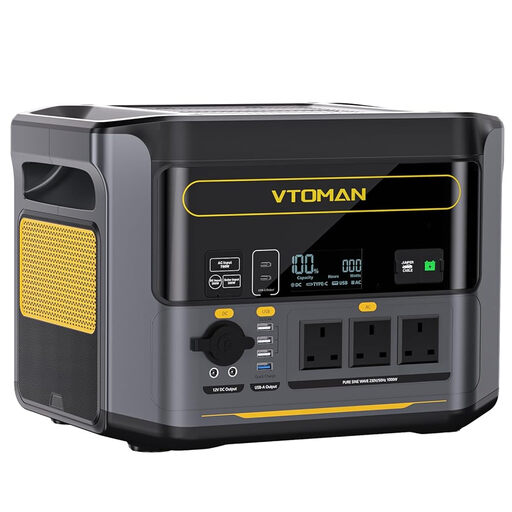
VTOMAN FlashSpeed 1000 portable power station, 828Wh
Consider this when repeated device charging calls for a station, provided its connections and runtime suit your setup.
Stated capacity: 828Wh. Rated output: 1000W, with 2000W peak stated separately. The advertised expansion to 2376Wh depends on an expansion battery; check whether that battery is included.
Confirm the output connections, runtime at your load and any required transfer behaviour for this unit.
View on Joybuy
 No image available
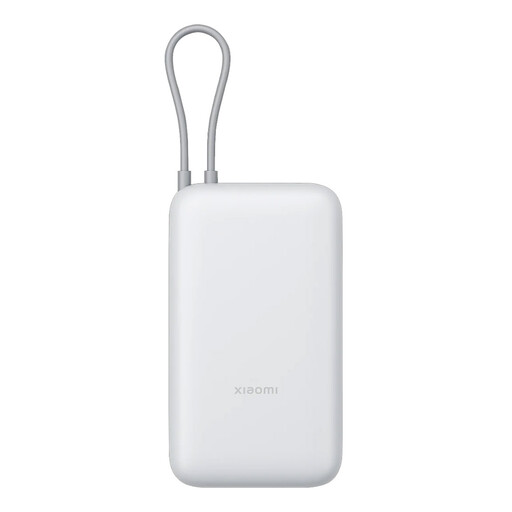
Xiaomi 20000mAh power bank with integrated cable, GL Light Gray
Consider this for portable charging of a compatible phone or tablet when an integrated cable suits your device.
Stated capacity: 20000mAh; that figure does not specify how many times it will charge your device.
Confirm the cable connection and charging output against the device you plan to use.
View on Joybuy
 No image available
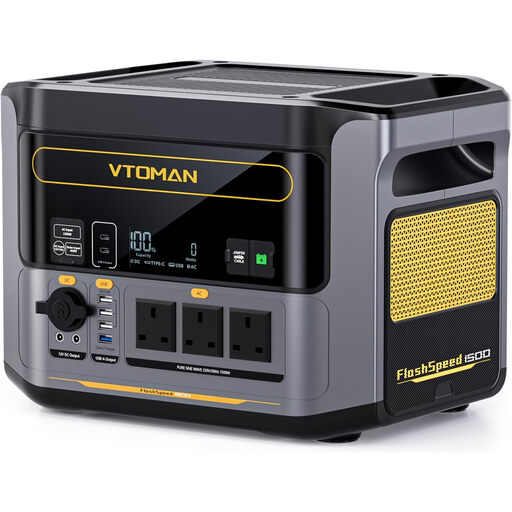
VTOMAN FlashSpeed 1500 portable power station, 1548Wh
Consider this for repeated charging or a compatible AC-powered device when its output and runtime meet your requirements.
Stated capacity: 1548Wh. The title specifies 1500W AC output and a 100W USB-C port.
Check the full port arrangement, runtime at your intended load and transfer behaviour if uninterrupted operation matters.
View on Joybuy
 No image available
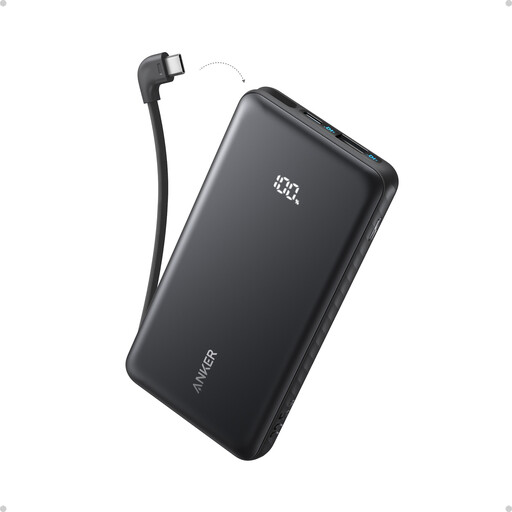
Anker Zolo 10,000mAh 22.5W power bank with built-in USB-C cable
Consider this for charging a compatible mobile device during a shorter interruption.
Stated capacity: 10,000mAh. The title lists 22.5W output and a built-in USB-C cable; it does not establish laptop-charging suitability.
Check your device's charging requirements and the output available when other devices are connected.
View on Joybuy
Questions about power-cut charging
How can I estimate how long backup power will last?
Compare the battery's stated energy in Wh with the energy your devices need or their power draw in W, then allow for conversion losses and use while charging. For a UPS or portable power station, a manufacturer's runtime chart at a load close to yours is more useful than assuming the nominal capacity will all reach your devices.
Can a phone power bank keep my laptop running?
Only if the laptop accepts charging through the available connection and the bank and cable can supply enough power. Check the laptop's required wattage against the bank's single-port output, especially if other devices will be connected at the same time.
Can a portable power station replace a UPS?
Not automatically: a station's advertised UPS or EPS function must be assessed for the exact model and connected equipment. Check its stated transfer behaviour, supported output and runtime at your actual load if the setup cannot tolerate switching off.
How should I look after a battery kept for power cuts?
Follow its charging and storage instructions, protect it from damage and liquids, and stop using it if it swells or overheats. London Fire Brigade warns that damaged, short-circuited or improperly charged batteries can present a fire risk; check official recall notices using the exact model number too.
What else should I do if the power goes off at home?
For an unplanned electricity cut in the UK, Ofgem says you can call 105 free to reach your local electricity network operator. A charged backup device can help you keep a phone available, but it does not replace reporting the cut or checking for updates from the operator.


