Colour-chart knitters sharing a workspace
If your charts use coloured keys or highlights, look for colour output that keeps those distinctions readable and a print method each desk user can access.


Choose a wireless colour inkjet with automatic A4 duplex printing if your patterns use colour-coded charts and several people print from the shared desk. If you print frequently, compare refillable-ink arrangements and the exact model’s functions; a mono laser is an option only when your patterns remain clear without colour.
If your charts use coloured keys or highlights, look for colour output that keeps those distinctions readable and a print method each desk user can access.
If you regularly print patterns and supporting documents, compare replacement-ink arrangements as well as the functions you need. A refillable-tank model may mean fewer consumable changes, but check the exact model rather than assuming it also scans or prints automatically on both sides.
If text and symbols remain distinct in greyscale, a mono printer may suit your documents. Test a representative chart before giving up colour output.
For knitting patterns at a shared desk, check chart readability and device access first, then decide whether two-sided printing and the consumable arrangement suit how often you print.
| Concern | What to check | Who this matters to |
|---|---|---|
| Shared access and desk fit | Check printing support for each laptop or phone, plus the printer’s dimensions with trays open and cables connected. | If several of us use the desk, I need to print without swapping connections or blocking the work surface. Around 29% of consumers put shared access and desk fit first. |
| Two-sided pages | Confirm automatic A4 duplex for your paper and print mode; check the binding direction before a long print run. | When I print a lengthy pattern, I want pages in a usable order without turning every sheet by hand. For around 29% of consumers, two-sided printing is the primary concern. |
| Chart legibility | Print a representative chart at its usual scale and check small symbols and any colour key. | My chart uses colours to distinguish stitches, so those markings must remain clear on paper. Keeping colour charts legible comes first for around 21% of consumers. |
| Ink or toner changes | Compare the exact replacement consumables, stated yield conditions and any cartridge-compatibility restrictions. | If I print patterns often, I would rather understand how frequently supplies need replacing before choosing a printer. Around 21% of consumers make ongoing ink or toner needs their first priority. |
Automatic two-sided printing can depend on the model, paper and print mode. Canon UK specifies plain-paper sizes for automatic duplex on the PIXMA TS5350i series, while Epson’s duplex guidance notes that borderless printing is not available with that setting.
Confirm automatic A4 duplex for the exact printer, then test two pages on your usual paper with the intended binding direction.
An incorrect page order or unsuitable print mode can mean extra paper and reprints.
A black-and-white printer cannot preserve colour-coded distinctions, even when the written instructions remain readable.
Preview a representative pattern in greyscale. If different colours become hard to tell apart, choose colour output.
Cartridges, refillable bottles and toner call for different replacement arrangements. HP Store UK also states that dynamic security on the LaserJet M209dw can affect cartridges using non-HP chips.
Check the exact replacement set and stated yield conditions, along with any subscription terms or cartridge restrictions that apply to your chosen model.
Sharing a work surface does not establish that each person’s laptop, tablet or phone can use the printer’s available connection methods.
List the devices people will use and confirm their print methods against the exact printer model before buying.
These examples show different feature combinations; a brand name alone does not establish what another model can do.
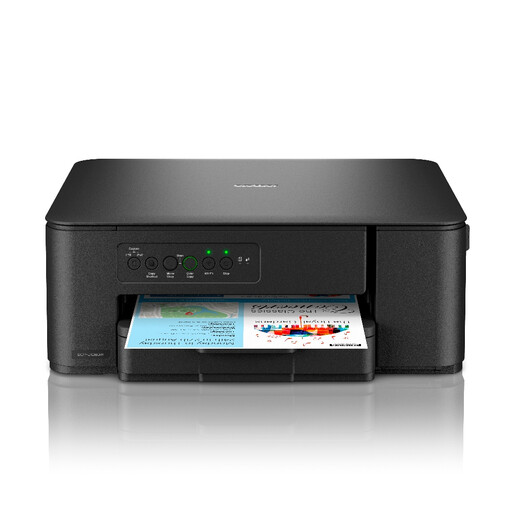
The DCP-J1360DW is an example to examine if a shared A4 workspace needs colour printing, scanning and copying.
The PIXMA TS5350i series is worth examining when colour charts and printing from different devices matter.
The EcoTank ET-1810 is a print-focused refillable-ink example for readers expecting frequent colour pattern printing.
The LaserJet M209dw is a mono option to consider when patterns remain understandable without colour.
These printers cover colour and mono approaches to shared-desk pattern printing. Compare each exact model’s paper handling, device support and consumables with the features your patterns require.
 No image available
Consider this model for frequent colour-pattern printing if its ink arrangement suits your use. Check automatic duplex with your intended paper and allow space for open trays.
 No image available
Consider this wireless model where several people need access to a colour-pattern printer. Confirm which paper types and print modes permit automatic duplex on the exact model.
 No image available
Consider this model if colour pattern pages and shared access are priorities. Its stated dimensions are 576 × 477 × 305 mm; check the space needed with trays open and confirm the duplex settings for your paper.
 No image available
Consider this wireless inkjet for shared pattern printing only after confirming the model on the unit: the product information also names DCP-J1260W. Check the confirmed variant’s duplex capability before relying on two-sided printing.
 No image available
Consider this mono laser only if a representative knitting chart remains clear without colour. Allow for manual rather than automatic two-sided printing, and check replacement-toner compatibility.
Choose colour if your charts rely on colour-coded keys, highlights or shaded diagrams. A mono printer is an option when you have checked that a representative pattern remains clear in greyscale; HP Store UK identifies the LaserJet M209dw as a black-and-white model.
Yes, if the exact printer supports automatic A4 duplex with your chosen paper and print mode. Canon UK specifies A4 plain-paper duplex for the PIXMA TS5350i series; test the binding direction before printing a complete pattern.
Compare cartridges with a refillable tank according to how often you print and which printer functions you need. Epson United Kingdom’s stated ET-1810 page yields depend on its methodology, so treat them as manufacturer figures rather than your expected output, and check whether the exact model has the scanning or duplex functions you want.
Ask your local authority or the retailer which collection or take-back route accepts your old printer before disposing of it. Confirm the arrangement for your location and printer rather than assuming an ordinary household-waste collection will take it.