Players keeping PS5 games ready to launch
If copying a game back before playing would get in the way, compatible internal M.2 storage addresses that need. PlayStation says PS5 and PS4 games can launch from an installed M.2 SSD.


Choose a compatible internal M.2 NVMe SSD if you need more space from which to launch PS5 games. PlayStation says USB extended storage can hold PS5 games, but you must copy them back to console or compatible M.2 storage before playing; it can play PS4 games directly. For captures and console backups, consider a separate USB backup drive, while PlayStation Plus cloud storage serves saved data rather than installed games.
If copying a game back before playing would get in the way, compatible internal M.2 storage addresses that need. PlayStation says PS5 and PS4 games can launch from an installed M.2 SSD.
USB extended storage suits a library where PS4 games need to remain playable from the drive and PS5 games can wait in an archive. PlayStation requires archived PS5 games to be copied back before play.
Screenshots, video clips and saved data call for a different decision from installed-game expansion. PlayStation supports USB console backups and offers PlayStation Plus cloud storage for saved data; neither makes USB-stored PS5 games directly playable.
Start with the data taking up space and whether a game must launch from the added storage; then check the requirements for that route.
| Priority | What to check | Your needs |
|---|---|---|
| PS5 game access | PlayStation says a compatible internal M.2 SSD can store and launch PS5 games. USB extended storage can hold them, but they must be copied to console or compatible M.2 storage before play. | I want my currently played PS5 games ready to start without copying them back from USB. |
| M.2 fit | For the PS5 expansion slot, check PCI-Express Gen4x4 M.2 NVMe, Key M, a supported form factor and the dimensions of the drive with its cooling fitted. PlayStation specifies 250 GB to 8 TB and does not support M.2 SATA SSDs. | If I add internal storage, I need the exact drive and heatsink assembly to meet the PS5 requirements—not just an attractive capacity or speed figure. |
| USB game storage | PlayStation specifies SuperSpeed USB 5 Gbps or later and 250 GB to 8 TB for USB extended storage. PS4 games can play from it; PS5 games cannot. Check the intended connection and move existing files before formatting. | My active library is mainly PS4 games, or I am content to archive PS5 games and transfer them back when needed. |
| Captures and backups | PlayStation supports FAT32 or exFAT USB drives for console backup, including screenshots and video clips. A drive formatted as PS5 USB extended storage cannot also save console backup data. | I want to keep copies of captures or other console data, so I need to plan a separate backup drive rather than treat a game archive as my backup. |
| Saved-data cloud storage | PlayStation Plus membership is required for its cloud saved-data storage. Check the relevant sync settings; cloud saves do not store installed games or captures. | Moving or safeguarding game progress matters more to me than adding room for installed games. |
PlayStation allows PS5 games to be stored on USB extended storage, not played from it. That distinction matters if you want more PS5 titles ready to start.
Choose compatible internal M.2 storage for direct PS5-game play, or use USB for archiving and PS4-game play.
Playing an archived PS5 game involves waiting for it to copy back to console or compatible M.2 storage.
An M.2 SATA SSD is not supported, and a drive with cooling attached still has to fit the PS5 expansion bay. PlayStation does not guarantee every third-party drive that appears to meet its published requirements.
Compare the exact model’s interface, form factor, capacity and complete cooling assembly with PlayStation’s M.2 requirements before ordering.
Setting up USB extended storage involves formatting, and PlayStation uses a different USB format for console backups.
Copy files you need to keep elsewhere before formatting. If you also need console backups, use a separate FAT32 or exFAT USB drive.
Formatting erases the drive’s existing contents.
PlayStation Plus cloud storage handles saved data, not installed games, apps or captures.
Use cloud storage for eligible saves if you have a PlayStation Plus membership; choose M.2 or USB game storage according to where games need to run.
These manufacturer-described M.2 lines illustrate features to compare; check the exact retail variant and its assembled dimensions against PlayStation’s requirements.
Seagate describes its Game Drive PS5 NVMe SSD as an officially licensed PS5 model supplied with a custom heatsink.
The Samsung 990 PRO with Heatsink is a PCIe 4.0 M.2 line to assess against PlayStation’s physical and cooling requirements.
Lexar describes its PLAY 2280 PCIe 4.0 SSD as a PS5-focused M.2 model with an integrated heatsink.
These portable drives are options to consider for external PS5 storage needs, particularly a PS4 library or a PS5-game archive. They are not substitutes for an internal M.2 SSD when you need to launch PS5 games from the added storage; confirm each drive’s intended PS5 setup before use.
 No image available
A portable option if you want to keep PS5 games on external storage for later transfer. Its stated capacity is 1TB; under PlayStation’s USB extended-storage rules, PS5 games must be copied to console or compatible M.2 storage before play.
No image available
Consider the stated 2TB capacity if you want a larger external PS5-game archive. PlayStation says games stored on USB extended storage need to be copied to console or compatible M.2 storage before you can play them.
 No image available
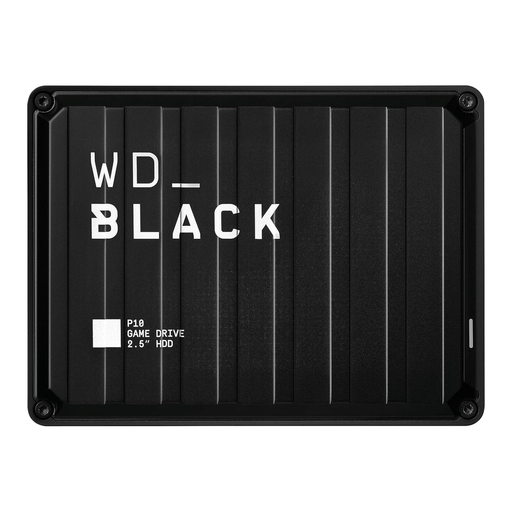
A 2TB external game-drive option for a mixed library: the product information describes PS4-game play and PS5-game archiving. PlayStation requires archived PS5 games to be copied back to console or compatible M.2 storage before play.
 No image available
This 1TB portable USB 3.2 Gen 2 SSD is described as PS5-compatible. If you want to use it for games, confirm its PS5 USB extended-storage setup and intended game-storage use; PS5 games cannot launch directly from USB extended storage. The title advertises up to 1050MB/s read and 1000MB/s write speeds, not measured PS5 performance.
 No image available
The 2TB version is a portable USB 3.2 Gen 2 SSD described as PS5-compatible. Check its PS5 USB extended-storage setup and intended game-storage use if archiving is your aim; PS5 games on USB cannot launch without being copied back. Its title advertises up to 1050MB/s read and 1000MB/s write speeds, not measured PS5 performance.
No. PlayStation says USB extended storage can hold PS5 games, but you must copy them to PS5 console storage or compatible M.2 SSD storage before playing. PS4 games can play directly from USB extended storage.
Check for a supported PCI-Express Gen4x4 M.2 NVMe SSD with Key M, capacity within PlayStation’s 250 GB to 8 TB range, a supported form factor and cooling that fits within the bay’s size limits. PlayStation does not support M.2 SATA SSDs.
Yes. PlayStation requires effective heat dissipation, using a cooling structure such as a heatsink and heat-transfer sheet. Check the dimensions of the complete assembly rather than the bare SSD alone.
No. PlayStation Plus cloud storage is for saved data and requires a membership; it does not add space for installed games or media captures. Choose local storage according to whether games need to launch from the added drive.
Not in the same formatted role. PlayStation says a drive formatted as USB extended storage cannot save PS5 console backup data. Use a separate FAT32 or exFAT USB backup drive if you also need to back up saved data, screenshots or video clips.