What matters when choosing PS5 storage
PlayStation distinguishes storage you can launch PS5 games from, USB storage that holds them until transfer, and cloud storage for saves. Choose by the task you need the added storage to perform.
Internal M.2 SSD
Choose it when: You want installed PS5 games to launch directly from added storage.
Allow for: Installation in the expansion bay, plus checks on the exact drive, cooling and dimensions.
USB extended storage
Choose it when: You want to keep PS5 downloads locally for later transfer, or play PS4 games from compatible USB storage.
Allow for: Moving a PS5 game to console or compatible M.2 storage before playing it.
PlayStation Plus cloud storage
Choose it when: You need supported saved data available across consoles.
Allow for: A PlayStation Plus membership; cloud saves do not hold game installations.
| Concern |
What to check |
Who this matters to |
| Direct PS5 play |
For internal expansion, check PCIe Gen4x4 M.2 NVMe, Key M compatibility and effective cooling; compare the complete drive dimensions with PlayStation's requirements. |
If I switch between installed PS5 games, I want the next one to launch without a transfer. Around 50% of consumers place that direct-play need first. |
| Local game archive |
Check SuperSpeed USB support and PlayStation's 250 GB–8 TB capacity range for USB extended storage. |
Keeping downloaded PS5 games locally matters more to me than launching them from the USB drive, and I can move a game before playing. Around 30% of consumers put this archive need first. |
| Saved-data continuity |
Check whether you have PlayStation Plus and need storage for supported saves rather than installed games. |
When I use another console, I care chiefly about continuing with my saved progress, not adding game-installation space. For around 20% of consumers, saved-data continuity is the primary need. |
USB storage options on Joybuy
These external-drive options suit shoppers considering local USB storage for a rotating PS5 library. A PS5 game kept on USB still needs moving to console or compatible M.2 storage before play; these drives are not internal M.2 expansion options.
 No image available
Western Digital WD BLACK P10 Game Drive 6TB, Black
Consider this external drive if you want to keep PS5 games locally for later transfer. The named variant has 6TB capacity.
PS5 games cannot launch from USB extended storage; move them to console or compatible M.2 storage before play. Compatible PS4 games can play directly from USB storage.
View on Joybuy
No image available
Western Digital WD BLACK P10 Game Drive 5TB
This 5TB external-drive variant is for keeping PS5 games locally when you can accept a transfer before playing.
PlayStation requires PS5 games on USB extended storage to be moved to console or compatible M.2 storage for play. Compatible PS4 games can play directly from USB storage.
View on Joybuy
 No image available
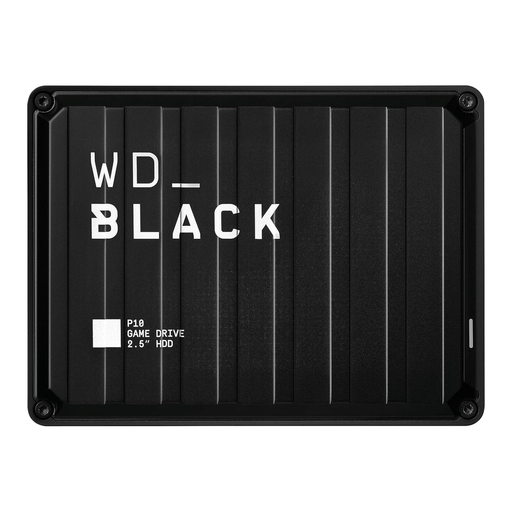
Western Digital WD BLACK P10 Game Drive 2TB
This 2TB external-drive variant is an option for storing PS5 games that you do not need to launch directly from the added drive.
Transfer a stored PS5 game to console or compatible M.2 storage before playing it. Compatible PS4 games can play directly from USB storage.
View on Joybuy
 No image available
Samsung T7 Shield Portable SSD 1 TB, Blue
Consider this external SSD for local PS5 game storage when an archive-and-transfer routine suits you. Its named capacity is 1 TB, and the product title specifies USB 3.2 Gen 2.
PS5 games stored on USB must be moved to console or compatible M.2 storage before play; compatible PS4 games can play directly from USB storage.
View on Joybuy
 No image available
Lexar ES4 Portable SSD with Magnetic Set 1TB
This USB 3.2 Gen 2 external SSD is a 1TB option to consider for PS5 game storage. Check the drive's PS5 USB extended-storage setup before choosing it for your library.
PS5 games held on USB extended storage must be moved to console or compatible M.2 storage before play.
View on Joybuy
PS5 storage questions
Can I play PS5 games directly from USB extended storage?
No. PlayStation says you must move a PS5 game from USB extended storage to PS5 console storage or compatible M.2 SSD storage before playing it. You can keep the game on USB between sessions rather than downloading it again.
Can I play PS4 games from a USB drive connected to my PS5?
Yes, compatible PS4 games can play directly from compatible USB extended storage connected to a PS5, according to PlayStation.
What should I check before buying an internal PS5 SSD?
Check that the exact drive meets PlayStation's PCIe Gen4x4 M.2 NVMe, Key M and Socket 3 requirements, its 250 GB–8 TB capacity range, permitted form factors, complete dimensions and effective-cooling requirements. M.2 SATA drives are unsupported, and PlayStation advises updating the console's system software before installation.
Will an SSD rated above 5,500 MB/s perform exactly like the PS5's built-in SSD?
Not necessarily. PlayStation recommends a sequential read speed of 5,500 MB/s or faster, but cautions that games may not perform exactly as they do on the console's internal SSD even when a drive exceeds that figure.
Can PlayStation Plus cloud storage free space for installed games?
No. PlayStation Plus cloud storage is for supported saved data, not PS5 or PS4 game installations. For game files, choose compatible internal M.2 storage for direct PS5 play or USB extended storage if you can transfer PS5 titles before playing.


