Choose storage according to which games you need to launch from the added drive, not capacity alone. PlayStation says a compatible internal M.2 SSD can launch PS5 and PS4 games, while PS5 USB extended storage can hold PS5 games but cannot play them directly. For Xbox Series X|S, Xbox says Optimised titles need internal SSD storage or a Storage Expansion Card to play; if you only need occasional room, managing or moving games may be enough.
Who needs which kind of space?
The deciding question is whether the games taking up space must remain playable without a transfer.
PS5 owners keeping more PS5 games ready to play
If you want to launch PS5 games from added storage, consider an internal M.2 SSD that meets PlayStation’s requirements. Check the exact drive and its cooling arrangement before buying; USB capacity will not serve the same direct-play role.
PS5 owners storing games between sessions
PlayStation says USB extended storage can hold PS5 games until you copy them back to playable storage. It can also play PS4 games directly, making the distinction useful if your library contains both generations.
Xbox Series X|S owners with Optimised games
Xbox says Optimised for Xbox Series X|S games need the console’s internal SSD or a Storage Expansion Card to play. USB storage is a different choice when storing and transferring those games is sufficient.
What should you check before choosing?
Check the games you want ready to play, then the space you actually need and the requirements of the storage route you choose.
| Priority | What to check | Your needs |
|---|
| PS5 game access |
PlayStation says compatible internal M.2 storage can launch PS5 and PS4 games. PS5 games held on USB extended storage must be copied back to console or M.2 storage before play. |
I want my regularly played PS5 games ready to launch, rather than moving them each time. If I mainly need an archive, transfers may be acceptable. |
| Xbox game access |
Xbox says Optimised for Xbox Series X|S titles play from the internal SSD or a Storage Expansion Card, not ordinary USB storage. Check which games in your library are Optimised titles. |
My Optimised games need to stay playable from the added space. If I only want somewhere to store and transfer them, USB serves a different purpose. |
| PS5 M.2 fit |
Check the exact drive against PlayStation’s PCIe Gen4 x4 NVMe M.2 Key M, capacity, physical-size and heat-dissipation requirements. PlayStation recommends sequential read speed of 5,500 MB/s or faster. |
I am willing to install an internal drive, but need to know that the SSD and its fitted heatsink meet the PS5 bay requirements. |
| Capacity and library |
Look at used and available space on the console and identify games you could remove or move. Xbox notes that some internal capacity is reserved for system functions, so labelled capacity is not the same as free space. |
I would rather clear occasional space than add a drive I do not need; if I keep many games installed, I need capacity based on that library. |
| USB setup |
Check the console’s USB storage requirements before buying. Xbox specifies USB 3.0 and at least 128 GB for external game and app storage; PlayStation warns that formatting a drive for PS5 USB extended storage erases its existing data. |
I want an external route without opening the console, and I need to copy any files I want to keep before formatting a drive. |
Storage mistakes to avoid
-
Assuming USB space can launch every current-generation game
PlayStation says PS5 games cannot play directly from USB extended storage. Xbox likewise requires internal SSD storage or a Storage Expansion Card to play Optimised for Xbox Series X|S titles.
List the games you want playable at once before choosing between direct-play expansion and a USB drive for storage and transfers.
Keeping those games on USB means spending time moving them back before play.
-
Choosing a PS5 M.2 drive by capacity or speed alone
PlayStation’s requirements also cover the interface, physical fit and heat dissipation. A heatsink changes the dimensions that must fit inside the expansion bay.
Check the exact SSD variant, including its fitted cooling structure, against PlayStation’s requirements before purchase.
-
Formatting a USB drive that still holds files
PlayStation says formatting for PS5 USB extended storage erases data already on the drive. That format is also different from the USB format used for PS5 console backups.
Copy files you want to keep elsewhere first, and use an appropriately formatted drive for console backups.
-
Assuming one warranty term covers every variant
Samsung UK and Seagate UK state manufacturer warranty terms for particular products; those terms should not be applied to a different model without checking.
Confirm the exact model’s terms and keep proof of purchase. If a drive is faulty, consult UK consumer-rights guidance as well as the manufacturer’s warranty information.
Relevant brand ranges
These examples help identify product lines to investigate; a brand name alone does not establish that a particular listing fits your console.
Seagate
Its Xbox Series X|S Storage Expansion Cards belong to the dedicated-card route, not the ordinary USB-drive route.
- Xbox says the Storage Expansion Card can play Optimised for Xbox Series X|S games.
- Seagate UK states a three-year limited warranty for a listed card model; check the terms for the exact card offered.
Samsung
The 990 PRO with Heatsink range is relevant when considering a PS5 internal M.2 SSD.
- Samsung UK states a five-year manufacturer warranty for its listed 990 PRO with Heatsink product.
- Check the chosen variant’s interface, dimensions and cooling against PlayStation’s PS5 requirements.
Crucial
T500 variants with a heatsink are another PS5 M.2 line to assess by exact model.
- Crucial UK markets its T500 with heatsink for PS5 use.
- Crucial says SSD warranty duration depends on the product; check the chosen SKU’s terms and physical fit.
Joybuy USB storage options
These are external USB drives for considering the storage-and-transfer route, particularly for a PS5 library. They are not PS5 internal M.2 drives or Xbox Storage Expansion Cards, so do not choose one to launch PS5 games or Optimised Xbox Series X|S games directly from USB. Check the exact drive against your console’s USB requirements before buying.
 No image available
Samsung MU-PE1T0S 1 TB USB Type-C drive
Consider this external drive if you want USB space rather than an internal installation. Its title specifies USB 3.2 Gen 2; check it against your console’s extended-storage requirements. On PS5, games stored on USB must be copied back to playable storage before launch.
View on Joybuy
 No image available
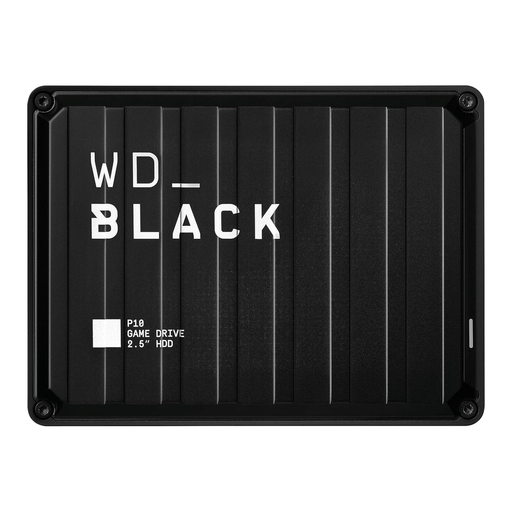
Western Digital WD BLACK P10 2 TB Game Drive
The 2 TB capacity may suit a library with more games to store between sessions. Confirm the drive’s connection and console requirements for your intended use; PS5 games cannot launch directly from USB extended storage.
View on Joybuy
 No image available
Lexar ES4 Portable SSD with Magnetic Set 2 TB
For an external-library setup, check this 2 TB USB 3.2 Gen 2 drive against the console’s extended-storage and formatting requirements. The product title states read speeds of up to 1050 MB/s and write speeds of up to 1000 MB/s; those figures do not change PS5’s rule against playing PS5 games directly from USB.
View on Joybuy
 No image available
Lexar ES4 Portable SSD with Magnetic Set 1 TB
This 1 TB variant offers a smaller stated capacity than the 2 TB ES4 above. Its title specifies USB 3.2 Gen 2 and read and write speeds of up to 1050 MB/s and 1000 MB/s respectively. Confirm your console’s USB requirements and intended game-use role before choosing it; PS5 games cannot launch directly from USB.
View on Joybuy
Storage questions answered
Can I play PS5 games directly from a USB drive?
No. PlayStation says USB extended storage can hold PS5 games, but you must copy them back to PS5 console storage or compatible M.2 SSD storage before playing.
What should I check on a PS5 internal SSD?
Check the exact drive against PlayStation’s PCIe Gen4 x4 NVMe M.2 Key M, capacity, bay-size and heat-dissipation requirements, including its dimensions with cooling fitted. PlayStation recommends sequential read speed of 5,500 MB/s or faster and does not support M.2 SATA SSDs.
Will ordinary USB storage play Optimised Xbox Series X|S games?
No. Xbox says those games must be on the console’s internal SSD or a Storage Expansion Card to play. USB storage can instead hold games for transfer back to playable storage.
What USB drive does Xbox require for game storage?
Xbox specifies USB 3.0 external storage with at least 128 GB capacity for games and apps. Check the connection as well as the drive when setting it up.
Does formatting a PS5 USB drive erase what is on it?
Yes. PlayStation says formatting a drive as USB extended storage erases its existing data. Copy any files you want to keep elsewhere before formatting.


