For quantity take-offs that involve drawings, estimating software and spreadsheets, a 31.5–32-inch 4K monitor is a useful starting point if your desk has room to position it comfortably. Prioritise screen adjustment as you change desk height; consider a docking monitor if your laptop supports its video and charging functions, and colour-oriented features if you also review visual materials. The screen alone does not determine whether the whole workstation is suitably arranged.
Who this setup suits
Drawing-and-spreadsheet quantity estimators
If you regularly move between plans, take-off software and calculation sheets, you need enough readable space to keep the relevant windows in view. Lenovo describes its 31.5-inch ThinkVision P32p-30 as accommodating multiple windows, though your usable layout will also depend on text scaling.
Laptop-based standing-desk workers
If you move a laptop between work locations or change desk height, check both the screen's adjustment and the connections you need at the desk. Monitor charging and hub functions vary by model and must match your laptop.
Colour-sensitive construction visual reviewers
If quantity work also involves colour-coded drawings, renders or presentation materials, colour specifications may matter alongside workspace. BenQ and LG publish colour-oriented specifications for particular models; those features are less relevant to calculations based only on numbers.
What matters when choosing
Start with the space needed to read plans and enter quantities, then check whether the screen can be positioned at your working heights. Laptop connections and colour features matter when those tasks are part of your own setup.
| Concern |
What to check |
Who this matters to |
| Drawing and calculation workspace |
Consider a 31.5–32-inch 4K screen, then check whether text and spreadsheet cells remain readable with your preferred scaling and viewing distance. |
I need to consult a drawing while entering quantities without repeatedly swapping windows; around 31% of consumers put multi-window workspace first. |
| Screen position as desk height changes |
Check the stand's height range and tilt, its footprint and any mounting option you intend to use. The Health and Safety Executive advises placing the top of the screen at eye level, about an arm's length away. |
When I raise the desk, I still need to see the display without adopting an awkward position; roughly 31% of consumers make screen positioning their primary concern. |
| Laptop connection |
Confirm that the laptop supports video through the relevant USB-C or Thunderbolt port and compare its charging requirement with the monitor's stated power delivery. |
I want to reconnect my work laptop without managing separate display, power and peripheral connections; about 19% of consumers prioritise a simpler laptop setup. |
| Colour handling |
If visual review is part of the job, compare the stated colour coverage and calibration features of the exact model. |
I also inspect colour-coded plans or presentation visuals, so colour features affect my choice; around 19% of consumers place colour-sensitive review first. |
Buying pitfalls
-
Assuming the standing desk fixes screen position
Changing desk height also changes the relationship between the screen, keyboard and your working position. The Health and Safety Executive advises considering the whole workstation, not the monitor alone.
Check the display at the standing height you intend to use, including its height, viewing distance and alignment with your keyboard.
-
Assuming any USB-C monitor will dock a laptop
Dell, BenQ and Lenovo specify different power-delivery capabilities for the monitors discussed here. A monitor connection does not establish that a particular laptop will receive video and sufficient charging through one cable.
Compare the monitor's upstream connection and power delivery with your laptop's display-port support and charging requirement.
-
Choosing a large screen without checking desk depth
A 31.5–32-inch display still needs a workable viewing position, while windows and lighting can affect reflections. The Health and Safety Executive advises placing the screen about an arm's length away.
Measure the usable depth with the stand or intended mount in place, and check where the display will sit relative to light sources.
Brands to consider
These examples refer to particular monitor lines and models, not every screen made by each brand.
Dell
The UltraSharp U3225QE is a 31.5-inch 4K hub-monitor option for a laptop-centred desk.
- Dell UK lists 150 mm height adjustment, pivot, swivel and tilt, a USB hub and power delivery up to 140W.
- If you only need a display connection, check whether its docking functions would be useful in your setup.
BenQ
The PD3225U combines a 31.5-inch 4K screen with features aimed at colour-aware work and connected laptops.
- BenQ UK lists 150 mm height adjustment, 85W Thunderbolt power delivery, KVM, picture-in-picture and a factory calibration report.
- Consider whether colour-focused features are relevant if your work consists mainly of numeric take-offs.
Lenovo
The ThinkVision P32p-30 is a 31.5-inch 4K professional-monitor option for multi-window work and laptop connectivity.
- Lenovo UK lists Thunderbolt 4, Ethernet, a USB hub, charging up to 100W and several stand adjustments.
- Check current availability and the exact model before planning a workstation around it.
LG
The 32UN650K-W is a 31.5-inch 4K IPS option for buyers focused on screen area and basic adjustment.
- LG UK specifies a height-and-tilt adjustable stand for the 32UN650K-W.
- If you need charging through the monitor, confirm the connections of the exact model you intend to buy. The similarly named 32UN650K in the product list below should not be assumed to have the same stand.
Joybuy monitors for this work
These large 4K monitors offer different approaches to quantity work, from laptop-oriented connections to colour-focused displays. For each one, check that its stand, screen shape and ports suit your desk and computer.
 No image available
BenQ MA320UP 32-inch 4K USB-C monitor
Consider this model if you need a large calculation screen and a height-adjustable stand. Its listed features include an IPS panel and USB-C; confirm video and charging compatibility with your laptop before relying on a one-cable setup.
View on Joybuy
 No image available
Lenovo L32p-30 31.5-inch 4K IPS USB-C monitor
The 31.5-inch 4K screen is an option for keeping drawings and calculation sheets visible. If laptop docking or screen-height changes are important, confirm the USB-C charging capability and stand adjustment against your own setup.
View on Joybuy
 No image available
Dahua 32-inch curved 4K OLED monitor, 165Hz
This is a curved-screen option for a large 4K workspace; consider whether that shape suits the drawings and spreadsheets you use. The title lists Type-C 65W and a USB hub, but check laptop video and charging compatibility before planning to dock through it.
View on Joybuy
 No image available
ASUS ProArt Display PA32UCG-K 32-inch 4K Mini LED monitor
Consider its colour-oriented features if quantity work also includes reviewing visual materials; they may be unnecessary for numeric estimating alone. The title lists hardware calibration and Thunderbolt 3. Confirm the exact connection functions and supplied configuration if laptop docking matters to you.
View on Joybuy
 No image available
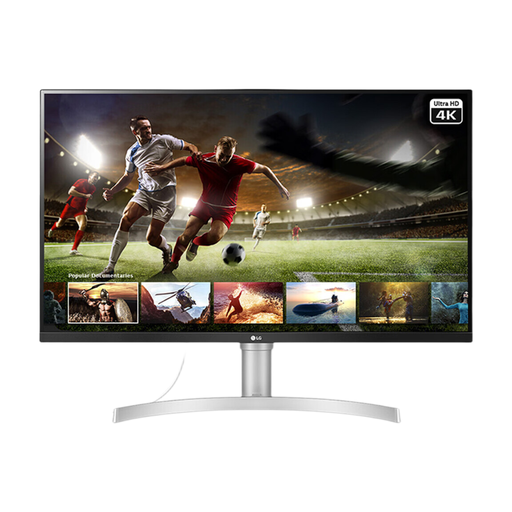
LG 32UN650K 32-inch 4K IPS monitor
This model offers a large 4K screen for viewing drawings and calculation sheets, with HDMI and DisplayPort named in its title. Confirm the supplied stand's height adjustment or a suitable mounting option for your standing desk; do not assume it matches the 32UN650K-W stand.
View on Joybuy
Common questions
Where should a monitor sit at a standing desk?
The Health and Safety Executive advises placing the top of the screen at eye level and the display about an arm's length away. Check its position at the desk height you actually use, with the screen and keyboard aligned so you need not twist to work.
Do I need a height-adjustable monitor if my desk moves?
Not necessarily, but you need a way to position the screen suitably at your working heights. Check the included stand's range or a compatible mounting arrangement, then assess the screen as part of the whole workstation.
When does 4K help with quantity take-offs?
A 4K screen is worth considering when you want drawings, estimating software and spreadsheets visible on one display. Lenovo describes its 31.5-inch ThinkVision P32p-30 as providing room for multiple windows; check that your preferred text scaling keeps the contents readable at your viewing distance.
Will a USB-C monitor charge my work laptop through one cable?
Only if the particular monitor, laptop and connection support the functions you need. Check video output on the laptop port and compare the monitor's stated power delivery with the laptop's charging requirement; the connector shape alone does not establish compatibility.


