Panoramic cockpit-view racers
You put a wide cockpit view first and are willing to check how your racing games handle a 21:9 or 32:9 screen rather than defaulting to 16:9.


Choose 32:9 if a panoramic cockpit view is your priority, 21:9 if you want a large ultrawide image without going as wide as 32:9, or 16:9 4K if a conventional layout matters more. Before buying, check your racing games’ display options and the resolution and refresh rate your PC or console can use through the monitor’s intended input.
You put a wide cockpit view first and are willing to check how your racing games handle a 21:9 or 32:9 screen rather than defaulting to 16:9.
You want a large, detailed image and a familiar 16:9 layout that also suits console play or a mixed game library.
You prioritise high-refresh operation and adaptive sync, while matching the display mode to your PC’s graphics output and connections.
Choose the screen format around the view you want, then check whether your games and equipment can use the display mode you intend to buy it for.
Choose it when: A panoramic cockpit-style view is your main reason for moving to a large monitor.
Accept: Its unusually wide format needs room on your desk and a check of each game’s aspect-ratio and HUD behaviour.
Choose it when: You want a large curved ultrawide screen but not the full width of 32:9.
Accept: On LG’s 45GX950A, its stated 330Hz mode uses a different resolution from its 5120×2160, 165Hz mode.
Choose it when: A conventional layout for racing, other games or console use matters more than maximum screen width.
Accept: The 16:9 format gives you less horizontal span than either ultrawide route.
For consumers choosing a large screen for racing games, these concerns describe different primary needs. Match the checks to the one that matters most in your setup.
| Concern | What to check | Who this matters to |
|---|---|---|
| Panoramic view | Compare 21:9 and 32:9 formats; check game aspect-ratio and HUD options. | If I want more of the cockpit and side scenery in view, width matters more to me than a familiar 16:9 layout. Roughly 36% of consumers put the panoramic view first. |
| Image detail | Compare native resolution and screen size, then consider the graphics workload. | For racing alongside other games, I want a detailed large image without choosing width alone. Around 29% of consumers make image detail and layout versatility their primary concern. |
| Motion | Check refresh rate at the intended resolution and the adaptive-sync mode supported by your PC. | When fast movement is my priority, I need a display mode my gaming PC can actually drive. Approximately 21% of consumers put high-refresh operation first. |
| Console connection | Check the monitor’s input modes, your console output and the required cable. | If I plan to race on a console, I want to know the intended resolution and refresh rate will work through its connection. For about 14% of consumers, connection certainty is the main concern. |
LG rates the 45GX950A at 165Hz in its 5120×2160 mode and 330Hz in a different-resolution mode. A monitor’s PC refresh-rate specification also does not establish what a console can output through a particular input.
Check the monitor’s resolution-and-refresh table against your graphics card or console port and the cable you intend to use.
A 49-inch 32:9 screen makes width a defining part of the setup, but the view and HUD you get depend on your racing games’ display options.
Check your most-played titles’ aspect-ratio and HUD settings, then measure usable desk width and depth.
Samsung describes brightness reduction for fixed screen elements on the G93SC, while noting that logo detection is not available in PC mode. Protection features do not remove the need to consider static HUDs and desktop elements.
Follow the monitor’s panel-care instructions and consider how long fixed images remain on screen in your usual setup.
The Odyssey OLED G9 G93SC is a 49-inch curved 32:9 option for a particularly wide racing setup.
The 45GX950A offers a large curved 21:9 OLED format with a choice of resolution and refresh modes.
The AW3225QF represents a large, curved 16:9 4K option for racing alongside other games.
These choices cover 49-inch 32:9 screens for panoramic PC setups, a smaller 21:9 ultrawide, and a 16:9 4K screen. Choose by format first, then check your games, desk and intended input mode against the individual model.
 No image available
Consider this format if a wide racing-game view is your priority, after checking your games and desk space.
The listed resolution is 5120×1440, with a 1500R VA panel and AMD FreeSync. Check which resolution and refresh-rate combinations your intended input supports.
 No image available
This is another panoramic-format choice for a racing setup with room for a 49-inch screen.
Its title lists Double Quad HD, 240Hz, an 1800R curve and AMD FreeSync Premium. Confirm game display options and the refresh rate available through your chosen connection.
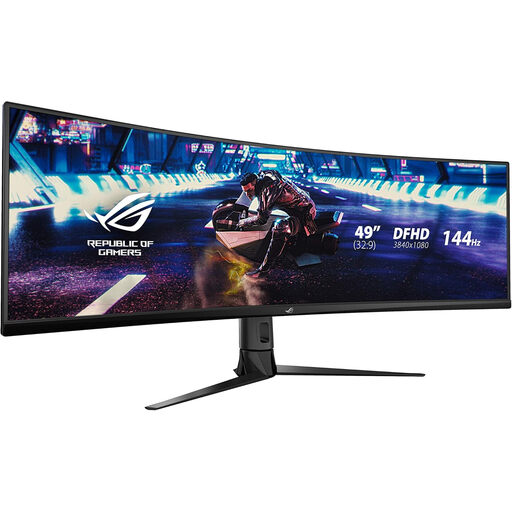 No image available
Consider its wide racing-game layout if 32:9 matters more to you than the vertical resolution of the higher-resolution options here.
The listed DFHD resolution is 3840×1080. Check whether that level of vertical detail and your games’ 32:9 HUD behaviour suit you.
 No image available
Its 21:9 format is worth considering if you want an ultrawide racing view without moving to a 49-inch 32:9 screen.
The title lists 3440×1440 resolution, a VA panel and DisplayPort 1.4 connections. Check the refresh-rate limit of the particular input you plan to use, as well as adaptive-sync support if you need it.
 No image available
Choose this conventional-format route if a large 4K image matters more to you than ultrawide width.
The title lists 3840×2160 resolution and USB-C 65W. For Xbox Series X 4K at 120Hz, check the monitor’s exact HDMI input behaviour and use an appropriate Ultra High Speed HDMI cable; also confirm adaptive-sync support if it matters to your setup.
Choose 32:9 for maximum horizontal span, 21:9 for an ultrawide view without going as wide, or 16:9 4K when a conventional layout is more useful to you. For either ultrawide option, check the aspect-ratio and HUD settings in the racing games you play most.
Yes, if the monitor and connection support that output mode. Xbox Support describes Xbox Series X HDMI 2.1 features including 4K gaming at 120Hz with an Ultra High Speed HDMI cable; check the exact monitor input and console settings rather than relying on its maximum PC refresh-rate figure.
Yes; follow the specific monitor’s panel-care instructions rather than treating protection features as a guarantee. Samsung describes static-image brightness measures for the G93SC but notes that logo detection is not available in PC mode, a relevant condition if fixed HUD or desktop elements are part of your usual use.
Use an electrical-waste collection or take-back route available to you rather than putting a monitor in general waste. GOV.UK explains that the UK waste electrical and electronic equipment framework aims to reduce electrical equipment sent to landfill or incineration; check your local authority’s arrangements or ask a retailer about take-back.