Laptop-led dashboard builders
If you build dashboards and sales reports on one work laptop, a separate screen can give charts and tables their own workspace. Check both the display connection and the room left for your laptop on the desk.


For a home-office sales dashboard used mainly from one laptop, start by comparing height-adjustable 27-inch 4K monitors: they provide a high-resolution workspace without the width of a 34-inch ultrawide. Choose a 34-inch 21:9 screen when keeping a dashboard, spreadsheet, CRM and other windows visible together matters more; either way, check desk fit, screen position and laptop connections before buying.
If you build dashboards and sales reports on one work laptop, a separate screen can give charts and tables their own workspace. Check both the display connection and the room left for your laptop on the desk.
If a live dashboard needs to remain visible beside a spreadsheet, CRM or communications tool, the amount of usable horizontal screen space may matter more than a compact footprint.
If you spend sustained periods at the screen, consider how the monitor fits your desk, chair and working position. The Health and Safety Executive advises positioning the top of the screen around eye level and the display about an arm's length away.
Choose the screen format around the work you need visible at once, then check whether the stand and connections fit your desk and laptop.
Choose it when: One laptop and a dashboard of tables, charts and browser views are the centre of your work, and desk width is limited.
Trade-off: A 16:9 display offers less continuous horizontal space than a 34-inch 21:9 screen, so several large windows may need more rearranging.
Choose it when: You regularly need sales views and other applications open side by side on one screen.
Trade-off: The wider display needs more usable desk space and a position from which you can view the whole screen comfortably.
| Concern | What to check | Who this matters to |
|---|---|---|
| Dashboard detail | Compare native resolution, screen size and the room available on your desk. | If I spend most of my time reading chart labels and tables, I want a detailed screen that still fits beside my laptop; around 30% of consumers put compact dashboard detail first. |
| Laptop connection | Check USB-C video support, the monitor's stated power delivery and your laptop's charging requirement. | When I move my work laptop to the desk, I want to avoid arranging several adapters each time; around 30% of consumers put a simpler laptop connection first. |
| Multiple work views | Measure desk width and depth, and decide whether you need windows from one computer or pictures from two sources. | I need the live dashboard to stay in sight while I work in a spreadsheet or CRM; around 20% of consumers put simultaneous window visibility first. |
| Screen position | Check stand adjustment or VESA mounting, viewing distance and reflections at your desk. | For long desk sessions, I need to place the screen without working around an awkward fixed height; around 20% of consumers put workstation fit first. |
A larger diagonal does not tell you whether the screen will fit at a suitable viewing distance or height. The Health and Safety Executive advises placing the top of the screen around eye level and the display about an arm's length away.
Measure usable desk width and depth, then check the stand's adjustment range or the monitor's VESA mounting specification.
USB-C video and charging capabilities vary by model. LG specifies charging up to 90 W on the 27UP850K-W, while BenQ specifies 65 W power delivery on the PD2705U; neither figure establishes compatibility with your laptop.
Compare the laptop's video-output mode and power requirement with the exact monitor specification, and check the cable you intend to use.
Depending on that combination, you may still need a separate laptop charger, dock or compatible cable.
A broad screen is useful when several work views must remain visible together, but its extra width has less value if one dashboard occupies most of your working day.
Decide which applications need to stay open side by side before choosing between a 34-inch 21:9 screen and a 27-inch 4K model.
Monitor position is only part of a sustained desk-work setup. The Health and Safety Executive says workstation assessments should consider the equipment, work and individual requirements together.
Consider the chair, desk, keyboard and lighting alongside the screen. If you use display screen equipment for work, raise any assessment needs with your employer.
Dell lists the 27 Plus 4K USB-C Monitor S2725QC as an office-oriented 27-inch model.
LG lists the UltraFine 27UP850K-W as a 27-inch 4K IPS option for a laptop-led desk.
Samsung's ViewFinity S65VC is a 34-inch option for a broad, single-screen workspace.
BenQ lists the PD2705U as a 27-inch 4K USB-C monitor with workstation features.
These monitors cover compact 27-inch 4K dashboard setups and wider 34-inch workspaces. Compare their individual connections and adjustment options against your laptop and desk rather than assuming that models of the same size offer the same features.
 No image available
Consider this for a laptop-led dashboard desk if its display connection and charging arrangement suit your laptop.
 No image available
Consider this 27-inch option if you want an adjustable screen for dashboard work and its Mac-focused features suit your laptop setup.
 No image available
Consider this for a compact dashboard workspace if HDMI or DisplayPort fits the way you connect your laptop.
 No image available
Consider this wide screen if you need room for several dashboard-related windows and have measured the available desk space.
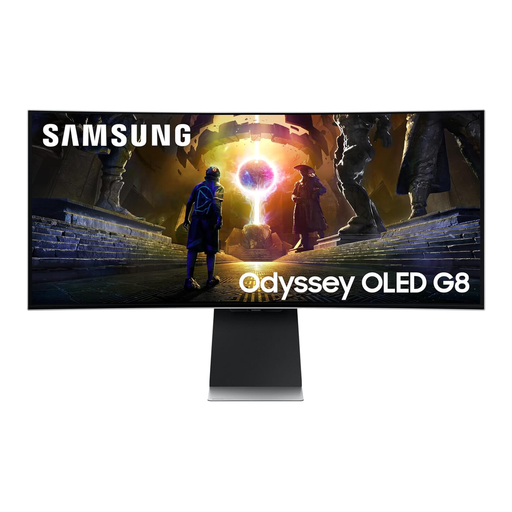 No image available
Consider this 34-inch format when keeping several work windows across one display is more important than a compact desk footprint.
Choose a 27-inch 4K screen if a compact, high-resolution workspace for dashboards and tables is your priority; choose a 34-inch 21:9 screen if several work windows need to remain visible side by side. Measure your desk and check that you can position either screen at a suitable viewing distance.
One cable can handle both on a compatible monitor and laptop, but a USB-C socket alone does not guarantee it. LG specifies display, data and charging up to 90 W on the 27UP850K-W, while BenQ specifies 65 W power delivery on the PD2705U; compare the exact monitor's video mode and power rating with your laptop's requirements.
The Health and Safety Executive advises placing the top of the screen around eye level and the display about an arm's length away. Check that the stand, desk depth and lighting let you use that position without twisting to see the screen.
For employees who use display screen equipment daily as part of normal work for continuous periods of an hour or more, the Health and Safety Executive says employers must carry out a workstation assessment. Raise your home setup and any individual needs with your employer; a new monitor does not replace consideration of the whole workstation.