Choose a 27-inch 4K monitor if inspecting detailed sales tables matters most, or a 34-inch ultrawide if you regularly need a dashboard and spreadsheet visible side by side. A 27-inch QHD monitor is another option when you prioritise an adjustable setup over 4K detail; whichever format you choose, check that the screen fits your desk, reaches a suitable height and connects to your computer as intended.
Who is this for?
Dashboard and spreadsheet reviewers
If you spend time checking sales figures, reports and browser dashboards, decide whether finer detail on one screen or more room for adjacent windows helps your work most. The Dell, LG and Samsung models discussed below illustrate those different screen formats.
Standing-desk laptop workers
If you change between sitting and standing, screen position matters alongside resolution. The Health and Safety Executive (HSE) advises placing the screen directly in front of you, with its top at eye level and the display about an arm's length away.
Multi-device shop operators
If you move between a laptop and another computer, check the exact inputs and how the monitor's USB-C, Ethernet or keyboard-and-mouse switching functions work with your devices. The LG 34BA75QE-B and Samsung ViewFinity S60UD are manufacturer-listed examples with connectivity features worth comparing against that workflow.
What matters when choosing?
27-inch 4K
Choose when: Detailed figures and reports take priority over fitting several wide windows across one screen.
Trade-off: A conventional 16:9 display offers less horizontal room than a 34-inch 21:9 ultrawide. Dell lists its 27-inch U2723QE at 3840 × 2160.
34-inch ultrawide
Choose when: You need a sales dashboard and spreadsheet open beside each other and have room on the desk.
Trade-off: It takes more desk width; LG's 34BA75QE-B uses a 3440 × 1440 layout with fewer vertical pixels than the cited 4K Dell screen.
27-inch QHD
Choose when: Ordinary dashboards and an adjustable, conventional-size screen matter more to you than 4K detail.
Trade-off: QHD has fewer pixels than 4K at the same size. Samsung lists the 27-inch ViewFinity S60UD at 2560 × 1440, while BenQ lists adjustable positioning on its QHD GW2790QT.
| Concern |
What to check |
Who this matters to |
| Detailed sales figures |
Compare native resolution at your preferred screen size, then check that your computer can output it and that text remains comfortable at your chosen scaling. |
If I inspect dense sales tables for long stretches, I want figures and labels to remain readable. Roughly 31% of consumers would put detailed-text clarity first. |
| Side-by-side tools |
Check aspect ratio, physical screen width and how your main applications fit in adjacent windows; a wider screen does not necessarily add vertical space. |
Keeping a dashboard beside a spreadsheet helps when I compare sales sources without repeatedly changing windows. Around 31% of consumers would prioritise that horizontal workspace. |
| Screen position |
Check the stand's actual adjustment range, desk stability and, if using an arm, its mounting and load compatibility. The HSE advises keeping the screen directly ahead, with its top at eye level and the display about an arm's length away. |
When I change between sitting and standing, I need the screen to reach a comfortable position in both. Approximately 23% of consumers would make positioning their primary concern. |
| Laptop and device connections |
Confirm USB-C video support, the laptop's charging requirement and the monitor's power delivery. For two computers, check the exact inputs and keyboard-and-mouse switching behaviour. |
I want to connect my work laptop without changing several cables, or switch control between two devices. Roughly 15% of consumers would put connection convenience first. |
Buying pitfalls
-
Choosing an ultrawide before measuring the desk
A 34-inch screen can provide room for adjacent sales windows, but its width may leave an awkward position for the screen, keyboard or laptop on a standing desk.
Measure usable width and depth with your other equipment in place. If you cannot position the display directly ahead, consider a 27-inch format instead; the HSE advises keeping the screen in front of you.
Rearranging input devices or using a suitable monitor arm may add setup work.
-
Assuming every USB-C monitor can power a laptop
Charging capability varies by model: BenQ lists 65W for the GW2790QT, while the cited Dell, LG and Samsung productivity models list up to 90W. Those figures alone do not establish compatibility with your laptop.
Check that your laptop accepts charging and video through the intended connection, and compare its power requirement with the exact monitor model's rating.
You may still need to use a separate laptop charger.
-
Treating eye-comfort features as a workstation setup
A display feature does not position the screen or replace changes of activity during long review sessions. HSE guidance addresses screen position, posture and breaks.
Set the display at an appropriate height and distance, and take regular changes of activity rather than relying on a feature label alone.
-
Choosing KVM or Ethernet without checking the workflow
These connections are useful only if the monitor's inputs and switching behaviour match the computers you intend to use.
List your devices and cables, then check the exact model's ports, USB-C video support and keyboard-and-mouse switching arrangements.
A different cable, adapter or separate dock may be needed for your setup.
Brands to consider for these monitor formats
Dell
Dell's UltraSharp U2723QE is a reference for a conventional 27-inch 4K USB-C workspace.
- Dell lists height, pivot, swivel and tilt adjustment, LAN and USB-C power delivery up to 90W for this model.
- Check that its 16:9 screen provides enough horizontal room for the windows you use together.
LG
LG's 34BA75QE-B illustrates the ultrawide route for viewing sales files side by side.
- LG lists a 34-inch 21:9 WQHD display, USB-C power delivery up to 90W, RJ45 and KVM for this model.
- Its 3440 × 1440 layout has fewer vertical pixels than the cited 3840 × 2160 Dell 4K model; check desk width and text scaling before choosing.
Samsung
Samsung's 27-inch ViewFinity S60UD is a QHD option for a conventional-size laptop workstation.
- Samsung lists USB-C charging at 90W and a built-in LAN connection for the S60UD.
- Its 2560 × 1440 resolution shows fewer pixels than 4K at the same 27-inch size; assess whether that matters for your reports.
BenQ
BenQ's GW2790QT illustrates a 27-inch QHD route centred on adjustable positioning and USB-C laptop connection.
- BenQ lists height, tilt, pivot and swivel adjustment, a USB hub and 65W USB-C power delivery.
- Check the laptop's charging requirement against 65W and the stand's range against your standing position.
Lenovo ThinkVision
The ThinkVision P27u-20 is a 27-inch 4K reference for a docking-style workstation.
- Lenovo lists Thunderbolt 4, Ethernet, a USB hub and up to 100W power delivery for this model.
- Check the exact variant and its connections against the laptop and other devices you plan to attach.
Joybuy monitor options
These models offer 27-inch 4K screens for detailed reports and 34-inch ultrawide screens for reviewing sales windows side by side. Compare their stated connections and physical fit with your own standing-desk setup.
 No image available
MSI MD272UPSW Smart 27-inch 4K USB-C monitor with Google TV
Consider this 27-inch format if detailed sales reports take priority over an ultrawide layout. Its product name specifies a 4K IPS screen and 65W USB-C; check your laptop's video and charging requirements, and whether the stand reaches your standing eye height.
View on Joybuy
 No image available
BenQ MA270UP Nano Glossy IPS 27-inch 4K USB-C Mac monitor
Consider this model for detailed reports if its Mac-focused setup matches your computer. Its product name specifies an adjustable stand; confirm that the adjustment range suits both seated and standing positions, and check your computer's USB-C video and charging compatibility.
View on Joybuy
 No image available
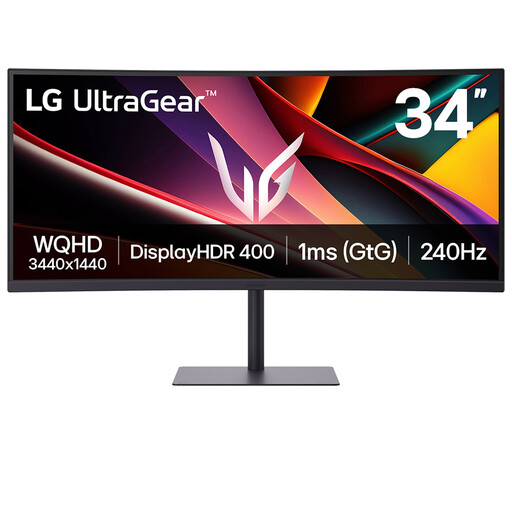
LG UltraGear 34G630A-B 34-inch VA WQHD 240Hz monitor
Consider its ultrawide format if you need sales windows beside each other and have enough desk width. Measure your working surface and check your laptop connection and charging arrangement before choosing it for a standing desk.
View on Joybuy
 No image available
LG UHD 27UP650K white 27-inch 4K IPS monitor
This 27-inch format is relevant when detailed figures matter more than ultrawide space. Its product name lists HDMI and DisplayPort; confirm the exact ports, the stand's usable height and how you would connect and charge a laptop.
View on Joybuy
 No image available
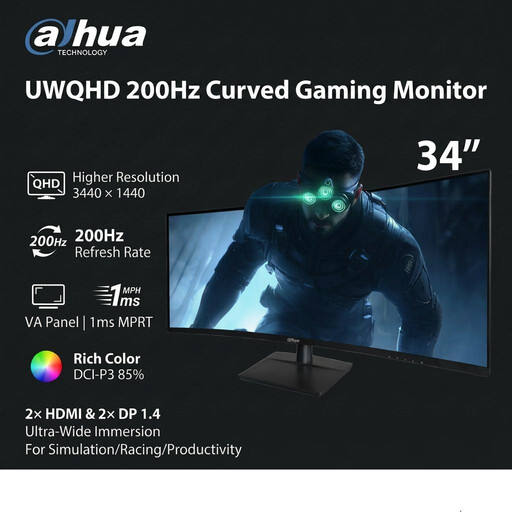
Dahua 34-inch 3440 × 1440 VA 200Hz curved monitor
Consider this ultrawide if adjacent sales windows are your priority and the desk can accommodate a 34-inch display. Its product name lists two HDMI and two DisplayPort 1.4 inputs; check how your computer will connect and whether you need a separate charging arrangement.
View on Joybuy
Frequently asked questions
Where should a monitor sit when I work at a standing desk?
Position it directly in front of you, with the top of the screen at eye level and the display about an arm's length away, following HSE guidance. Check that the stand or a compatible arm can achieve that position when you both sit and stand.
Should I choose a 34-inch ultrawide or a 27-inch 4K screen for sales spreadsheets?
Choose the ultrawide if keeping files side by side is the main need and your desk has room; choose 27-inch 4K if detailed text in a conventional 16:9 layout matters more. LG describes adjacent files and extended spreadsheet rows for its 34BA75QE-B, while Dell lists 3840 × 2160 resolution for its 27-inch U2723QE.
Will a USB-C monitor charge my work laptop?
It can if your laptop accepts USB-C charging at the monitor's offered wattage; using the same cable for the picture also requires compatible video output. BenQ lists 65W for the GW2790QT and Samsung lists 90W for the ViewFinity S60UD, so compare the exact monitor and laptop requirements rather than assuming any USB-C port will do both jobs.
Do display-screen-equipment rules tell me which monitor resolution to buy?
The HSE guidance cited here addresses workstation setup, posture and work routines rather than recommending a particular resolution for sales reports. If you use a screen regularly as an employee, ask your employer about its display-screen-equipment assessment process as well as checking the monitor's fit for your tasks.


