Households choosing a first control platform
You want to bring lights, plugs, heating or speakers into an app, routine or voice-control setup without buying accessories that cannot work with your household's phones and preferred assistant.


Start with a control platform that fits the phones, speakers and habits already in your household, then check one compatible device before expanding. Matter can leave room to use supported platforms later, but its label alone does not establish that every feature will work in every app; a Thread device may also need a suitable border router.
You want to bring lights, plugs, heating or speakers into an app, routine or voice-control setup without buying accessories that cannot work with your household's phones and preferred assistant.
You want to begin with a few devices and may add sensors, heating controls or more rooms later. The supported Matter device categories and any Thread infrastructure matter before you commit to that expansion.
You want to separate everyday device control from features that require a subscription, while checking the manufacturer's published software and security-support information for the model you choose.
Choose the app or voice assistant your household will actually use, then check the first accessory, its hub requirements and the features you want to keep using.
| Concern | What to check | Who this matters to |
|---|---|---|
| Existing devices | Look for the accessory's exact Apple Home, Google Home or Alexa compatibility, and check that the people who need control can use the chosen app. | If the household already relies on particular phones or a voice assistant, I want the new devices to fit that familiar way of controlling them; around 31% of consumers put ecosystem fit first. |
| Room to expand | Check the platform's support for the exact Matter device category and whether a planned Thread accessory needs a compatible border router. | Adding devices later, or using more than one supported platform, matters more to me than staying within one app; roughly 25% of consumers prioritise expansion flexibility. |
| A manageable start | Choose one supported light, plug or speaker use and confirm how it joins the app and runs the intended routine. | I would rather establish that one useful routine works at home before adding several device types; about 19% of consumers make a simple start their main concern. |
| Subscriptions and support | Check whether your intended feature needs a subscription and find the exact model's published updates and support information. | For devices I expect to keep using, I want to understand which features depend on a service and where to find support; around 25% of consumers place that assurance first. |
Matter supports interoperability, but the Connectivity Standards Alliance and Google describe platform and device-category support that still needs checking. A device may connect without exposing every function you want in your chosen app.
Check the accessory's exact category and the specific controls or automations available on the platform you plan to use.
The Connectivity Standards Alliance explains that a Thread Border Router connects Thread devices to the local IP network. Amazon and Google also identify suitable Thread infrastructure as a condition for their Thread-based Matter setups.
Check whether the accessory uses Wi-Fi or Thread, then identify the compatible border router your intended setup requires.
Google describes Google Home Premium as a separate subscription for features including recorded footage on compatible Nest devices. Amazon describes Alexa+ separately from standard Alexa control.
Check the current terms for the particular feature you want, rather than assuming a routine, recording feature and premium assistant all have the same access conditions.
The UK connected-product security regime applies to relevant products placed on the market, but it does not establish how long a particular model will receive feature updates.
Look up the model's support page, published support period and firmware history before relying on it for a long-running setup.
Apple Home is a control route for households already using Apple devices.
Google Home brings supported devices into its app and voice-control setup.
Alexa provides app and voice control, while Amazon positions Echo Hub as a dedicated smart-home control panel.
Philips Hue focuses on connected lighting that can be linked with supported control platforms.
Aqara offers hubs and connected accessories for households comparing a hub-and-device setup.
These choices cover two different starting points: a smart plug for a compatible control setup and a Xiaomi hub for a planned group of compatible devices. Check each product against your chosen app and network before treating them as parts of the same system.
 No image available
Consider this plug if controlling one connected device is your first practical use for a smart-home setup.
The product name identifies a power meter and UK Type G plug. Because its Wi-Fi wording conflicts with its Thread description, confirm the connectivity of this exact variant and the Matter controller and Thread infrastructure your setup would require.
Check the intended appliance against the plug's stated indoor-use and electrical-load limits before connecting it.
 No image available
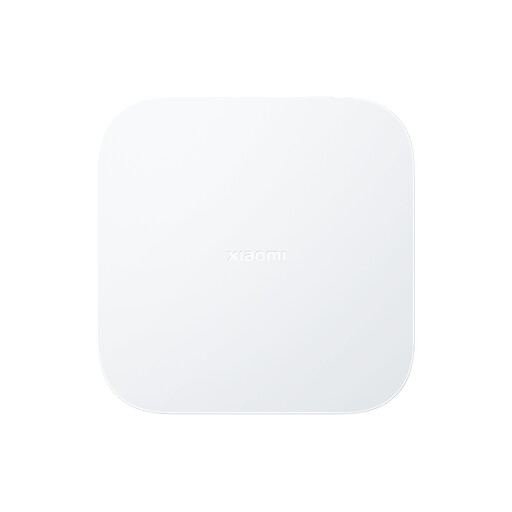
Consider this hub if you are planning a setup around compatible Xiaomi or Mijia devices rather than choosing a standalone accessory.
Before buying, check the exact devices, phone app and setup requirements for this model. If Matter or Thread is central to your plans, confirm the support you need for this variant.
Not for every basic device, but the functions you want may require one. Google says a Matter-enabled hub is needed to add Matter devices to Google Home; Apple identifies a HomePod, HomePod mini or Apple TV home hub for functions including control while away. Check the requirements of your chosen accessory and platform together.
No. Matter is intended to support control across compatible platforms, but supported device categories and available functions can differ. Check the exact accessory category and the functions offered in the app you intend to use.
You need suitable Thread infrastructure when your planned accessory uses Thread. The Connectivity Standards Alliance explains that a Thread Border Router connects Thread devices to the local IP network; identify a compatible router for your chosen platform before buying the accessory.
It depends on the device and the particular feature, rather than on smart-home control as a whole. Google describes a separate subscription for recorded-footage features on compatible Nest devices, while Amazon treats Alexa+ as a distinct service. Check the current terms for the feature you intend to use.
Check the exact model's published support period, firmware or release-note history and security-contact information. The UK connected-product security regime applies to relevant products placed on the market, but it does not itself tell you how long a particular model will receive feature updates.