Client-handover professionals
If you are delivering a completed pattern folder, you need a portable way to transfer the agreed files and check that the client can open them.


Choose a portable SSD for frequent sewing-pattern handovers when a compact drive and shorter copy times matter; consider a portable HDD when the files form a large archive and capacity is the priority. Before buying, check the recipient’s connection and ability to open the files, size the drive for the agreed folder and foreseeable revisions, and plan appropriate encryption if the handover includes personal client information.
If you are delivering a completed pattern folder, you need a portable way to transfer the agreed files and check that the client can open them.
If you move files between a studio, fittings and home, a compact drive and manageable copy times may matter more than space for an extensive archive.
If the folder includes names, measurements, contact details or invoices, storage security becomes part of the handover plan. The Information Commissioner's Office identifies encryption as a way to protect personal information stored on portable media.
Start with what the client must receive and open, then decide whether protection of personal information, frequent transfers or archive space is your primary concern.
| Concern | What to check | Who this matters to |
|---|---|---|
| Client information | Check the folder for personal data and, if present, agree an encryption method the recipient can use and a separate way to share the password. | My delivery includes measurements or contact details, so I need to limit access if the drive is lost. Around 42% of consumers would put protection of client information first. |
| Copying and portability | Check the sender’s USB port and cable, plus the recipient’s connection. Treat advertised speeds as maxima, not promised copy times. | I make repeated copies before fittings and want a compact drive that is practical to carry. For around 33% of consumers, quicker, easier handovers would be the primary need. |
| Archive capacity | Measure the agreed delivery folder, allow for revisions and keep an independent master copy. | I need room for versions, scans and reference images beyond the final patterns. Sufficient archive capacity would come first for around 25% of consumers. |
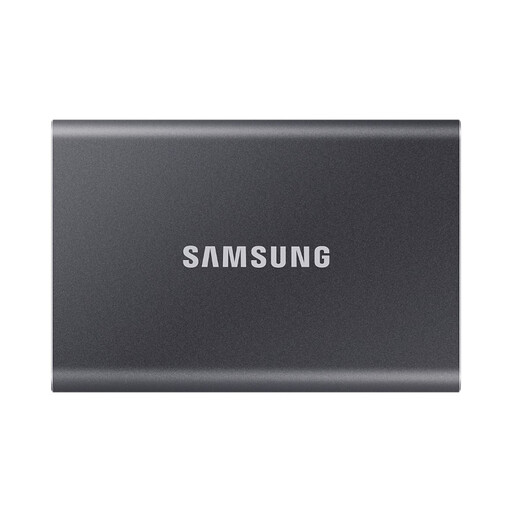
Samsung says the T7’s maximum sequential speeds require a compatible USB 3.2 Gen 2 host and cable with UASP enabled. An older connection can limit a transfer.
Check the computer’s port and the cable ends before choosing a drive for its headline speed.
A misplaced drive could expose names, measurements or other personal information. The Information Commissioner's Office identifies encryption of personal information on portable media as protection against unauthorised access.
Inspect the delivery folder and, where appropriate, set up encryption and share the password separately from the drive.
The agreed handover may also include graded sizes, source files, scans, photographs and revisions.
Measure everything the client will receive and allow for foreseeable additions. Keep your master copy on independent storage rather than treating the delivery drive as that copy.
Physical protection or access controls do not create another copy or show that the client can open the files.
Retain a separate master copy and test-open the delivered folder on a compatible device before handover.
The portable SSD T7 range is relevant to compact, repeated pattern-file handovers.
The Extreme Portable SSD line offers a portable SSD route for moving project folders between locations.
The One Touch with Password portable HDD range is relevant when a larger project archive and controlled access are priorities.
These portable SSDs are options for copying and carrying sewing-pattern handovers. Compare their stated capacity with the files you plan to deliver, and check the client’s connection and file access before choosing.
 No image available
Consider this portable SSD if a 2 TB drive fits the agreed delivery folder and foreseeable revisions.
The listed connection is USB Type-C 3.2 Gen 2. Check the sender’s port and whether the recipient can connect to and read the drive.
 No image available
This 1 TB portable SSD is an option for carrying a pattern handover between work locations.
The product name specifies USB Type-C 3.2 Gen 2. Confirm that the recipient can connect to and open the delivered files.
 No image available
Choose the 1 TB variant only after checking that it accommodates the agreed pattern files and expected revisions.
The listed connection is USB Type-C 3.2 Gen 2; confirm the sender’s port and the recipient’s file access.
 No image available
This 1 TB SSD may suit a handover that also calls for its stated magnetic attachment option for compatible iPhone 15 or 16 models; that feature is not needed for an ordinary computer transfer.
The product name specifies USB 3.2 Gen 2 and up to 1,050 MB/s read and 1,000 MB/s write. Confirm the connection and file access needed for the actual handover.
 No image available
This 2 TB portable SSD is an option when the delivered pattern folder needs more space than a smaller-capacity variant provides.
Check the recipient’s connection and file access. If the folder includes personal information, arrange a suitable encryption method rather than assuming the drive itself provides one.
Not every pattern-only folder calls for the same protection. If the handover includes personal information such as names, measurements or contact details, assess the risk and use appropriate safeguards; the Information Commissioner's Office identifies encryption of personal information on portable media as a way to protect it against unauthorised access.
Not necessarily. Samsung says the T7’s stated maximum sequential speeds require a USB 3.2 Gen 2-capable host and cable with UASP enabled, so check the computer and connection rather than treating the quoted figure as a promised handover time.
Keep an independent master copy before giving the client the delivery drive. Test-open the delivered folder as well: having a copy on the drive does not establish that the recipient can access every file.
Agree the recipient’s computer, connection and access method before setting up protection. If you use a password, confirm that the recipient can open the protected files and share the password through a separate channel.