What matters when choosing
Choose the drive's main job—active sessions or a stationary archive—then arrange a separate place to back up important projects.
Portable external SSD
Choose when: Active sessions need to sit beside your computer or travel between workspaces.
Allow for: Quoted transfer speeds depend on the computer and connection, and the SSD still needs a separate backup.
Desktop external hard drive
Choose when: A growing archive can remain at one workstation and capacity is the priority.
Allow for: A larger enclosure and an external power connection on or near the desk.
| Concern | What to check | Who this matters to |
|---|
| Active projects and desk space |
Check the drive's physical format and whether the computer, cable and any hub support its USB mode. |
When I keep current sessions close at hand, I need a compact drive that fits beside my computer without giving up a suitable connection. Around 42% of consumers would put this active-project need first. |
| Archive capacity |
Check capacity against the library you intend to keep, plus room for the enclosure and its power connection. |
If completed sessions and sound libraries will stay at one workstation, I would prioritise space for that growing archive over portability. Roughly 25% of consumers would make archive capacity their primary concern. |
| Backup and file sharing |
Plan a separate recoverable copy and check the format needed for Mac, Windows or Time Machine use. |
I need to know that important sessions can be recovered and that the drive suits the computers I use; a format change could erase files already on it. About 33% of consumers would put recovery and compatibility first. |
Portable SSDs on Joybuy
These portable SSDs address the compact, active-project side of the small-desk decision. Choose capacity for the sessions you plan to keep on the drive, check its USB connection against your computer and arrange a separate backup.
 No image available
Samsung Portable SSD T7 2 TB Blue
Consider this portable drive for active projects if you need the listed 2 TB capacity on a small desk.
USB Type-C, USB 3.2 Gen 2. Check your computer's port and intended cable, and keep a separate backup.
Joybuy
No image available
Samsung Portable SSD T7 1 TB Blue
This portable option suits active sessions if 1 TB accommodates the projects you want close at hand.
USB Type-C, USB 3.2 Gen 2. Check the capacity against your library and confirm the connection you will use.
Joybuy
 No image available
Samsung MU-PE1T0S 1 TB Black
Consider this portable 1 TB drive for current projects when desk space is limited.
USB Type-C, USB 3.2 Gen 2. Confirm that your computer and cable support the intended connection, and keep another copy of important sessions.
Joybuy
 No image available
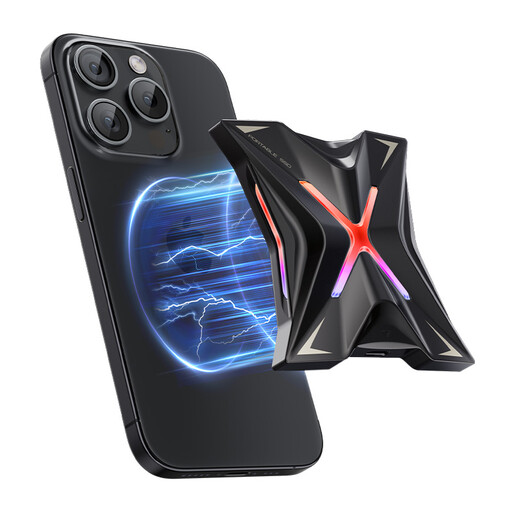
Lexar ES4 Portable SSD with Magnetic Set 1 TB
This portable SSD can hold active projects if 1 TB suits your working library; the magnetic set is not necessary for ordinary computer storage.
USB 3.2 Gen 2; the product title quotes up to 1,050 MB/s read and 1,000 MB/s write. Check host support and the drive's dimensions if desk fit is tight.
Joybuy
 No image available
MOVESPEED YSPSRX20M-1TTG 1 TB Portable SSD
Consider this 1 TB portable drive for active project storage if your computer supports the connection you intend to use.
USB 3.2 Gen 2×2; the product title quotes up to 2,060 MB/s transfer. Confirm host support before relying on that figure, and check the dimensions for a particularly small desk.
Joybuy
Common questions
Should I use a portable SSD or a desktop hard drive for music projects?
Choose a portable SSD for active sessions that need to fit beside your computer or move between locations; choose a desktop hard drive for an archive that can stay at one workstation. Seagate describes its Expansion desktop line as high-volume storage, while a desktop enclosure needs more space than a compact portable drive.
Why might an external SSD run below its quoted speed?
The computer, cable or connection mode may limit its speed. For the T7 Shield specifically, Samsung says its maximum sequential read and write figures require a USB 3.2 Gen 2 host, a supporting cable and UASP mode; check the whole connection path rather than the drive alone.
Can I share one project drive between a Mac and a Windows PC?
Yes, if you format it for the intended shared use. Apple advises choosing ExFAT in Disk Utility for a disk over 32 GB being formatted for Windows use; formatting erases existing files, so copy projects elsewhere before changing it.
Can a Time Machine drive also hold music projects?
Keep Time Machine backups separate from general project files on the backup disk. Apple recommends reserving a Time Machine backup disk for backups; if other files must share the physical device, Apple advises creating an additional APFS volume. A Windows-formatted disk may need reformatting for Time Machine, which would erase its contents.
How do I protect projects stored on an external drive?
Keep a recoverable copy in a separate safe location rather than relying on the working drive alone. The National Cyber Security Centre also advises maintaining a recent offline backup of important files to limit losses associated with ransomware.


