Players focused on dark scenes
You play campaigns in low light and want to assess how a monitor presents night maps and dark scenes, rather than choosing by its refresh-rate figure alone.


For historical strategy games in a dark room, consider a 32-inch-class 4K OLED monitor if dark scenes and space for detailed maps are your priorities. A 27-inch QHD Mini LED/VA monitor offers a lower-resolution route with local dimming; whichever you choose, check the output modes your device supports, variable refresh rate compatibility and, for OLED, the model’s panel-care and warranty terms.
You play campaigns in low light and want to assess how a monitor presents night maps and dark scenes, rather than choosing by its refresh-rate figure alone.
You spend long sessions using unit panels, tooltips and large maps. Screen size, resolution and comfortable interface scaling may matter more to you than the highest available refresh rate.
You also use the screen for desktop work, or leave strategy-game toolbars and status panels visible for long periods. You want to weigh an OLED option’s panel-care requirements against an alternative panel type.
Start with the dark-scene presentation and map space you want, then check whether your PC or console can use the monitor’s intended resolution, refresh rate and variable refresh rate mode.
Consider it when: Dark-room viewing and a 3840 × 2160 workspace for maps and panels are priorities.
Trade-off: Check that your device supports the mode you intend to use, and review the individual monitor’s OLED care guidance and warranty for prolonged static-interface use.
Consider it when: A 2560 × 1440 workspace suits your map-reading needs and you want a monitor with local-dimming hardware.
Trade-off: Its smaller, lower-resolution workspace may call for a different interface-scaling choice than a 32-inch-class 4K screen.
| Concern | What to check | Who this matters to |
|---|---|---|
| Dark scenes and HDR | Check the exact model’s HDR certification tier and assess its dark-scene presentation in the mode you plan to use. | If night battles and dark maps are central to my play, I want to judge contrast rather than rely on a generic HDR label. Around 33% of consumers would put dark-scene presentation first. |
| Map and interface space | Compare screen size and resolution together, then check game-interface readability at your usual viewing distance. | When I need maps, tooltips and unit panels visible together, usable workspace comes before a higher refresh-rate figure. Roughly 25% of consumers would make map and interface space their primary concern. |
| Variable-frame smoothness | Match the monitor’s variable refresh rate support and input mode to your graphics device and intended cable. | If my frame rate changes during play, I want compatible variable refresh rate support rather than assuming a headline refresh rate solves it. Around 25% of consumers would prioritise this need. |
| Persistent interface elements | For an OLED model, read its panel-care instructions and warranty terms for prolonged static-content use. | When maps and toolbars stay on screen through long sessions, I want to understand the care and ownership implications before choosing OLED. Approximately 17% of consumers would put that concern first. |
An HDR claim alone does not identify a VESA certification tier. VESA says displays must meet a tier’s specifications to carry its DisplayHDR logo.
When HDR matters to your choice, check the certification stated for the exact model rather than inferring it from its panel type or an HDR label.
A monitor’s maximum refresh rate does not establish which resolution and variable refresh rate modes your device and connection can use. AMD says FreeSync requires a capable display and supported AMD graphics hardware.
Compare your PC or console output, cable and intended monitor input with the model’s supported modes before ordering.
Panel-care measures should not be read as a guarantee against effects from persistent maps, toolbars or desktop content.
Read the exact model’s care guidance and UK warranty terms. If prolonged static-content use is your overriding concern, compare the Mini LED/VA route as well.
Dell UK lists the AW3225QF as a 32-inch-class 4K QD-OLED gaming monitor with a curved panel and a 240Hz refresh rate.
ASUS ROG UK specifies the PG32UCDM as a 31.5-inch-viewable 4K QD-OLED monitor with a 240Hz maximum refresh rate.
AOC UK presents the Q27G3XMN/BK as a 27-inch QHD Fast VA monitor with Mini LED local-dimming hardware.
These monitors offer different screen sizes, resolutions and panel types for historical strategy games. Compare each one against your map-reading needs, device compatibility and dark-room priorities; the product list is not a ranking of the panel routes above.
 No image available
Consider this 27-inch QHD option if you want an OLED monitor but do not need a 4K workspace for maps and menus.
The product title specifies a 240Hz refresh rate and 0.03ms response time. Check its exact HDR certification, compatible display modes and OLED warranty terms if those affect your decision.
 No image available
Consider this larger OLED route if 4K space for maps and interface panels is a priority in your dark-room setup.
The title specifies 3840 × 2160 resolution, 165Hz, 0.03ms GTG and USB-C 65W. Check the exact HDR certification, variable refresh rate compatibility and OLED care terms before choosing it for your device and usage pattern.
 No image available
This 32-inch OLED model is worth comparing if you want a larger screen for strategy-game maps and a dark-room-focused panel choice.
Its title identifies an Ultra HD Smart Gaming Monitor. Confirm the modes available over your intended connection, plus its HDR and panel-care terms, before settling on this variant.
 No image available
Consider the wider screen if you want to assess an ultrawide layout for maps and panels rather than a conventional 4K display.
The title specifies a 3440 × 1440 VA panel, 200Hz refresh rate and HDMI and DisplayPort inputs. Check how your games handle the wider interface, as well as the exact HDR and variable refresh rate support.
 No image available
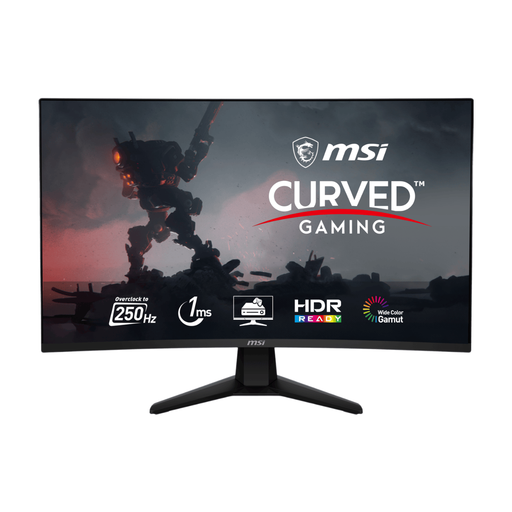
Consider this model only if Full HD gives you enough room to read your maps and interface at your usual viewing distance.
The title specifies Adaptive Sync and a 250Hz overclocked refresh rate. Confirm the modes supported by your device and connection; the FHD workspace differs from the QHD and 4K choices above.
Choose 4K if extra pixel space for maps and text-heavy panels is your priority and your device supports the display mode you want. QHD may suit you if its interface remains readable at your viewing distance; compare screen size and scaling as well as the resolution figures.
No: a 240Hz monitor does not make a game or device produce 240 frames per second. If frame rates vary, check variable refresh rate compatibility instead; AMD says FreeSync needs both a capable display and supported AMD graphics hardware.
No guarantee follows from the presence of OLED care features. If maps, status bars or desktop windows stay visible for long periods, follow the exact model’s care instructions and read its warranty terms before buying.
A faulty or misdescribed monitor is a different matter from simply changing your mind. Coventry City Council Trading Standards explains that goods bought from a trader must be as described, fit for purpose and of satisfactory quality; keep your order details and raise a fault or description issue with the seller. A retailer’s voluntary returns policy does not replace statutory rights.
Check an appropriate electrical-equipment recycling route rather than putting an old monitor in general waste. GOV.UK guidance covers waste electrical and electronic equipment; ask your local authority or retailer which collection or take-back options apply to you.