For one tablet in a UK hotel room, a compact 20–45W USB-C wall charger is usually the less bulky choice if its connector, charging standard and cable suit the tablet. Choose a multi-port charger when other devices need the same socket; a desktop station makes more sense for a regular several-device setup, provided its extra bulk is worth carrying. For a hotel abroad, check the local socket and electrical supply before relying on a UK plug.
Who needs which setup?
Travellers charging one tablet
If overnight tablet charging is the main task, start with the tablet’s connector and supported input rather than the largest charger you can pack. Belkin places 27–45W USB-C wall chargers in its tablet and small-laptop category; the right choice still depends on your particular tablet and cable.
Travellers carrying several devices
A tablet, phone, earbuds or laptop may need to share one accessible hotel socket. A multi-port charger can reduce the number of plugs you carry, but check its output for the particular combination of occupied ports, not just the total wattage printed on it.
Guests travelling outside the UK
Before packing a UK-plug charger, check the destination’s socket type and electrical supply, the charger’s input specification and any travel adaptor’s rating. Electrical Safety First notes that a travel adaptor changes plug fit; it does not convert voltage or frequency.
What matters when choosing?
Identify the tablet and cable first, then decide how many devices must charge at once. That keeps a one-tablet trip from becoming a reason to carry a desktop station while leaving room to choose more ports when socket sharing is the real problem.
| Concern | What to check | Who this matters to |
|---|
| Tablet compatibility |
Check the tablet’s connector and supported charging standard against the charger’s USB-C output and the cable’s rating. A higher charger wattage does not by itself establish a faster rate for that tablet. |
For a tablet-only stay, I want a charger that fits my device without carrying unused capacity. Around 45% of consumers put tablet compatibility first. |
| Sharing one socket |
Count the devices that will charge together and check the charger’s output allocation for those occupied ports, as well as its USB-C and USB-A connections. |
When my tablet and other devices need the same socket, having enough usable ports matters more than a single-device setup. Around 33% of consumers make simultaneous charging their primary concern. |
| Socket and travel fit |
Confirm the plug suits the hotel socket. Abroad, also check the local supply, charger input and travel adaptor rating; Electrical Safety First says an adaptor does not convert voltage or frequency. |
In an unfamiliar room or country, I need to know the equipment suits the socket and supply before plugging in. Around 22% of consumers prioritise that fit. |
Mistakes to avoid
-
Choosing by total wattage alone
A higher rating cannot make a tablet accept more power than its supported charging setup allows. On a multi-port charger, connected devices may also share the available output.
Check the tablet’s charging requirements and the charger’s output for the port combination you intend to use before choosing extra capacity.
-
Leaving the cable out of the decision
A suitable charger still needs a cable with the right connectors and rating. Samsung’s guidance for its 45W adapter, for example, recommends a 5A cable for optimal results with compatible devices.
Check the cable you plan to pack against both the tablet and charger specifications.
If your existing cable is unsuitable, you may need to carry a different one.
-
Treating a travel adaptor as a converter
A UK charger fitting a socket through an adaptor does not establish that its electrical input suits the local supply. Electrical Safety First states that travel adaptors do not convert voltage or frequency.
For a hotel outside the UK, check the destination supply, charger input and adaptor rating before use.
-
Packing a desktop station for one tablet
A station provides several ports in one place, but its body and lead add items to carry when only one tablet needs charging.
Choose it for a regular several-device bedside or desk setup; otherwise, compare a compatible compact wall charger first.
Relevant brands to consider
Anker
Its range includes compact multi-port wall chargers and desktop stations for charging several devices in one place.
- Anker specifies a 200W, six-port Prime desktop station with four USB-C ports rated up to 100W each.
- Those are individual port ratings, not a promise that every port supplies its maximum simultaneously. Check the allocation for your device mix, and allow for the additional station and lead when packing.
Belkin
Its USB-C charger guidance is a starting point for a straightforward tablet wall-charger setup.
- Belkin groups 27–45W USB-C wall chargers with tablets and small laptops.
- That category does not identify the requirements of your tablet. Confirm its connector, charging input and cable before selecting a particular charger.
UGREEN
Its multi-port wall chargers are relevant when a tablet must share a socket with other devices.
- UGREEN describes its Nexode 100W four-port charger as having three USB-C ports and one USB-A port.
- For simultaneous charging, check the output available to the occupied ports and the cables required by each device.
Joybuy chargers for these setups
These Joybuy options cover compact single-port chargers for a tablet-focused trip and multi-port wall chargers for sharing a hotel-room socket. Match the charger and cable to your tablet before deciding how much capacity or how many ports to carry.
 No image available
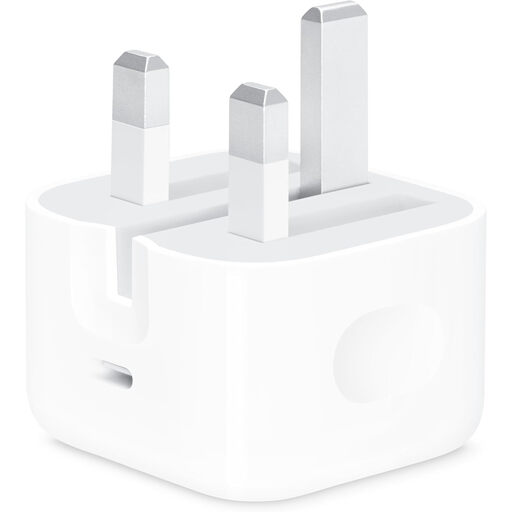
Apple 20W USB-C Power Adapter
Consider this for a tablet-only trip if the tablet and cable suit the adapter’s USB-C output.
Rated output: 20W. Check the plug type for your hotel socket and whether you need to pack a separate cable.
View on Joybuy
 No image available
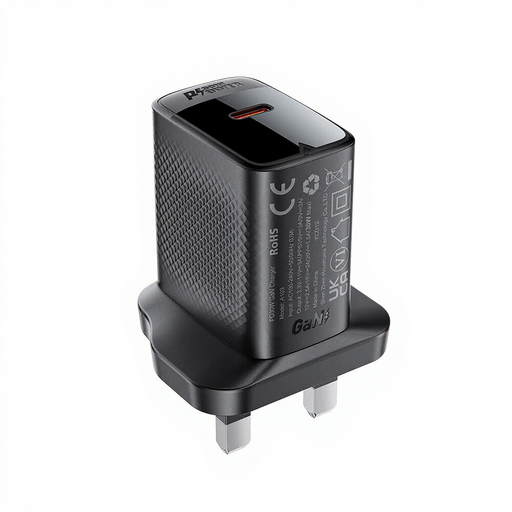
ACEFAST PD30W GaN USB-C Charger, Black
This single-charger option suits a tablet-focused trip when the tablet supports its charging connection and protocol.
Rated output: 30W; USB-C connection. Confirm the tablet’s requirements and the cable you will use.
View on Joybuy
 No image available
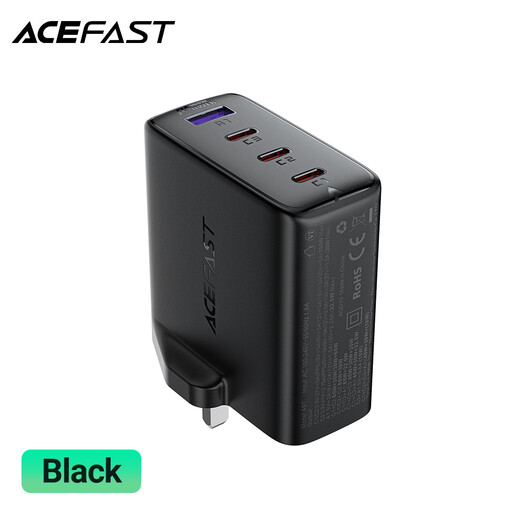
ACEFAST A97 PD100W GaN Charger, 3 USB-C + USB-A, UK
Consider this when a tablet and other devices need to share a UK hotel-room socket.
Rated total output: 100W; three USB-C ports and one USB-A port. Check how output is divided when your intended devices are connected, along with their cable requirements.
View on Joybuy
 No image available
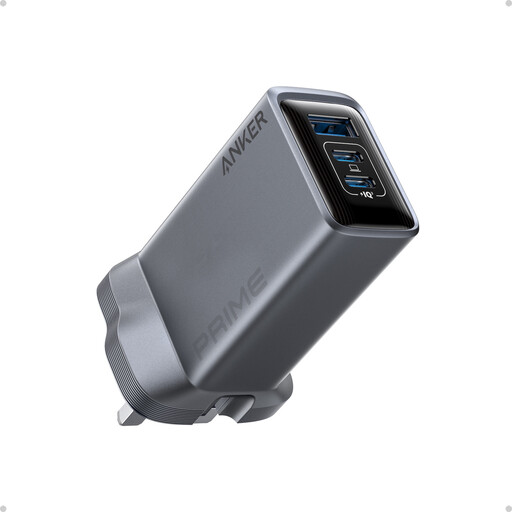
Anker Prime 100W USB-C 3-Port GaN Charger, Black
This is a multi-port option to assess when the tablet will share a socket with other devices.
Rated total output: 100W across a three-port charger. Confirm its plug type, the output available with your chosen ports occupied, and compatibility with the tablet and cables.
View on Joybuy
Frequently asked questions
Do I need a travel adaptor in a UK hotel room?
Not normally if your charger has a UK Type G plug and the room provides a suitable UK socket. For a hotel outside the UK, check the local socket and supply as well as the charger’s input; Electrical Safety First notes that a travel adaptor does not convert voltage or frequency.
Is a 100W charger too powerful for one tablet?
The 100W rating alone does not establish the rate at which your tablet will charge. Check the tablet’s supported charging input and cable first. If you are charging only the tablet, a compatible compact wall charger may save luggage space; more ports and capacity become useful when other devices also need charging.
Why does port allocation matter on a multi-port charger?
A charger’s total wattage is not necessarily available to each connected device at the same time. Read its output table for the particular ports you will occupy, then check that each device and cable suits the resulting output.
Can I use an extension lead for several chargers in a hotel room?
Check the lead’s rating against the equipment you connect and do not overload it. Electrical Safety First advises against connecting appliances whose combined demand exceeds an extension lead’s maximum current rating; avoid using damaged equipment.


