Deal with reflections from the window before choosing an ultrawide by size alone. A 40-inch 5K2K monitor gives you more vertical pixels for a preview and design tools side by side, while a 34-inch 3440 × 1440 designer model may suit a smaller desk and a workflow that prioritises documented colour modes and a matte or anti-glare surface. Neither route replaces careful screen placement and control of incoming light.
Who this setup suits
Bright-window web designers
You build or review landing pages beside a window and need a screen position that avoids distracting reflections. The Health and Safety Executive advises arranging the desk and screen to avoid glare or bright reflections; a screen coating is only one part of that setup.
Multi-window landing-page builders
You keep a browser preview, design canvas, assets and development tools in view together. The choice between a 5K2K screen and a smaller ultrawide matters more to this workflow than refresh rate alone.
Colour-conscious creatives with limited desk space
You want a 34-inch workspace for web-oriented colour work and laptop connectivity, while checking the screen surface and stand adjustment against the space beside your window.
What matters when choosing
Check where reflections fall first, then decide how much canvas, colour control and laptop connectivity your landing-page work calls for.
| Concern | What to check | Who this matters to |
|---|
| Window reflections |
Check the screen surface and stand adjustment, then whether the desk position avoids direct reflections. |
If window light falls across my screen, I need a viewing position where I can judge the page without distracting reflections; around 33% of consumers put reflection control first. |
| Canvas space |
Compare native resolution and physical size, and check desk depth and your computer’s supported display mode. |
When I work with a preview beside design and development tools, I want enough room to keep them visible; workspace is the first concern for around 27% of consumers. |
| Web colour |
Look for documented sRGB modes, model-specific colour information and a colour-managed workflow. |
If I review colours and assets for a landing page, I want a suitable web-colour viewing mode rather than relying on a wide-gamut claim; around 20% of consumers prioritise colour confidence. |
| Laptop connection |
Check the laptop’s video output and charging needs against the monitor’s ports and power delivery. |
I would like one connection to handle my display and laptop-led desk, provided the devices work together; for around 20% of consumers, integration is the primary need. |
Buying pitfalls
-
Relying on brightness or coating while the screen faces the window
Bright reflections can still interfere with the view. The Health and Safety Executive advises arranging the desk and screen to avoid glare or bright reflections.
Check where light falls on the proposed screen position during your working hours, and plan how you will control intrusive window light.
Window coverings or a desk rearrangement may be needed.
-
Assuming a USB-C or Thunderbolt label settles compatibility
The monitor’s connection and charging specifications do not establish what your laptop and cable can deliver together.
Check your exact laptop’s supported external resolution and refresh rate, port capabilities and charging requirement against the monitor.
The intended setup may require a compatible cable, adapter, dock or separate power supply.
-
Treating wide gamut as automatic web-colour accuracy
P3 coverage alone does not tell you which colour mode your landing-page preview uses. The relevant modes and colour claims vary by model.
Check the exact monitor’s sRGB mode and colour documentation, and use a colour-managed application where your workflow requires one.
-
Choosing a large screen without measuring the workstation
A 39.7- to 40-inch display needs enough room for its stand and a workable viewing position, particularly when the screen must be angled away from a window.
Measure desk width and depth, check the stand or mounting requirements, and plan where the screen will sit.
A monitor arm or a different desk arrangement may be necessary.
Brands to consider
Dell
Dell’s UltraSharp U4025QW is a 39.7-inch curved 5K2K option for a spacious design desk with hub-style connectivity.
- Dell specifies 5120 × 2160 at 120 Hz, 100% sRGB coverage and an adjustable stand for this model.
- Check its physical fit and whether your computer supports the display mode and connections you intend to use.
BenQ
BenQ’s PD3420Q is a 34-inch designer ultrawide for buyers considering a matte surface, documented colour spaces and integrated KVM.
- BenQ specifies 3440 × 1440, 100% sRGB and Rec.709 coverage, a calibration report and 65 W USB-C power delivery.
- Its 1440-pixel vertical resolution gives less pixel space than the cited 5K2K models; its 350-nit typical brightness does not remove the need to control window reflections.
ASUS
The ProArt PA34VCNV is a 34.1-inch ultrawide to consider when an anti-glare surface, documented web-oriented colour coverage and USB-C connectivity matter.
- ASUS specifies 3440 × 1440, 100% sRGB and Rec.709 coverage, 96 W USB-C power delivery and height adjustment for this model.
- Its 300 cd/m² typical brightness is not a promise of comfortable viewing in direct window light; plan the screen position and light control.
Samsung
Samsung’s ViewFinity S8 S85TH, model LS40H850TAUXXU, is a 40-inch curved 5K2K option for a large multitasking workspace.
- Samsung specifies a 144 Hz refresh rate, Thunderbolt 5 and charging up to 140 W for this model.
- For a window-side position, check its screen treatment and typical brightness as well as your computer’s connection compatibility.
Joybuy ultrawide options
These ultrawides cover compact 29- and 34-inch desks as well as wider 49-inch workspaces. For a window-side landing-page setup, compare each screen’s fit, positioning and colour controls rather than treating size or a gaming-focused specification as a substitute for those checks.
 No image available
LG UltraGear 34GX900A-B 34-inch OLED WQHD monitor
Consider this 34-inch ultrawide if that size fits your design desk. The title specifies a 240 Hz OLED model; for long periods with static design interfaces, consider the stated burn-in risk and use its screen-protection settings.
For window-side web work, confirm the brightness and sRGB controls you need, and position the screen to avoid direct reflections.
View on Joybuy
 No image available
Acer Predator X49X 49-inch curved QD-OLED monitor
Consider its 49-inch 32:9 format if you have room for a very wide, multi-window desk layout. The title identifies an 1800R curve, Double Quad HD resolution and a 240 Hz refresh rate.
Measure desk depth and viewing distance, and check the brightness and web-colour controls needed for your window-side setup.
View on Joybuy
 No image available
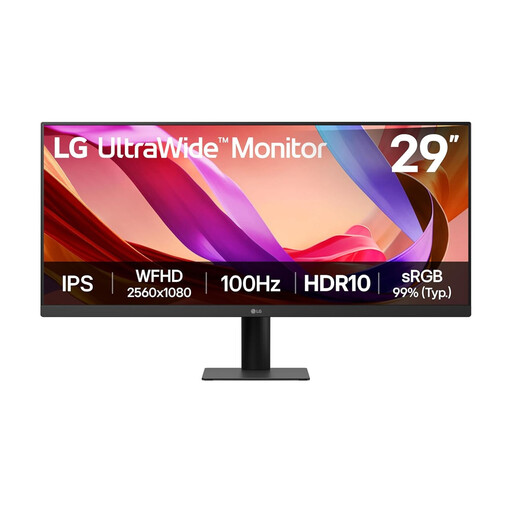
LG UltraWide 29U511A 29-inch IPS monitor
This smaller ultrawide may suit a desk where a 34- or 49-inch panel would be difficult to position. Its title specifies UWFHD 1080p resolution, a 100 Hz refresh rate, HDMI and DisplayPort.
Allow for its more limited canvas when arranging a preview beside tools, and confirm the stand adjustment you need.
View on Joybuy
 No image available
CRUA 49-inch curved 5120 × 1440 monitor
The 32:9, 5120 × 1440 format suits a desk planned around several windows across one screen. The title specifies a 165 Hz VA panel and a 1500R curve.
Check desk and mount fit, the exact stand adjustments and screen surface before choosing it for a bright-window position. Its stated 120% sRGB gamut alone does not establish a calibrated sRGB mode.
View on Joybuy
 No image available
Dahua 34-inch curved 3440 × 1440 VA monitor
Its 34-inch, 3440 × 1440 format is a middle-sized option for keeping a page preview beside other work. The title specifies a 200 Hz refresh rate and HDMI and DisplayPort connections.
Before placing it beside a bright window, check the screen treatment and the colour mode required for your web-design workflow; brightness alone will not settle the reflection question.
View on Joybuy
Common questions
Will a matte or anti-glare monitor solve sunlight from a nearby window?
Do not rely on the surface treatment alone to deal with direct light. The Health and Safety Executive advises arranging the desk and screen to avoid glare or bright reflections, so check the screen’s position and whether curtains or blinds can control intrusive light.
Should I choose 40-inch 5K2K or 34-inch 3440 × 1440 for landing-page design?
Choose a 40-inch 5K2K model when you need more vertical pixels for a preview alongside design or development tools and have the desk space and compatible computer to use it. A 34-inch 3440 × 1440 model is worth considering when a smaller screen and model-specific features such as matte or anti-glare treatment and documented colour modes matter more. Compare the exact models rather than assuming every screen in either size has those features.
Can a USB-C or Thunderbolt ultrawide replace my laptop charger and dock?
It can serve that role only if its connections and power delivery meet your laptop’s requirements. BenQ specifies 65 W USB-C power delivery for the PD3420Q, ASUS specifies 96 W for the PA34VCNV, Dell lists up to 90 W for the U4025QW, and Samsung states up to 140 W for the S85TH. Check your laptop’s charging needs and supported video mode as well as the cable and ports you will use.


