Landing-page designers focused on detail
If you inspect long layouts, compare a browser preview with a design canvas and work with colour-sensitive assets, vertical resolution and the exact model’s colour specifications deserve close attention.


Choose a 5120 × 2160 ultrawide if inspecting long page layouts and fine detail matters more than keeping the monitor compact; a 34-inch 3440 × 1440 model takes up less space, while a 5120 × 1440 super-ultrawide favours windows arranged side by side. Whichever format suits your work, check its full dimensions and adjustment options against the standing desk, and confirm that your computer can drive the intended display mode.
If you inspect long layouts, compare a browser preview with a design canvas and work with colour-sensitive assets, vertical resolution and the exact model’s colour specifications deserve close attention.
If you alternate between sitting and standing, the monitor needs to fit the desk and reach a workable position in both setups. The Health and Safety Executive notes that workstation design and use can contribute to display-screen-related discomfort.
If one laptop runs your design tools, browser previews and peripherals, check its video output and charging requirements alongside the monitor’s inputs. A USB-C socket alone does not settle those questions.
Consider it when: Vertical pixels and detail for inspecting a long landing page take priority. Dell UK lists the 39.7-inch U4025QW as one example.
Trade-off: A panel of this size needs enough desk space and a suitable viewing position.
Consider it when: You want room for a design tool and browser preview in a smaller chassis. BenQ UK lists creative-oriented colour modes for its PD3420Q.
Trade-off: Its 1440-pixel vertical resolution gives you less page height than the cited 5120 × 2160 format.
Consider it when: Keeping several applications visible horizontally matters more than a taller page canvas.
Trade-off: HP lists its E45c G5 at 108.43 cm wide with its stand, yet its vertical resolution remains 1440 pixels.
| Concern | What to check | Who this matters to |
|---|---|---|
| Page detail and colour | Compare native resolution and vertical pixels; for colour-sensitive work, check the specified colour space and calibration evidence for the exact model. | When I inspect spacing, type and visual assets across a long page, I need enough detail to judge them comfortably. Around 33% of consumers put page detail and colour first. |
| Standing-desk fit | Measure desk width and depth, then check the monitor’s full dimensions, stand adjustment or compatible mounting pattern. | I switch between sitting and standing, so the screen has to fit and reach a workable position at both desk heights. For around 27% of consumers, that physical fit is the primary concern. |
| Laptop connection | Check the laptop’s video output, the monitor’s supported input modes and, if needed, USB-C charging power. | If my laptop is the centre of the setup, I need the intended display mode and charging arrangement to work through the ports I have. Around 20% of consumers prioritise that connection. |
| Side-by-side workspace | Compare aspect ratio and resolution, then decide which applications must remain visible together. | I keep a preview, design tool and other windows open together, and horizontal room matters more to me than extra page height. That is the main priority for around 20% of consumers. |
A super-ultrawide may take up more room than its diagonal suggests: HP specifies a width of 108.43 cm with the stand for the E45c G5.
Measure the clear desktop and the desk’s lifting path. Allow room for the stand or arm clamp, cables, keyboard and mouse.
The connector alone does not establish native-resolution video output or adequate laptop charging. HP specifies a capable graphics output using DisplayPort 1.4 or HDMI 2.1 for the E45c G5’s 5120 × 1440 at 165 Hz mode.
Check the laptop’s port and graphics specifications, the monitor’s supported modes, cable requirements and charging power before ordering.
A bigger panel does not ensure a comfortable position when the desk moves between sitting and standing heights. The Health and Safety Executive links display-screen discomfort to factors including workstation design and improper use.
Check adjustment or mounting options, then assess the screen, desk, keyboard and mouse together in both positions.
The Dell U4025QW is listed at 5120 × 2160 by Dell UK, while HP lists the E45c G5 at 5120 × 1440. Their shared horizontal pixel count does not give them the same vertical page canvas.
Choose by the native resolution and the windows you need on screen, rather than by width or diagonal alone.
Dell UK lists the UltraSharp U4025QW as a 39.7-inch 5120 × 2160 curved monitor with height, tilt and swivel adjustment.
BenQ UK specifies the 34-inch PD3420Q at 3440 × 1440, with colour-oriented modes, a factory calibration report, 150 mm height adjustment and 100 × 100 mm VESA mounting.
LG UK lists 40-inch 5K2K models in its UltraFine range, including the Thunderbolt 5-equipped 40U990A-W.
HP specifies the E45c G5 as a 44.5-inch 5120 × 1440 super-ultrawide with virtual dual-display functionality.
These 34-inch and 49-inch ultrawides offer options for a standing-desk design setup. The 34-inch models suit a less expansive layout; the 49-inch model is worth considering when horizontal window space takes priority. Check each monitor’s fit and your computer’s intended display mode before choosing.
 No image available
Consider this 34-inch ultrawide if you want a design canvas and browser preview on one screen without moving to a super-ultrawide.
Its listing warns of OLED burn-in, so review the screen-care guidance if design-tool controls will remain static for long periods. Check laptop video and charging compatibility, and seek calibration evidence if colour accuracy is critical.
 No image available
This 34-inch ultrawide is a choice to examine when you want design tools and a browser preview on the same display.
Check that its stand positioning works at both desk heights and that your laptop supports the intended display mode. For colour-critical work, check the exact model’s calibration evidence.
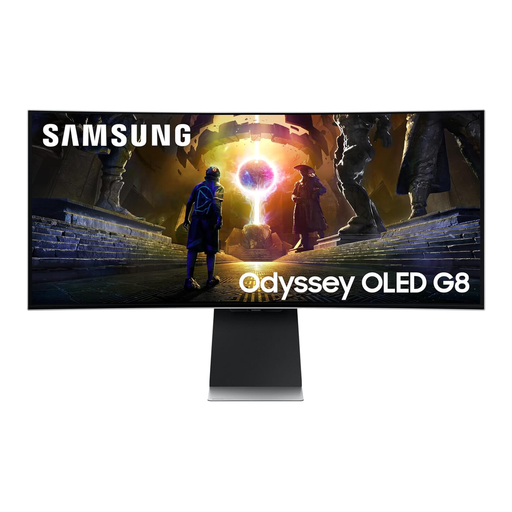 No image available
This 34-inch curved ultrawide is relevant if you want to keep a design application and page preview visible together.
The listing warns of OLED burn-in during prolonged static use. Review its care guidance, confirm the laptop’s intended display mode and check the precise colour-space specification if colour work matters.
 No image available
This 34-inch format may suit a design tool beside a browser preview when a wider 49-inch screen would be awkward on the desk.
The product title specifies a VA panel and 3440 × 1440 resolution. Check that the stand’s adjustment works for your desk positions and that the laptop supports your chosen input mode. Confirm the exact colour-space coverage before relying on it for colour-sensitive work.
 No image available
Consider this 32:9 display if keeping several design and preview windows visible side by side matters more than gaining vertical page height.
Its stated 5120 × 1440 resolution leaves 1440 vertical pixels. Measure the desk and check the monitor’s full dimensions, positioning options and your laptop’s supported output mode before buying.
Not on its own: the screen also has to fit the desktop and sit in a workable position alongside the keyboard and mouse at both desk heights. The Health and Safety Executive advises considering the wider workstation and how display-screen equipment is used, not just one adjustment feature.
No. Check the laptop’s graphics output, port, cable and the monitor’s supported display modes. For the HP E45c G5, HP specifies DisplayPort 1.4 or HDMI 2.1 and a capable video card for its 5120 × 1440 at 165 Hz mode.
It can if the laptop accepts charging through that port and the monitor supplies enough power for its needs. Dell UK specifies up to 90 W on the cited U4025QW upstream port, while BenQ UK specifies 65 W for the PD3420Q; check your laptop’s requirements and the cable you intend to use.